
Connect your AI assistant to Flexlists
Flexlists now has an MCP server: connect Claude, ChatGPT, Cursor, VS Code or n8n and your AI assistant can read and update your lists in plain words, with exactly the rights you give it, every call logged.
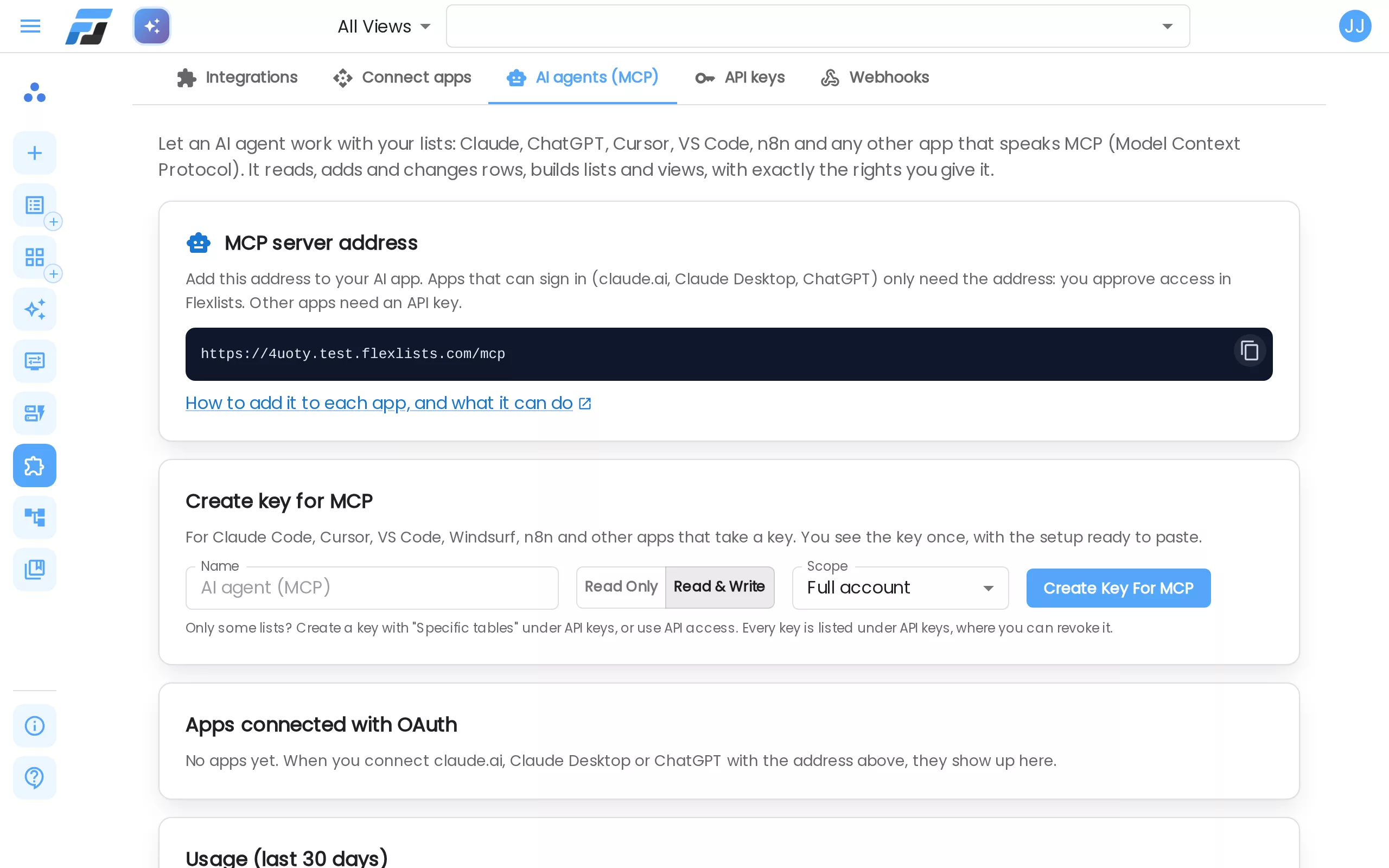
Many people now have an AI assistant open all day: Claude, ChatGPT, Cursor or Copilot. Until now it could not see your Flexlists, so you copied rows into the chat and copied answers back. Flexlists now has an MCP server. MCP (Model Context Protocol) is the common way AI apps connect to other tools. Connect your assistant once, and it can read and update your lists itself, with the rights you give it.
What it means
Once connected, you ask in plain words and the assistant does the work in Flexlists:
- "Which tasks are overdue? Group them by owner."
- "Add a row to my CRM for Acme, stage Lead, value 12,000."
- "Build a Kanban for my hiring pipeline."
- "Add a field that shows how many days each animal has been in the shelter."
The assistant can find lists, read, filter, count and total rows, add and change rows, add fields (including links between lists, rollups and formulas it writes from your description), build views, and look at forms and automations. It works as you: what you can't do in Flexlists, it can't do either. You decide how much it can reach: read only or read & write, and your whole account, one workspace or only some lists.
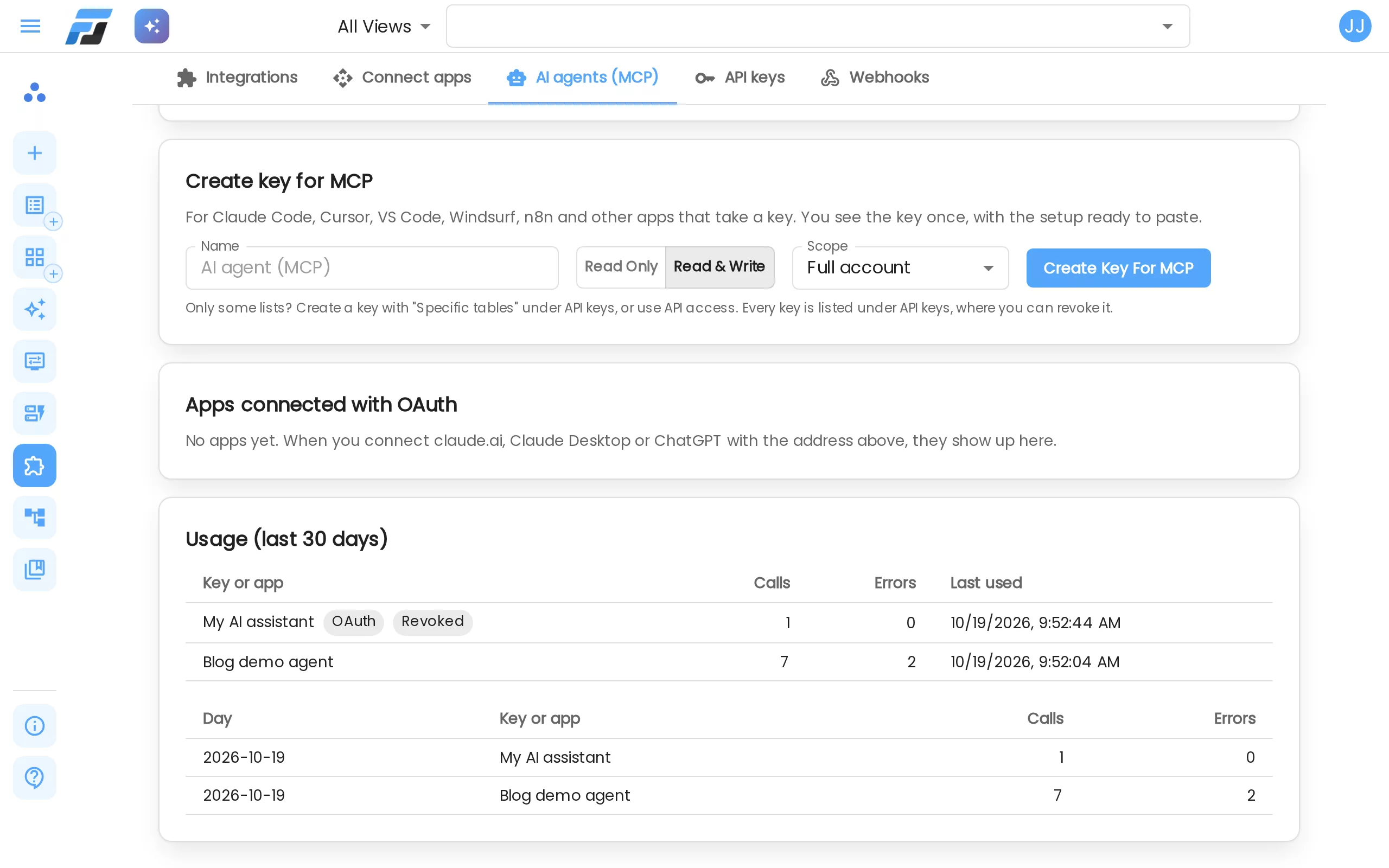
Everything is under Integrations → AI agents (MCP). The address of the server is at the top. Copy it from there.
Connect Claude or ChatGPT: just sign in
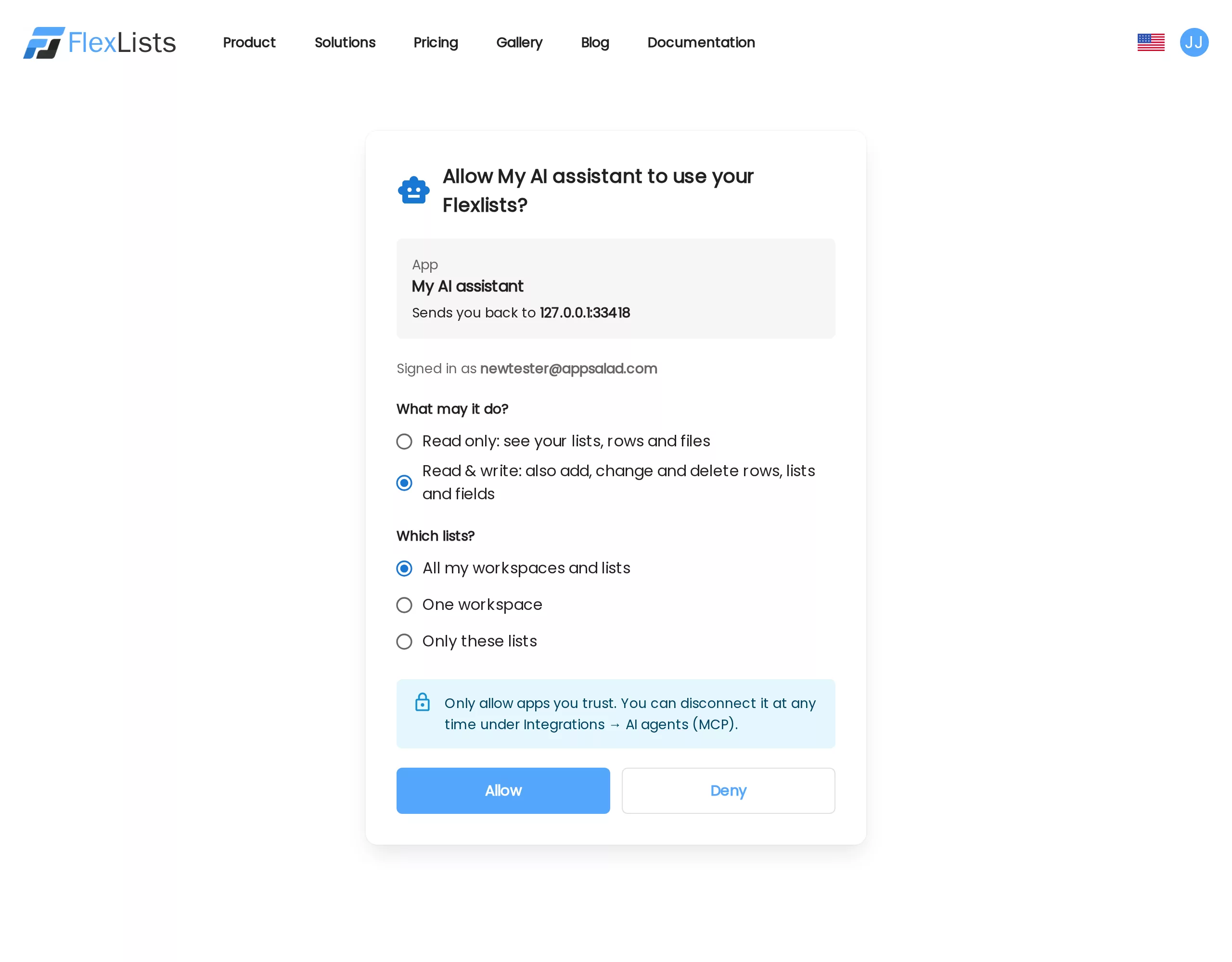
claude.ai, Claude Desktop and ChatGPT only need the address. No key to copy.
In Claude: open Settings → Connectors → Add custom connector. Name it Flexlists, paste the address (for example https://flexlists.com/mcp) and click Add. Then click Connect.
In ChatGPT: switch on Developer mode under Settings → Apps & Connectors → Advanced settings. Then click Create, paste the same address and pick OAuth as the authentication.
Either way you land on a Flexlists page. Sign in, then choose what the app may do (Read only, or Read & write) and which lists (all, one workspace or only these lists). Click Allow and you are back in your chat. The connection shows under Apps connected with OAuth, where Revoke ends it at once.
Apps that take a key: Claude Code, Cursor, VS Code, n8n
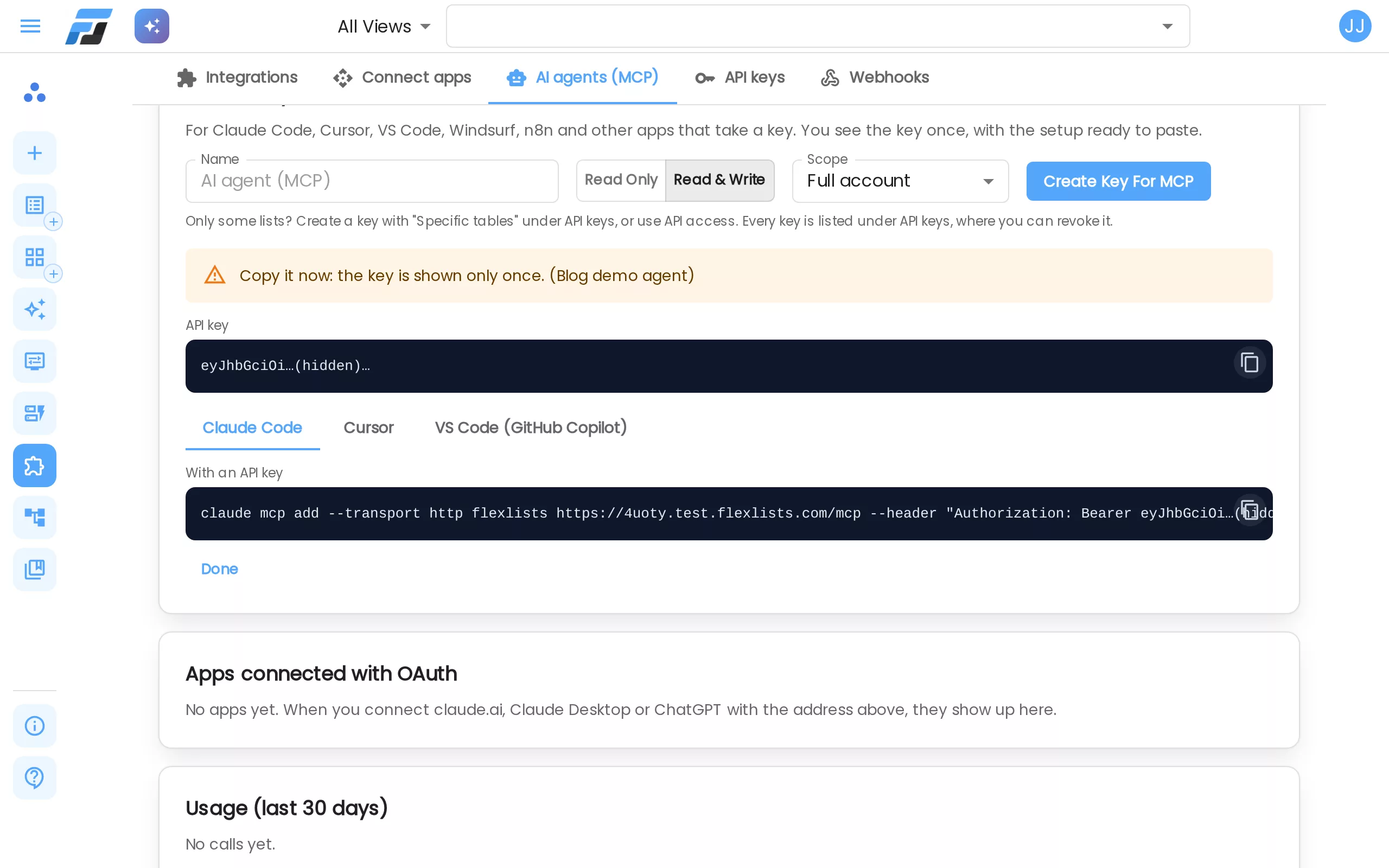
Developer tools like Claude Code, Cursor, VS Code (Copilot), Windsurf, Zed, Gemini CLI, Codex CLI and n8n connect with an API key. Under Create key for MCP, give the key a name, pick Read only or Read & write and the scope (your full account or one workspace), and click Create key for MCP. You see the key once, with a ready-to-paste setup for Claude Code, Cursor and VS Code. For Claude Code that is one line:
claude mcp add --transport http flexlists https://flexlists.com/mcp --header "Authorization: Bearer <your key>"
Need a key for only a few lists? Create one with Specific tables under API keys. These are the same keys as the Flexlists REST API, with the same rights.
A real round trip
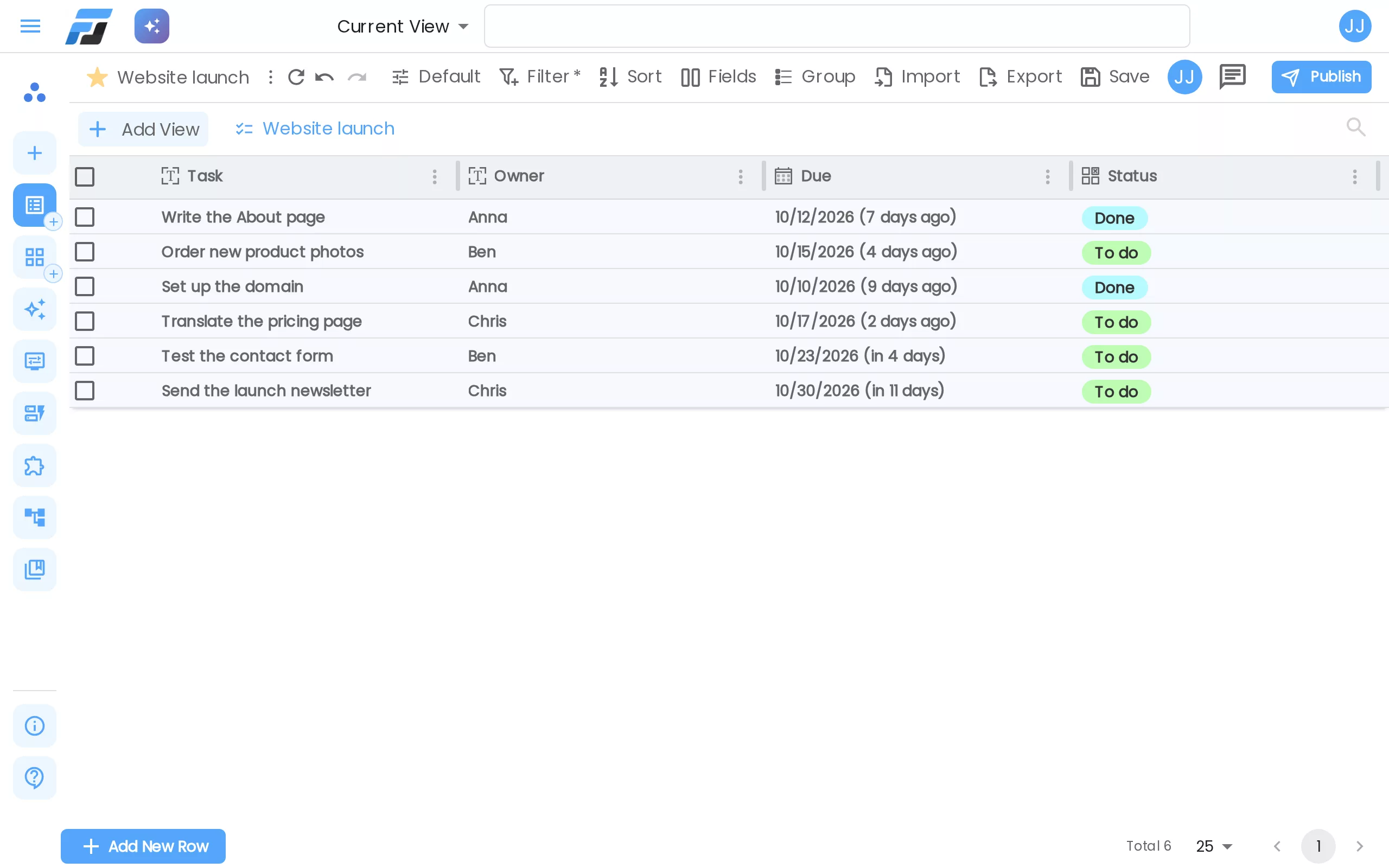
We tried it on our test site with a small Website launch list: six tasks with an owner, a due date and a status. Asked "which tasks are overdue?", the agent calls the search_rows tool with a filter:
{ "name": "search_rows",
  "arguments": { "listId": 863202,
                 "where": { "Due": { "op": "lt", "value": "2026-10-19" },
                            "Status": { "op": "neq", "value": "Done" } },
                 "sort": "Due" } }
Flexlists answers with exactly the three late tasks:
{ "rows": [
    { "id": 1, "Task": "Write the About page",       "Owner": "Anna",  "Due": "2026-10-12", "Status": "Doing" },
    { "id": 2, "Task": "Order new product photos",   "Owner": "Ben",   "Due": "2026-10-15", "Status": "To do" },
    { "id": 4, "Task": "Translate the pricing page", "Owner": "Chris", "Due": "2026-10-17", "Status": "To do" } ],
  "nextCursor": null }
Then "Anna finished the About page" became an update_rows call that sets its Status to Done, and when we opened the list in Flexlists, the task showed as Done. The agent made the list in the first place too, with one create_list call.
Safe by design
- Only what you allow. Lists outside a key's scope don't exist for the agent: it can't find them or open them.
- Read only means read only. With a read-only key, every change is refused with "This key is read-only".
- Deletes need a yes. Tools that delete rows, lists or fields only run with an explicit
confirm. Without it they refuse, so the agent has to tell you what goes and ask first. Deleted rows can be undone in the app. - Every call is logged. The Usage table on the AI agents tab shows the calls and errors per key or app, per day, and when each was last used. The log keeps which tool was called, never your data.
- Bounded answers. One call returns at most 200 rows and 1 MB. The agent pages through bigger lists.
- Stop it any time. Revoke a key under API keys, or an app under Apps connected with OAuth. It stops immediately.
Every app, step by step
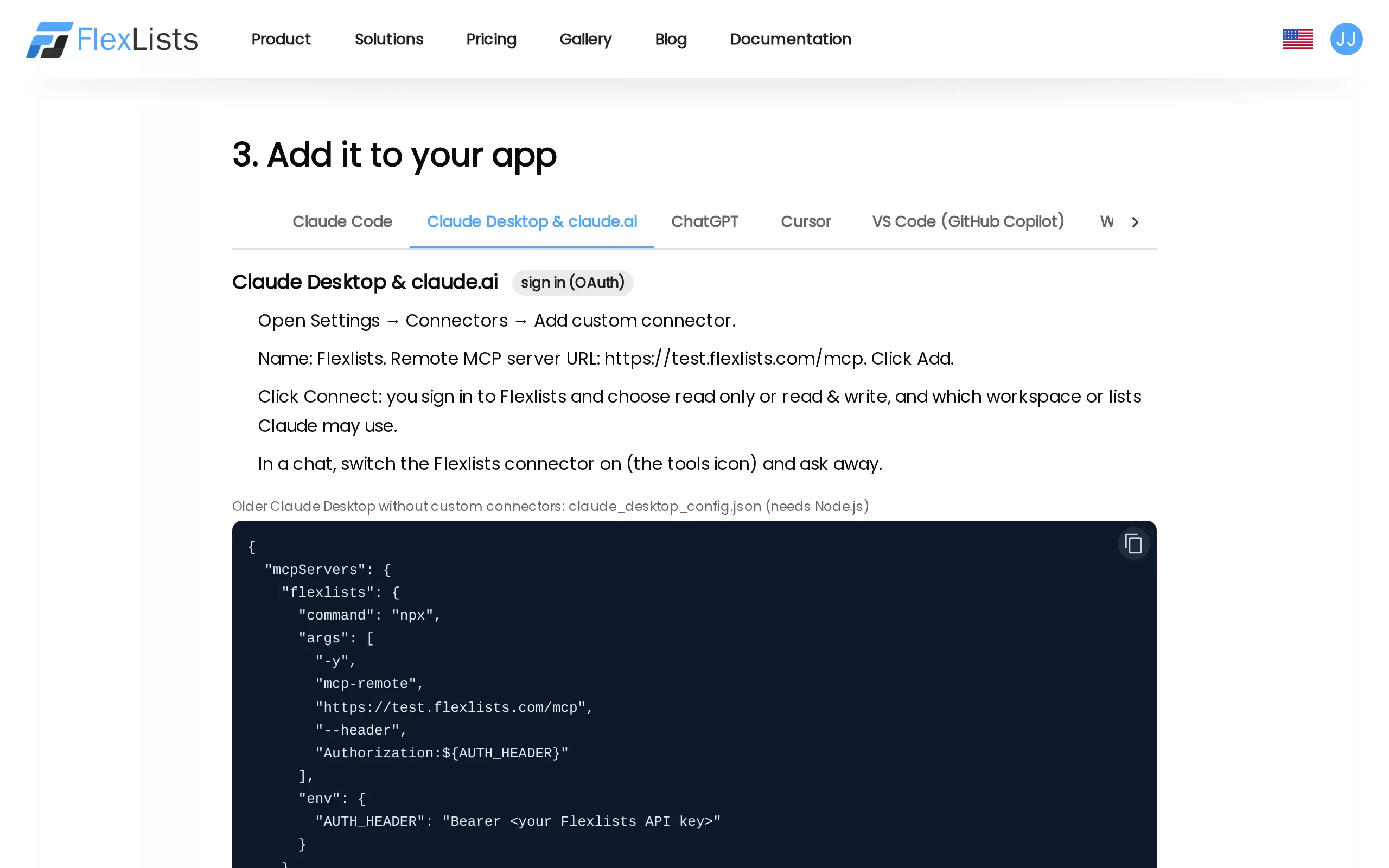
The page /docs/mcp has the steps for each app: Claude Code, Claude Desktop & claude.ai, ChatGPT, Cursor, VS Code, Windsurf, Zed, Gemini CLI, Codex CLI, n8n, and plain curl for anything else. It also lists every tool with an example of what to ask, and what to do when something doesn't connect.
Try it
Open Integrations → AI agents (MCP) in Flexlists, copy the address into Claude or ChatGPT (or create a key for your developer tools), and ask: "What can you do in my Flexlists?"