
API access: keys and documentation made for each app
Give an app or AI agent a key for exactly the lists, permissions and endpoints it needs — with documentation, OpenAPI and llm.md written for that key, with code in seven languages.
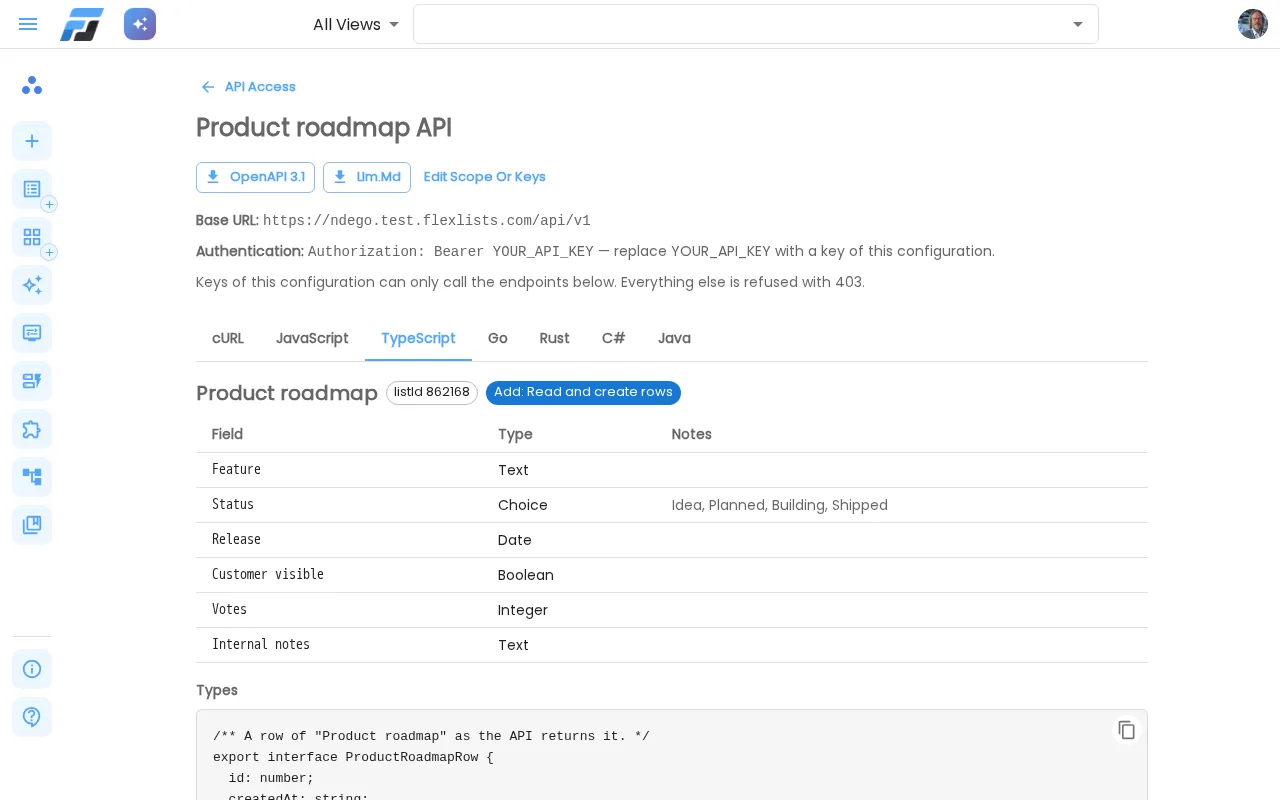
Want to connect a website form, an internal tool or an AI agent to your lists? Until now you created a key and read our general API documentation. Today there's API access: you configure exactly what a key may do, and Flexlists writes the documentation for you, in the programming language you use.
A key that can do exactly what you allow
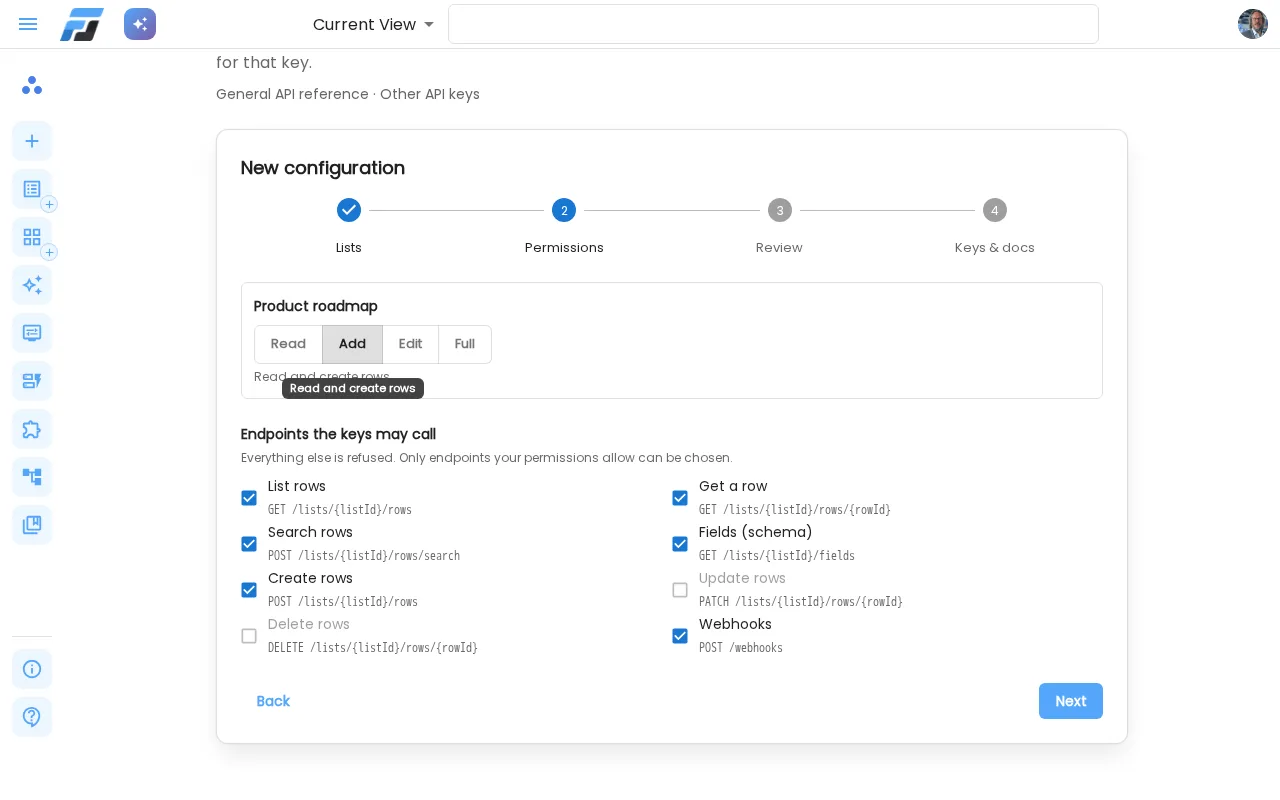
Go to API access, either from the Publish dialog or from Integrations. A short wizard asks you three things:
- Which lists. One or more, from any of your workspaces. You can limit a list to one of its views: the key then only sees that view's fields and rows.
- What the key may do per list: Read, Add, Edit or Full.
- Which endpoints the key may call, for example list and search rows, but no webhooks.
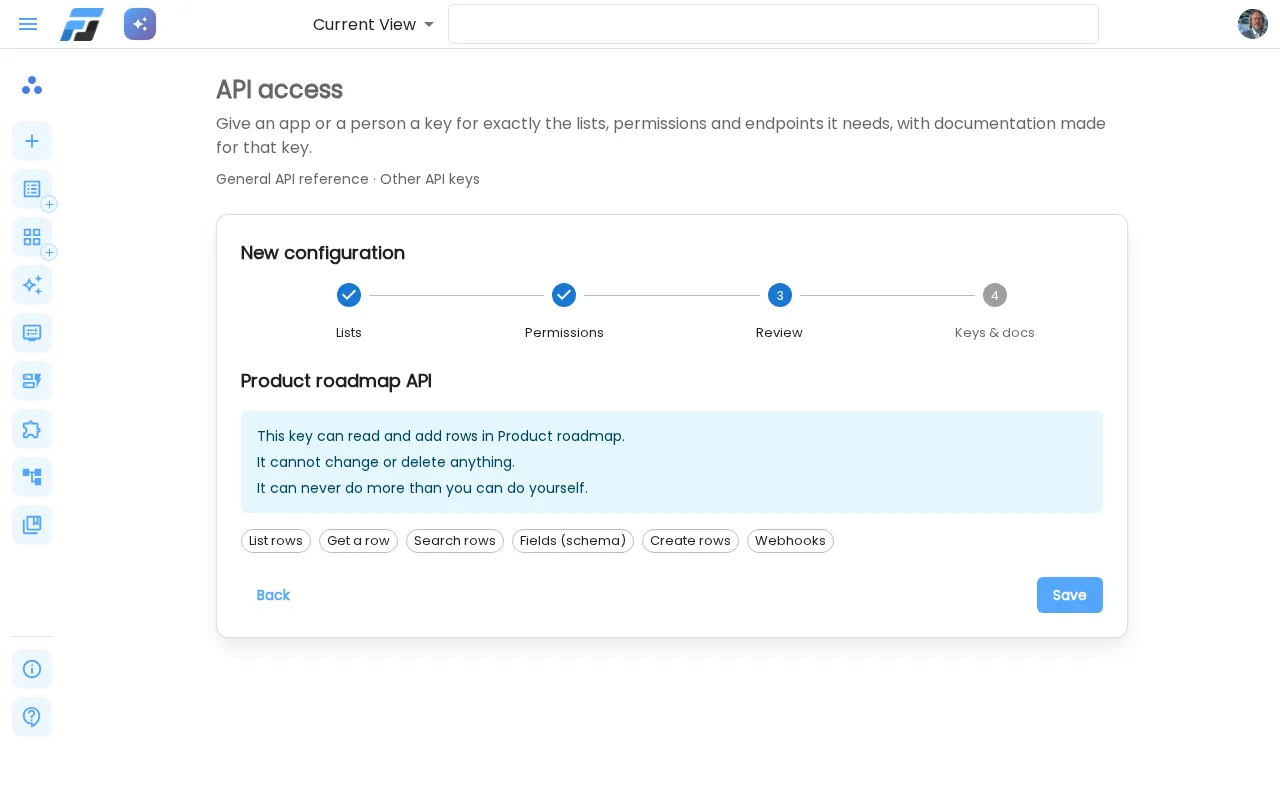
Before you save, you get a summary in plain language: "This key can read and add rows in Product roadmap. It cannot change or delete anything."
Your configuration is saved, so you can come back later to change it or add keys. Every key can have a label, an expiry date and a list of allowed IP addresses, and you can see when it was last used. Keys are shown only once and stored as a fingerprint. A key can never do more than you can do yourself. Write access needs a paid plan and owner, admin or full-access rights on the list.
Documentation made for your key
Every configuration comes with its own documentation. It only covers your lists, your fields and the endpoints this key may use, with real field names and example values. The examples are ready to copy in cURL, JavaScript, TypeScript, Go, Rust, C# and Java. TypeScript gets typed interfaces for your rows.
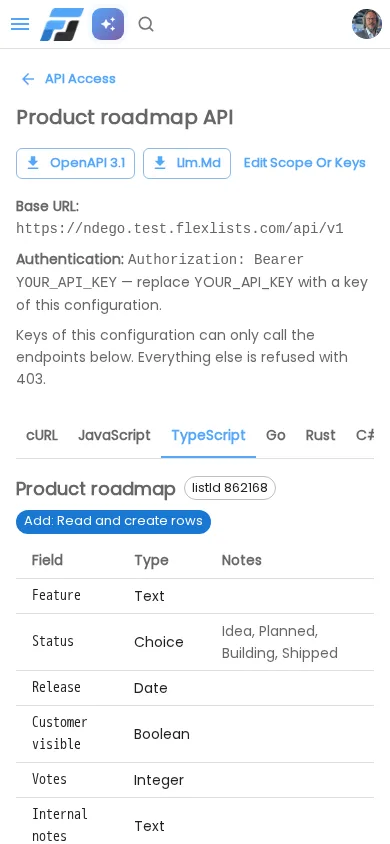
You can also download the same documentation:
- OpenAPI 3.1, for tools like Postman, code generators and API gateways.
- llm.md, a compact description written for AI assistants and agents. Give it to your AI and it knows exactly how to use your lists, and nothing more.