
Build a complete CRM in Flexlists in five minutes
From a blank page to a working sales pipeline: companies, linked contacts, a pipeline board, follow-ups on a calendar, hot deals, a chart and Dave. Watch the full video and follow along step by step.
Most small teams keep their customers in a spreadsheet, a mailbox and somebody's head. A CRM fixes that, but the big ones take weeks to set up and are made for sales departments, not for a team of five. In this video we build a complete CRM in Flexlists from a blank page: companies, the people who work there, a sales pipeline you can drag, follow-ups on a calendar, a chart of what's in the pipeline, and an assistant you can ask about it. Everything at normal speed.
Prefer to read, or want to follow along while you build your own? Here is every step from the video.
1. Start with your companies
Every contact works somewhere, so we start with companies. Tap Create, choose Import a spreadsheet and pick your file. You see a preview before anything comes in. Name the list Companies and import: in our example that's seven companies, each with its industry and city.
2. A list for your contacts
Now the heart of the CRM. Create a blank list called Contacts and give it a few fields:
- Name: a text field.
- Company: instead of typing company names again, link to the Companies list. Each contact works at one company, so switch off multiple rows. The link works both ways, which pays off in step 4.
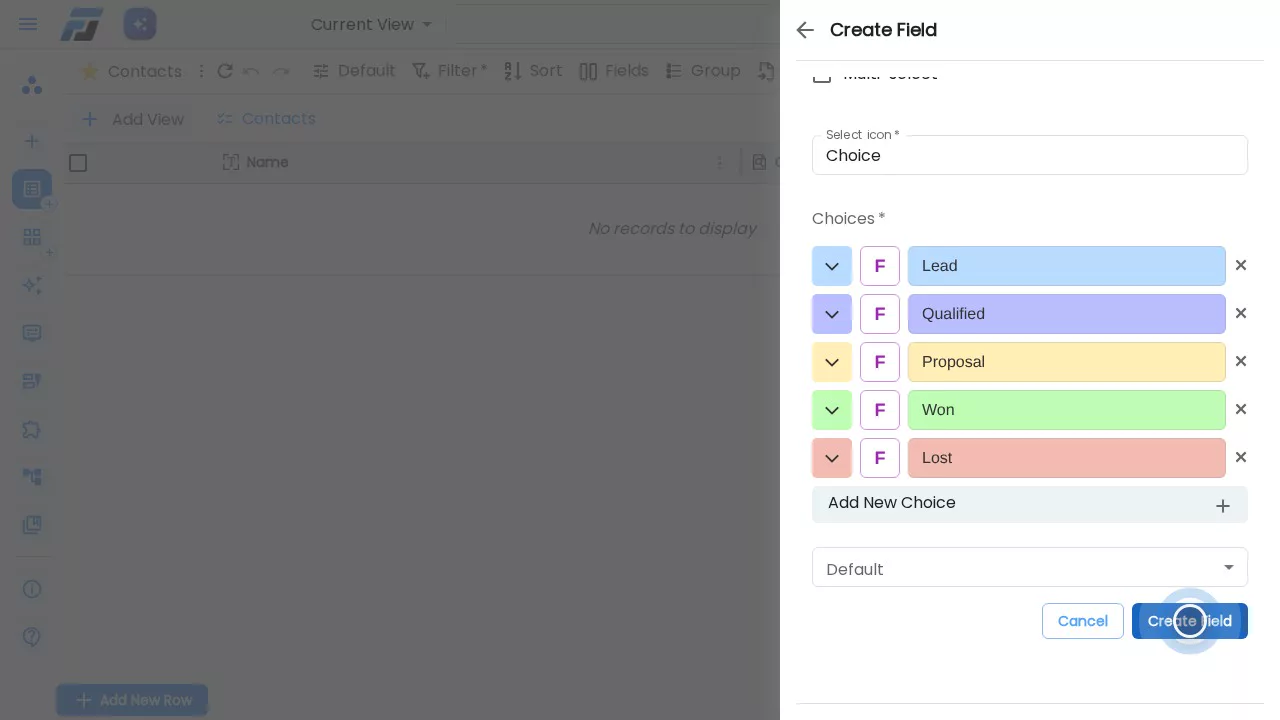
- Stage: a Choice field with a colour per step of your sales process: Lead, Qualified, Proposal, and the two ways a deal ends, Won and Lost. The colours come back everywhere: on the grid, the board and the chart.
- Deal value: a number. Flexlists adds the thousands separators.
- Next follow-up: a date with a time, so you know exactly when to call someone back.
- Email and Phone: plain text, because phone numbers come in every format there is.
3. Add your contacts
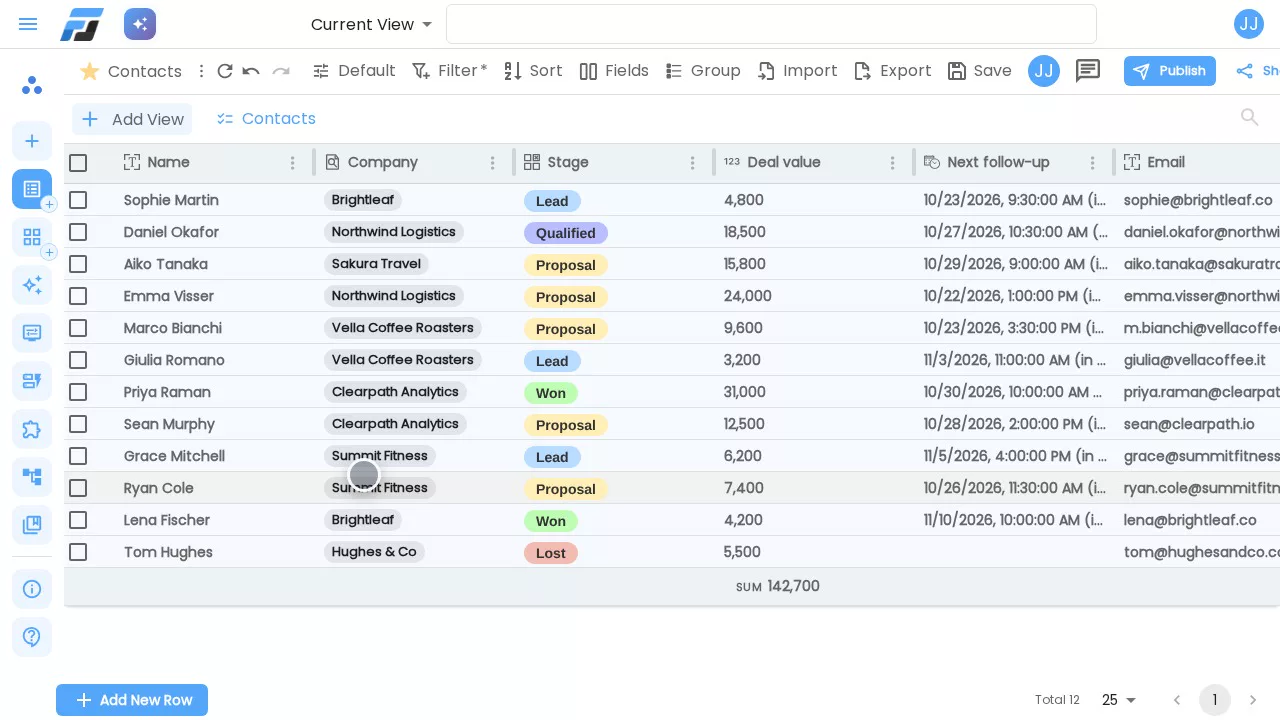
Add the first contact by hand with Add New Row. For her company, tap Link rows, search and pick it. Fill in the stage, the deal value and when to call back.
Got the rest in a spreadsheet? Use Import, choose CSV and pick the file. Companies are matched by name, so every imported contact arrives already linked to its company, and the deal values are added up at the bottom of the list.
4. Companies and their people
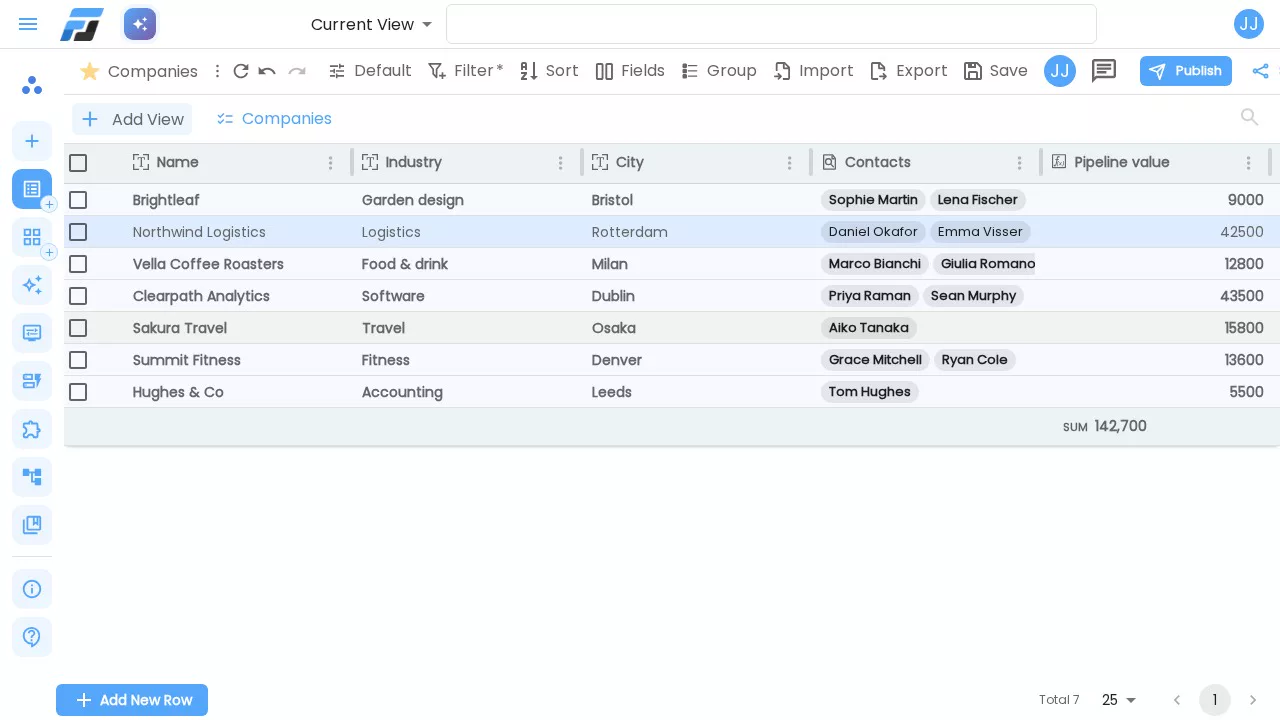
Open the Companies list again. Because the link works both ways, it now has a Contacts column, filled in by the import. Open a company and you see everyone you know there.
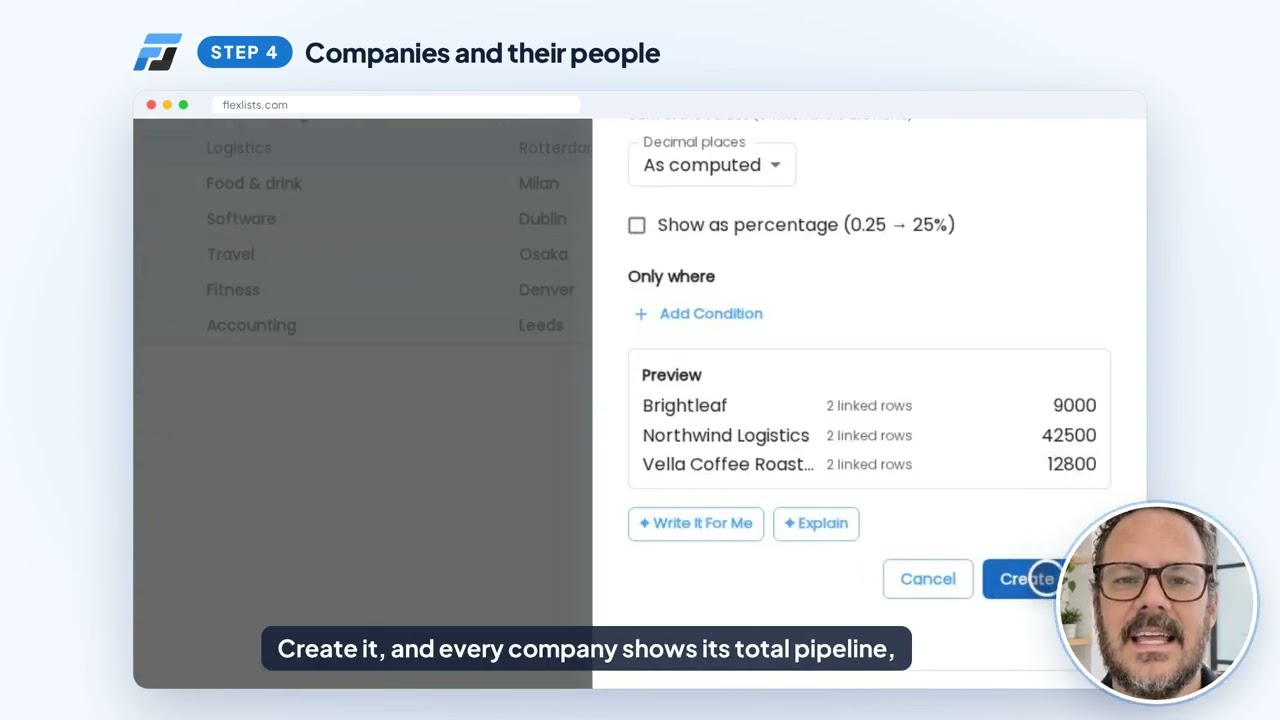
Then give each company a Pipeline value: a Rollup field that follows the Contacts link, takes each person's deal value and adds them up. The preview shows the result on real rows before you save, and the total stays up to date whenever a deal changes.
5. Your sales pipeline
Add a Kanban view to Contacts, call it Pipeline and use Stage for the columns. Every contact becomes a card in the column of its stage, with the company right on the card. When a deal moves, drag its card: from Lead to Qualified after a good first call, all the way to Won when they say yes.
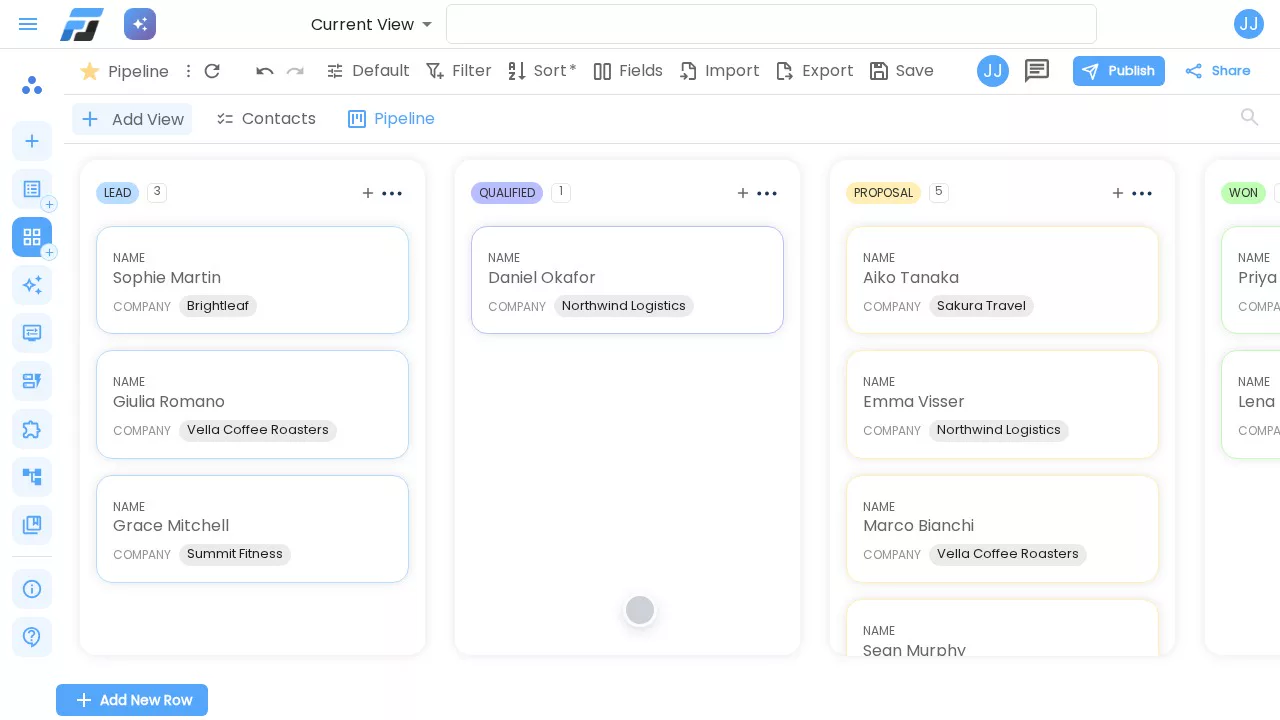
6. Never miss a follow-up
Add a Calendar view called Follow-ups. Flexlists already picks Next follow-up as the date, so every call sits on its day, with its time.
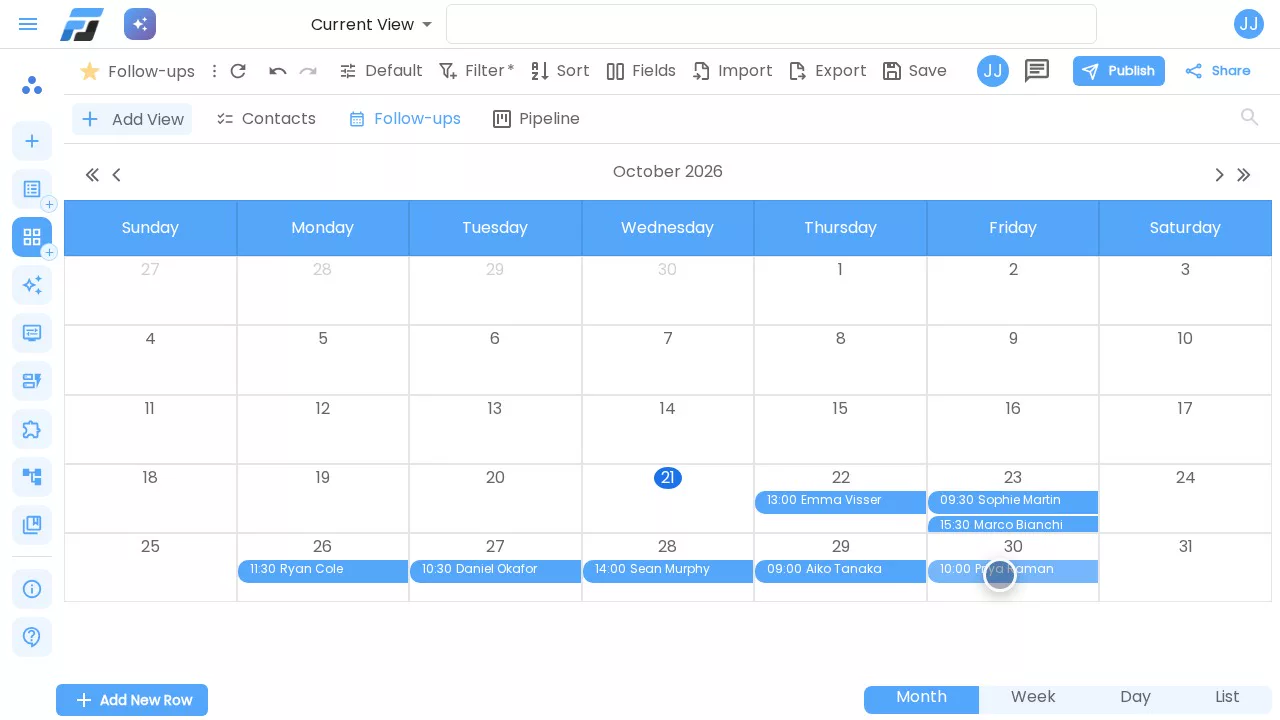
7. Focus on hot deals
Some days you only want the deals that are waiting for a yes. Add another list view called Hot deals, filter on Stage is Proposal, and sort on Deal value from high to low so the biggest deal is on top. Save it to the view, and Hot deals is ready every time you open it, for you and for your team. The total at the bottom shows exactly what's on the table.
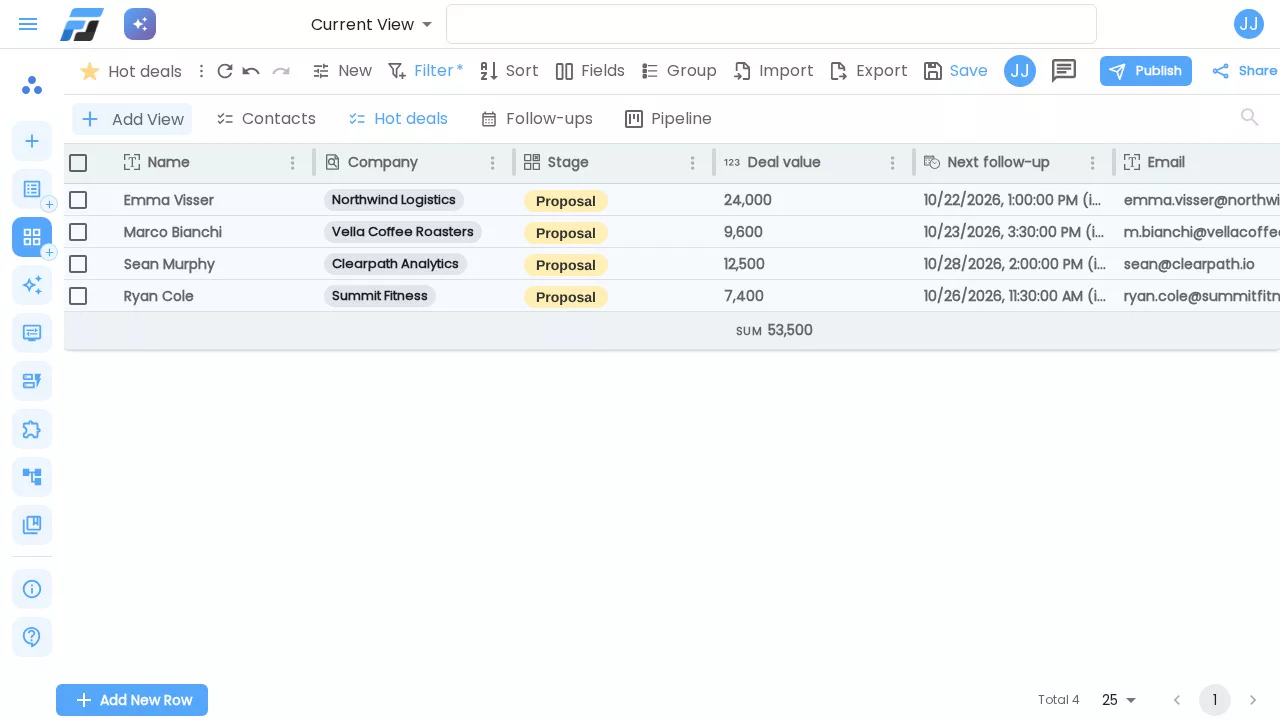
8. See the numbers
Add a Chart view called Value by stage and choose the sum of a field. Flexlists suggests Stage and Deal value on its own. Now you see at a glance where the money sits.
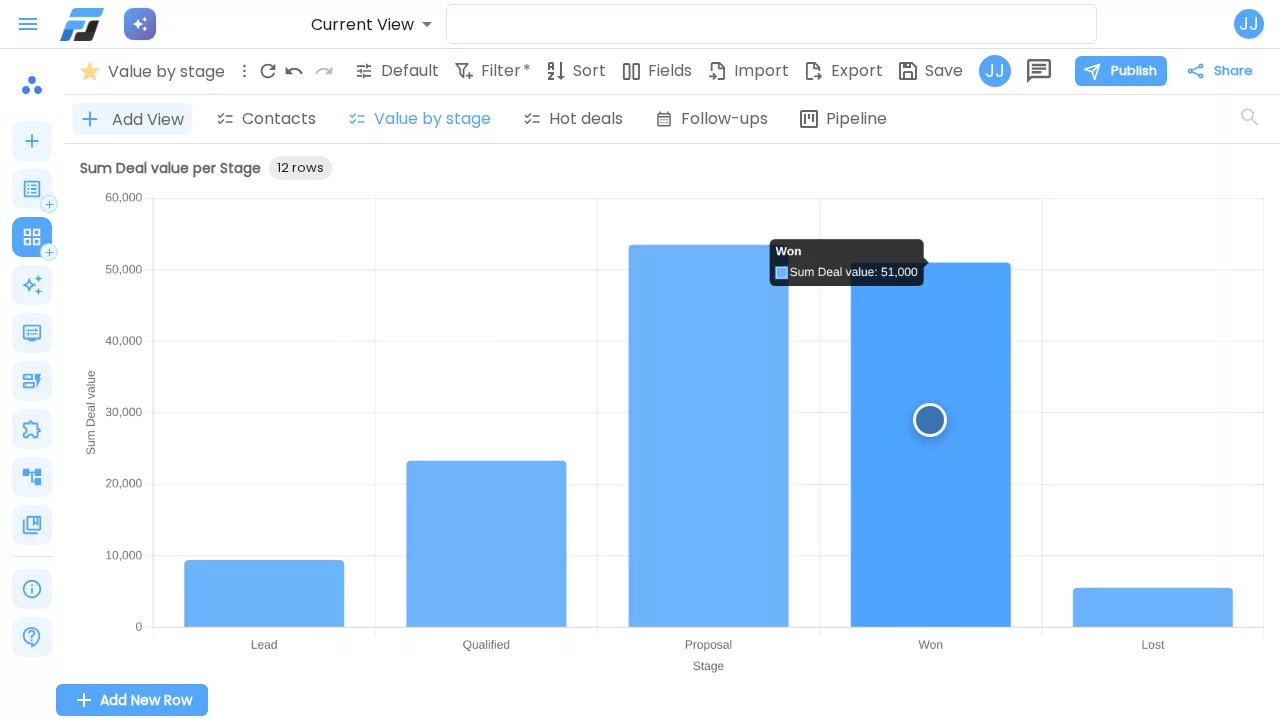
9. Bring in your team
A CRM works best when everyone uses it. Open the pipeline, tap Share, type your colleague's email and choose what they may do, for example read and edit. People with an account get access straight away; everyone else gets an email and is in as soon as they sign up.
10. Ask Dave
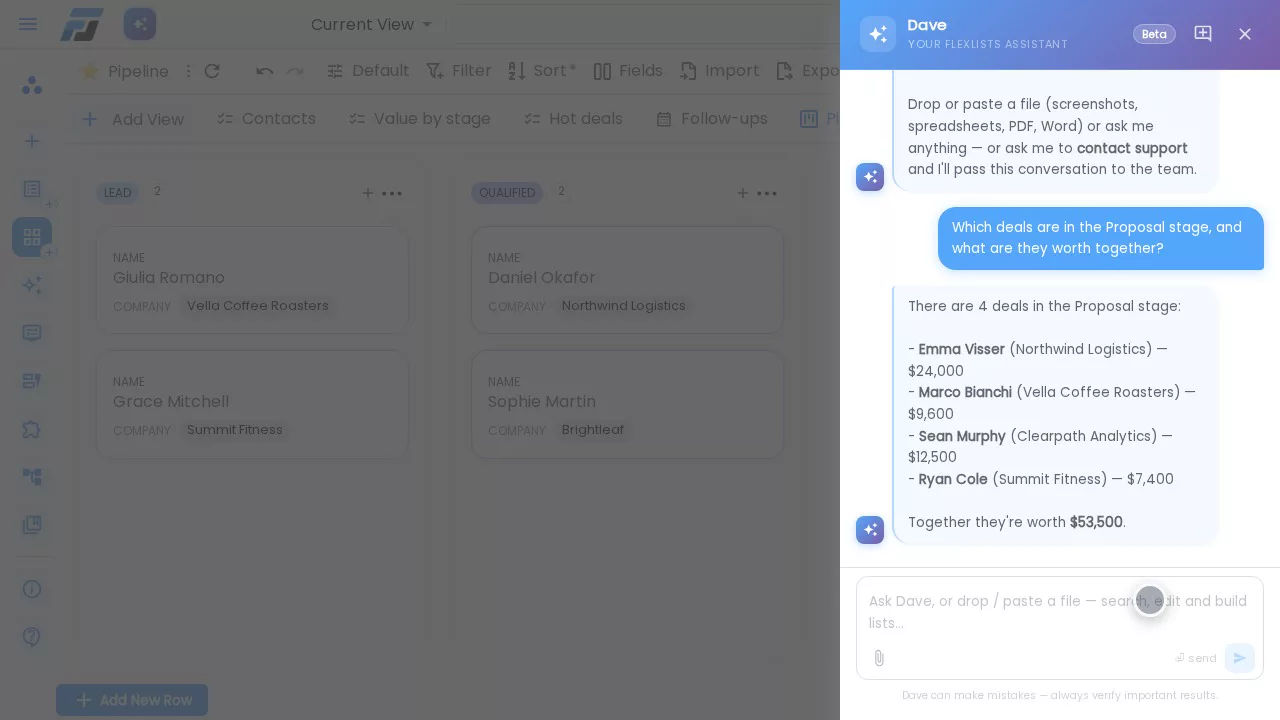
And when you'd rather just ask, there's Dave, the assistant built into Flexlists. Ask him which deals are in Proposal and what they're worth together, and he lists them with the total. Like any assistant he can make mistakes, so check the numbers that matter.
Your turn
That's a complete CRM: companies, linked contacts, a pipeline you can drag, follow-ups on a calendar, a focus view for hot deals, a chart, your team and Dave. It takes about as long as the video. Start your own on Flexlists: it's free to start, and when your CRM needs more, the same lists grow into forms, automations and full applications.