
Every Excel sheet into the list you want — and one design for everyone
Import an Excel file with several sheets and send each column to an existing field, even when a sheet has no header row. The new design is now the default for everybody, and lists in other apps' chats show just the data.
Two things changed today that you'll notice straight away: the new Flexlists design is now the design for everybody, and importing an Excel file with more than one sheet finally does what you'd expect.
Every sheet of an Excel file, into the list you want
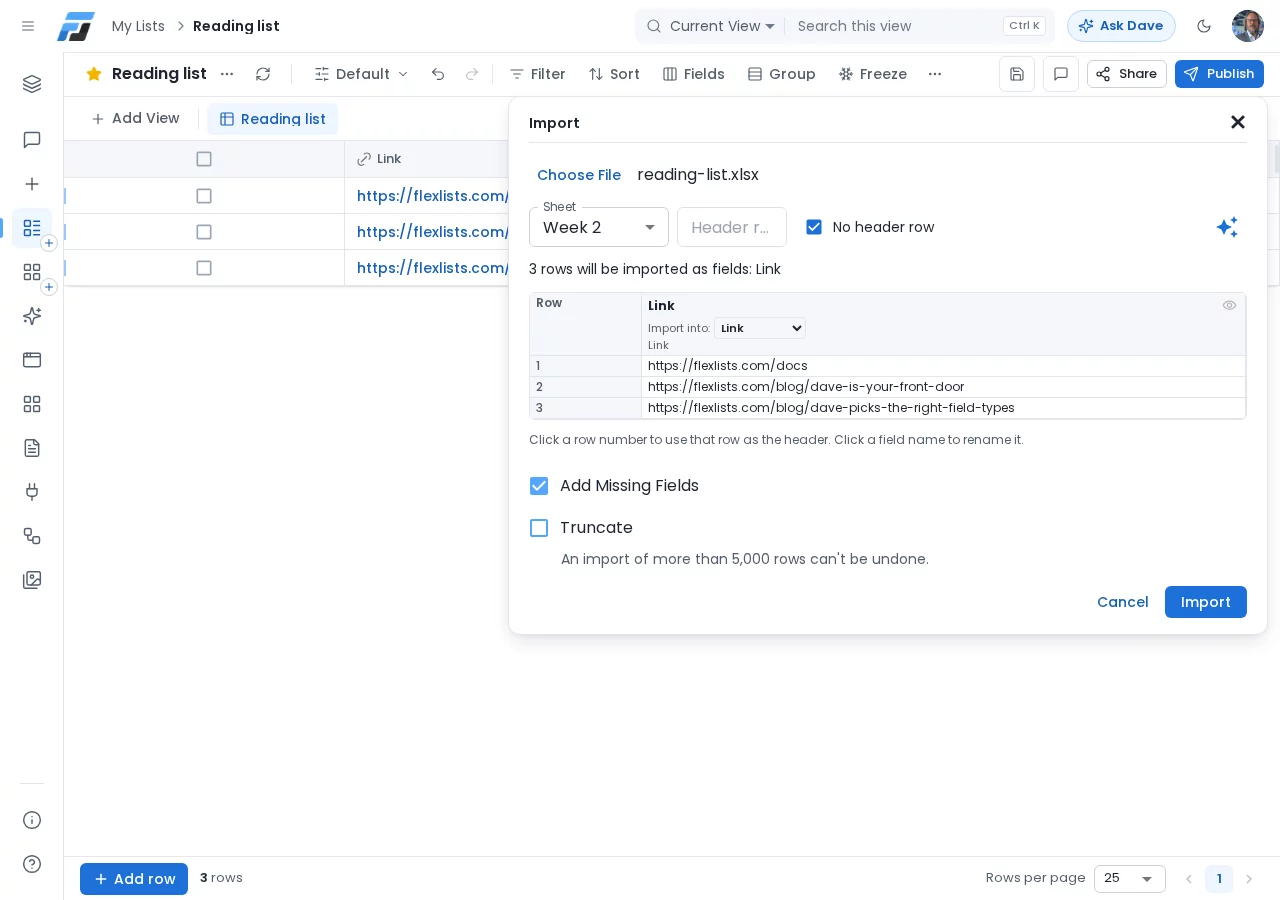
Excel workbooks often have a sheet per week, per region or per person. Until now, the second sheet was a problem if it had no header row: Flexlists took its first row as the field names and wanted to add a new field for it.
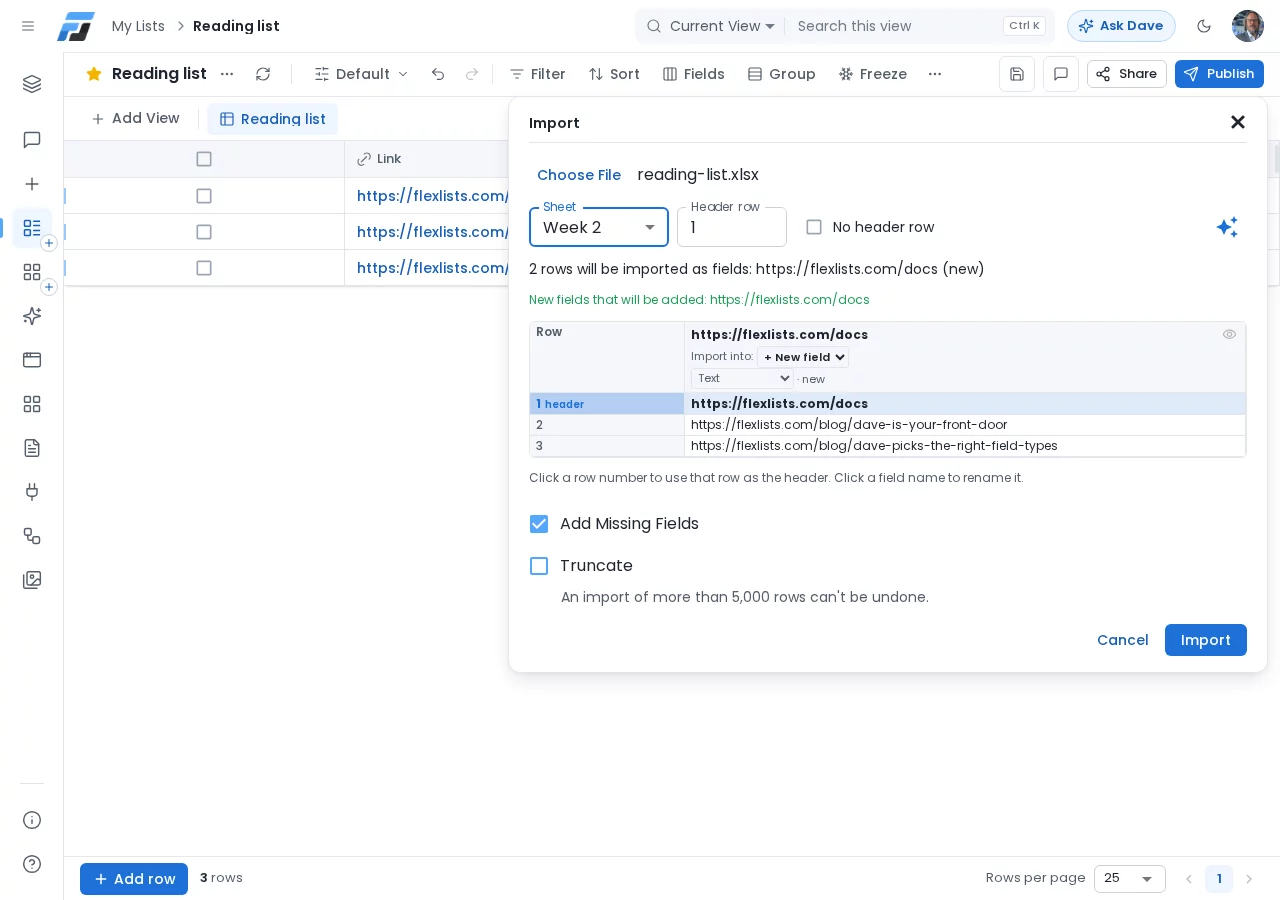
Now you decide where each column goes. In the import preview, every column has an Import into choice: pick one of the fields your list already has, or choose + New field. If the sheet has no header row, tick No header row and every row is imported as data.
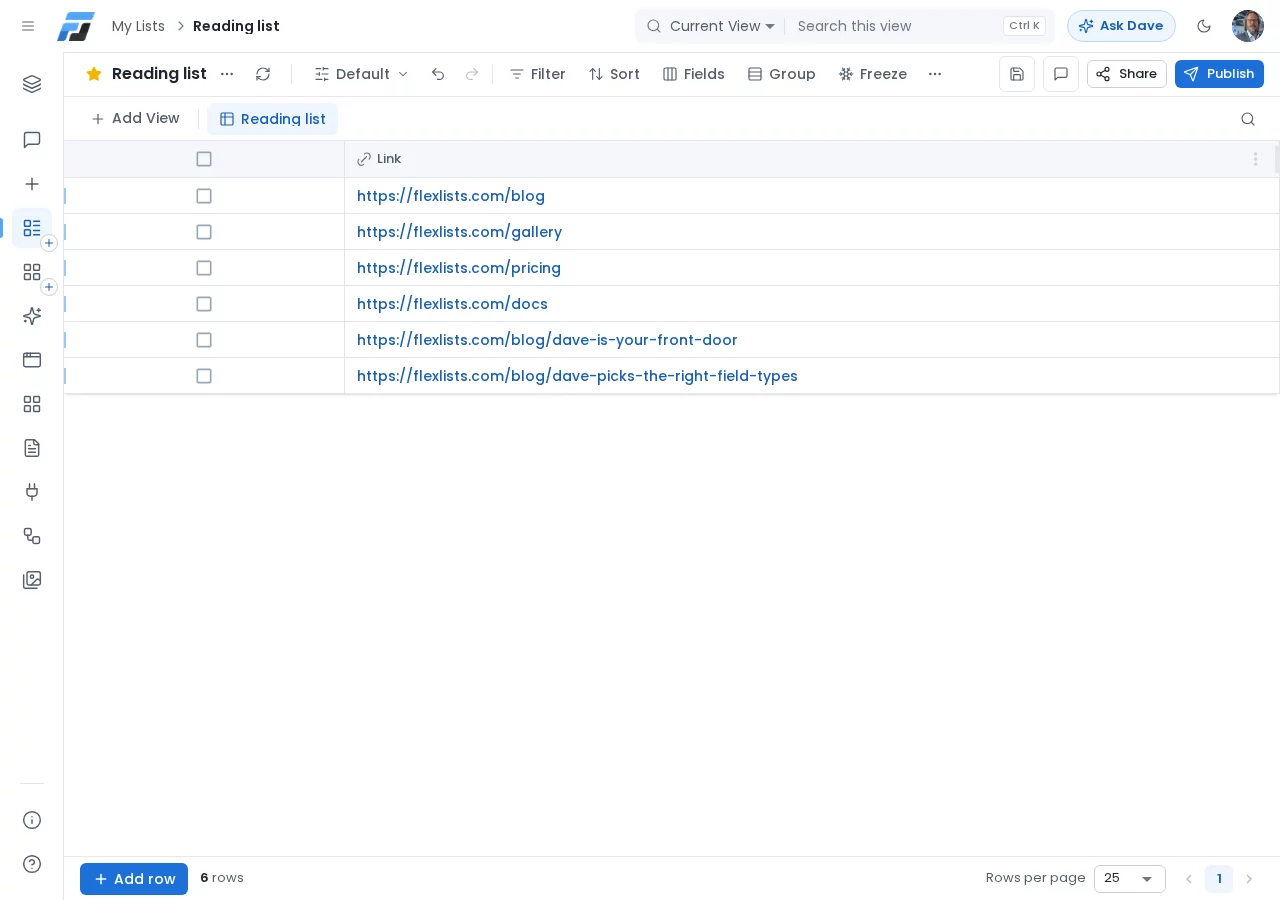
Import the first sheet, then the second, and both end up in the same field.
This works with a header row too: you can send a column to an existing field or make a new one. Calculated fields (like rollups) can't be chosen, and a field that another column already goes into is marked as used.
One design for everyone
For a while you could switch between the original Flexlists layout and the new one. From today the new design is simply what Flexlists looks like, for everybody, and the switch in your account menu is gone. The toolbar above your list is the compact one: Filter, Sort, Fields and Group stay in view, and the rest (import, export, freezing columns) is one click away under ⋯.
Your lists, views and apps are exactly where they were.
Lists in other apps' chats show just the data
When another app shows a Flexlists list inside a chat, the small card used to load the whole page, with its toolbar and buttons, and left only a sliver for your rows. Now the card shows just the data. Open it full screen, or in a tab, and you get the complete view with all its controls.