
Connect Flexlists to n8n — plus a public API and webhooks
An official n8n node, a REST API and signed, reliable webhooks: start workflows when rows change, and read and write your lists from any tool.
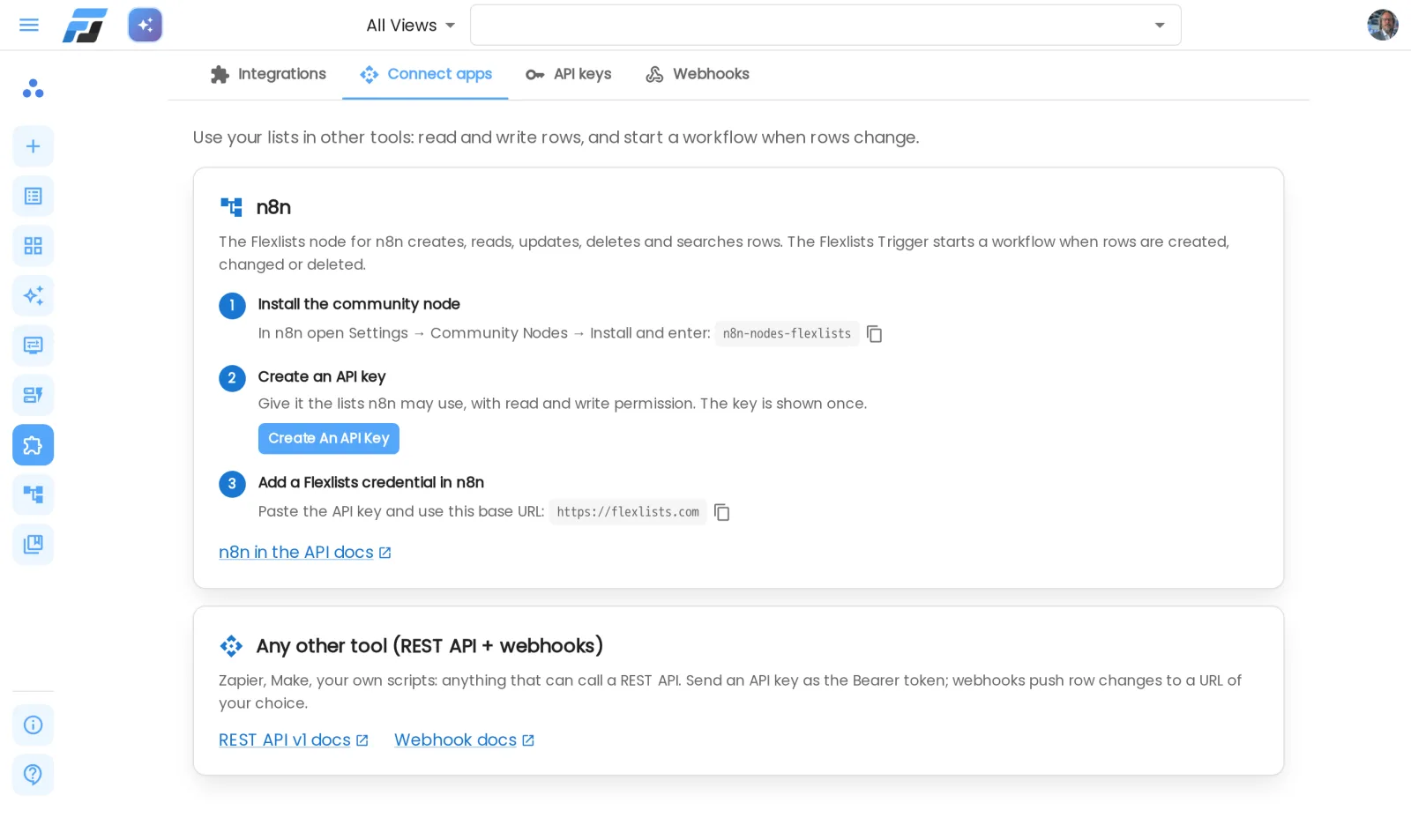
Your lists can now talk to the rest of your tools. Flexlists has an official n8n node, a public REST API and webhooks. All three live in one place: Integrations.
Flexlists in n8n
n8n is a workflow tool that connects hundreds of apps. The new community node n8n-nodes-flexlists adds two nodes to it:
- Flexlists creates, reads, updates, deletes and searches rows, and lists your lists and their fields. You map n8n data onto your fields by name, and Choice fields show their options as a dropdown, so you don't have to look up any ids.
- Flexlists Trigger starts a workflow when rows are created, changed, deleted, archived, unarchived or imported. Every row arrives with its fields by name, and updates say which fields changed.
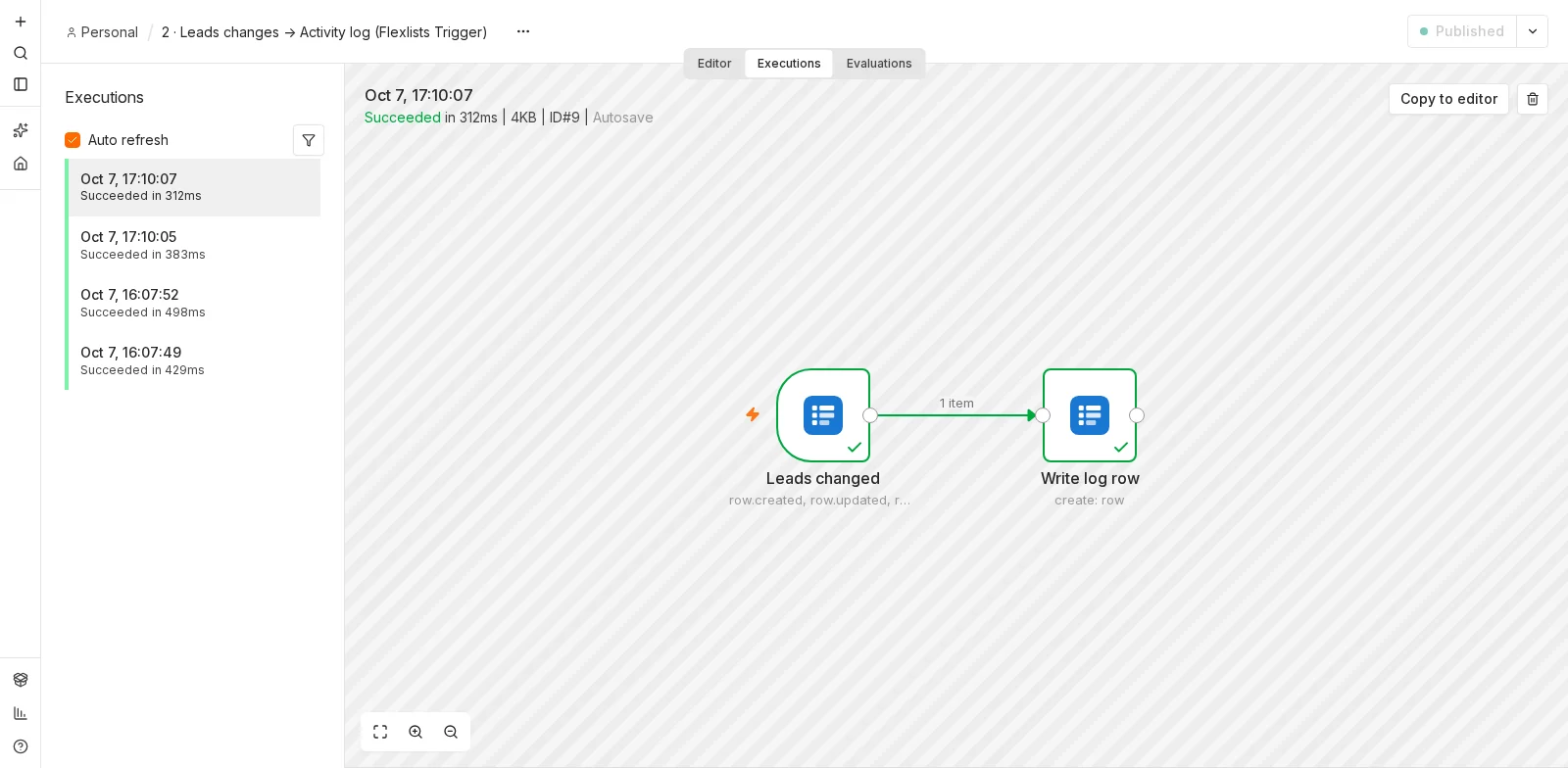
Here's what one of those runs receives. The changed row arrives with its fields by name (Name, Email, Status…), and changedFields lists what was edited. On the right, the Flexlists node maps that data straight onto the fields of another list:
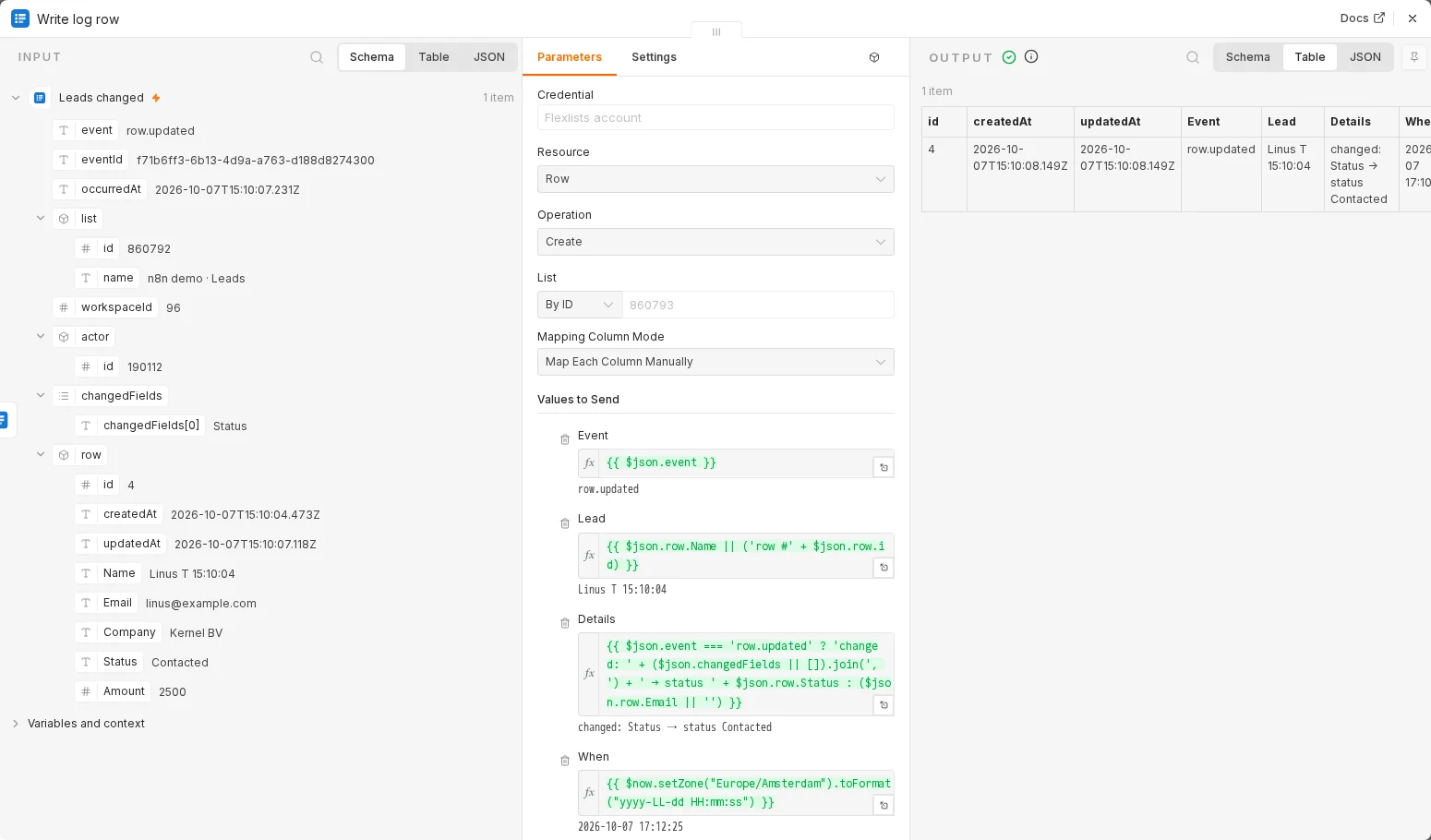
Some things you can build with it:
- a form entry in Flexlists that creates a deal in your CRM and posts to Slack;
- a nightly import from a spreadsheet or database that keeps a list up to date;
- an AI agent in n8n that uses your lists as a tool to look things up and record results.
Set it up in three steps
- In n8n, open Settings → Community Nodes → Install and enter
n8n-nodes-flexlists. - In Flexlists, open Integrations → Connect apps → Create an API key. Choose which lists n8n may use, and whether it may only read or also write.
- In n8n, add a Flexlists credential: paste the key and use
https://flexlists.comas the base URL.
That's it. Turn on a workflow with a Flexlists Trigger and it registers itself with Flexlists. Turn it off and it cleans up after itself.
The result is just another list in Flexlists. This is the Activity log from the workflow above, filled by n8n within a couple of seconds of each change:

Keys that only open what you choose
An API key can be limited to one workspace or to a few lists, and to read only or read and write. Flexlists checks those limits on every request, so a key you hand to an automation can't reach anything else. You can see and revoke your keys at any time under Integrations → API keys.
Webhooks you can trust
Row changes are delivered to n8n (or any URL you choose) as webhooks:
- Signed: every call carries a signature, and the n8n node refuses anything that doesn't match.
- Reliable: deliveries are stored before they go out. If the receiving end is down, Flexlists keeps retrying for more than a day, and a restart on our side doesn't lose anything.
- Safe: webhooks only go to public
https://addresses, never to internal networks.
Integrations → Webhooks shows every webhook, its last deliveries, and lets you send a test.
Not using n8n?
Everything the n8n node does goes through the new REST API v1, so Zapier, Make or your own scripts can do the same. Send your API key as a Bearer token, read and write rows by field name, and subscribe to webhooks. The API documentation covers every endpoint, and the webhook guide shows how to check a signature.
Also in this release
- API keys and webhooks moved into Integrations. Settings → Keys now points there, so there's one place for everything that connects Flexlists to the outside world.
- Pages load cleaner. We fixed a server bug that made some pages (Forms, Integrations) briefly render with leftover state and then redraw.