
Flexlists, live inside your Project Central chats
Connect Flexlists to Project Central: live lists in your chats, every teammate working as themselves, and Dave building lists for you straight from a conversation.
Your team talks in Project Central and keeps its work in Flexlists. Now the two are connected: put a live list in a chat, edit it without leaving Project Central, and ask Dave in Project Central to build something in Flexlists for you.
Connect once, from Integrations
In Project Central, open Integrations and pick Flexlists.com. Sign in with your Flexlists account and choose the Flexlists workspace this team should use. That's it: the workspace is connected.
Everyone works as themselves
Your teammates click the same Flexlists tile and sign in with their own Flexlists account. They get the same access to the connected workspace that you have, but every change they make is theirs: Flexlists shows who added or edited each row, just like it always does.
You stay in charge. Change someone's access later in Flexlists like any other share, and it holds.
Live lists right in the chat
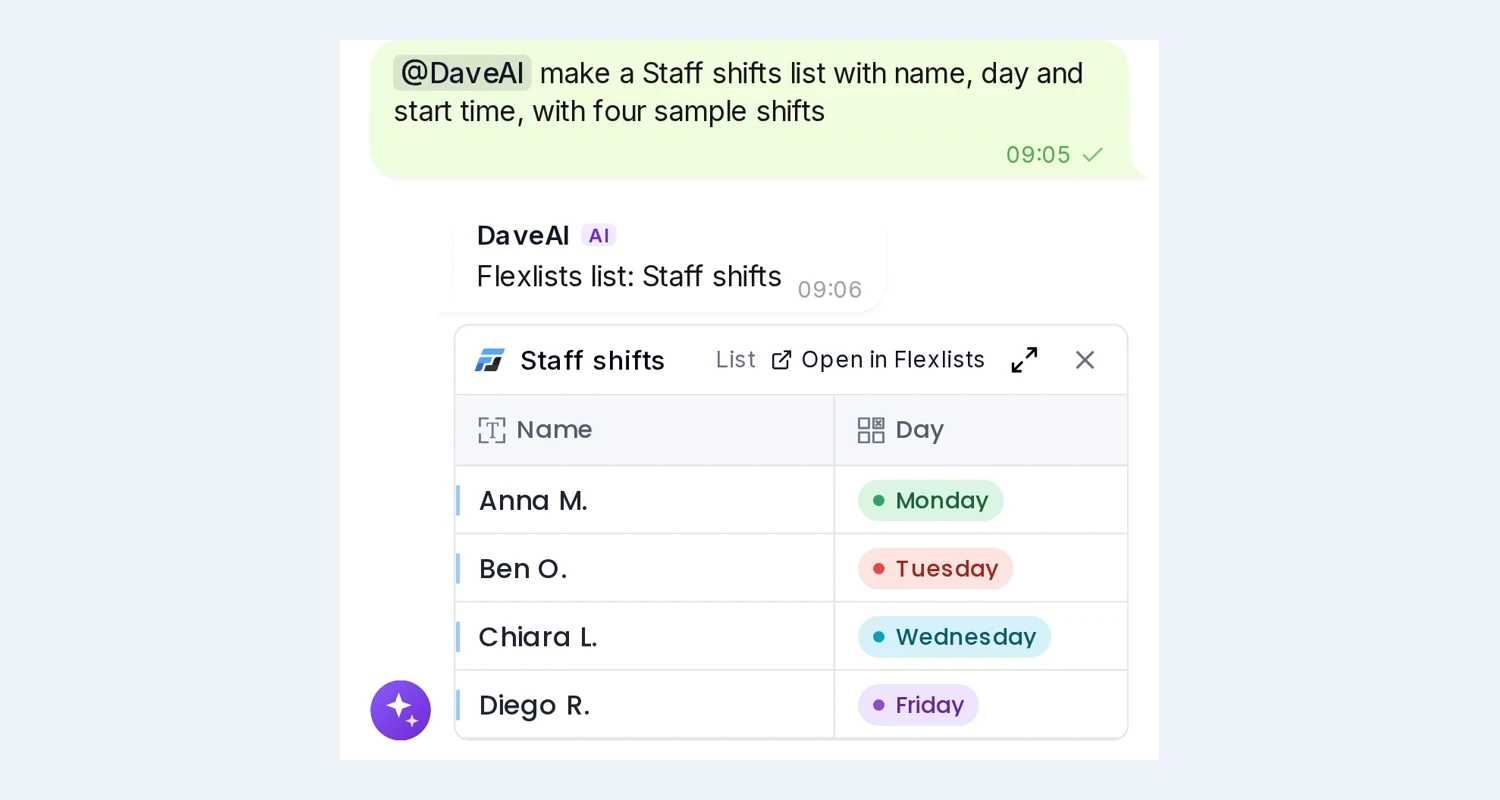
Send a list or a view to a channel and it arrives as a live card: the real grid, not a screenshot. Everyone in the channel sees the current rows. Open the card full screen to add or edit a row without leaving Project Central. The change lands in Flexlists at once.
Ask Dave, in either place
Mention @DaveAI in a Project Central chat and ask for something like "make a Suppliers list with name, contact and next order date". Dave shows an approval card first. Once you approve it, Flexlists' own Dave builds the list, view or widget in your workspace, and the result appears in the chat as a live card.
Try it
Open Integrations in Project Central at projectcentral.eu, pick Flexlists.com, and connect your workspace. No Flexlists account yet? Start free at flexlists.com.