
Refund claims on autopilot: from twenty minutes per claim to two
A real refund-claims process from a large car rental company, before and after Flexlists: claims arrive by email, AI checks every PDF against your price list, work is split by capacity, and approvals follow each role.
Card refund claims look simple from the outside. A customer disputes a charge, someone checks it, and the money goes back or it doesn't. Inside a big company it's a team, a pile of PDFs and a lot of spreadsheets. In this video we take a real process from a large car rental company, show how it works today, and then run the same work in Flexlists from the incoming email to the approved refund.
Prefer to read? Here is the whole story from the video. The company in the demo, Brightway Rentals, and all its customers are made up. The process is real.
How it works today
It starts with a customer who is unhappy about a charge on their credit card. Then:
- Team A looks up the transaction in the ERP by hand and types it into a spreadsheet.
- Once a day, during office hours, those spreadsheets are emailed to team B.
- The team lead splits the work by hand: who is in today, for how many hours, and how fast is each person? That last part is guessed from history, in yet another spreadsheet. Everyone gets their own sheet, by email and on SharePoint.
- Each agent downloads the PDFs and works from the top down. They compare the charge with the price tables in one system and the customer record in another.
- When a refund is due, they write a new document with all the details and the reason, upload it to the ERP, check the last four digits of the card by eye, and click pre-approve.
- Another spreadsheet of everything they did goes back to the team lead, who approves the refunds at the end of the day.
That's eleven steps, four systems, at least five spreadsheets and about twenty minutes per claim. Customers wait two or three days for their money, and every copy and paste is a chance to get it wrong.
Four connected lists
In Flexlists the same process runs on four lists: Disputes (the cases), Tariffs (your price list and its rules), Customers and Team. Nothing here is programmed. They are lists, like a spreadsheet, but connected.
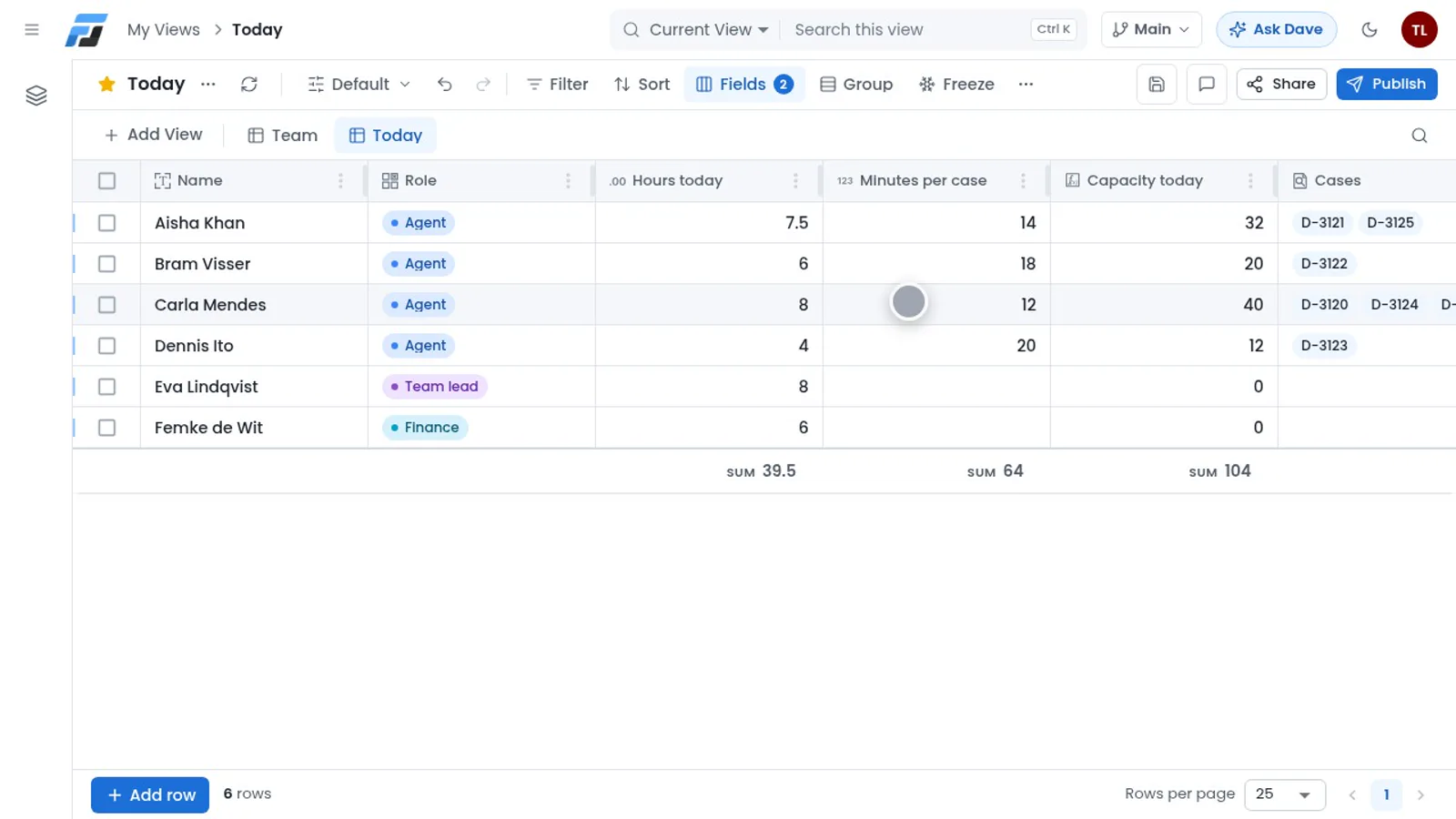
The Team list knows who works today, for how many hours, and how many minutes a case usually takes each person. A formula works out everyone's capacity for the day.
Claims come in by email
Team A doesn't have to change a thing. They keep sending their spreadsheet and the PDFs, only now to one address, disputes@ at your company. In the video, today's batch is one Excel file and thirty PDFs.
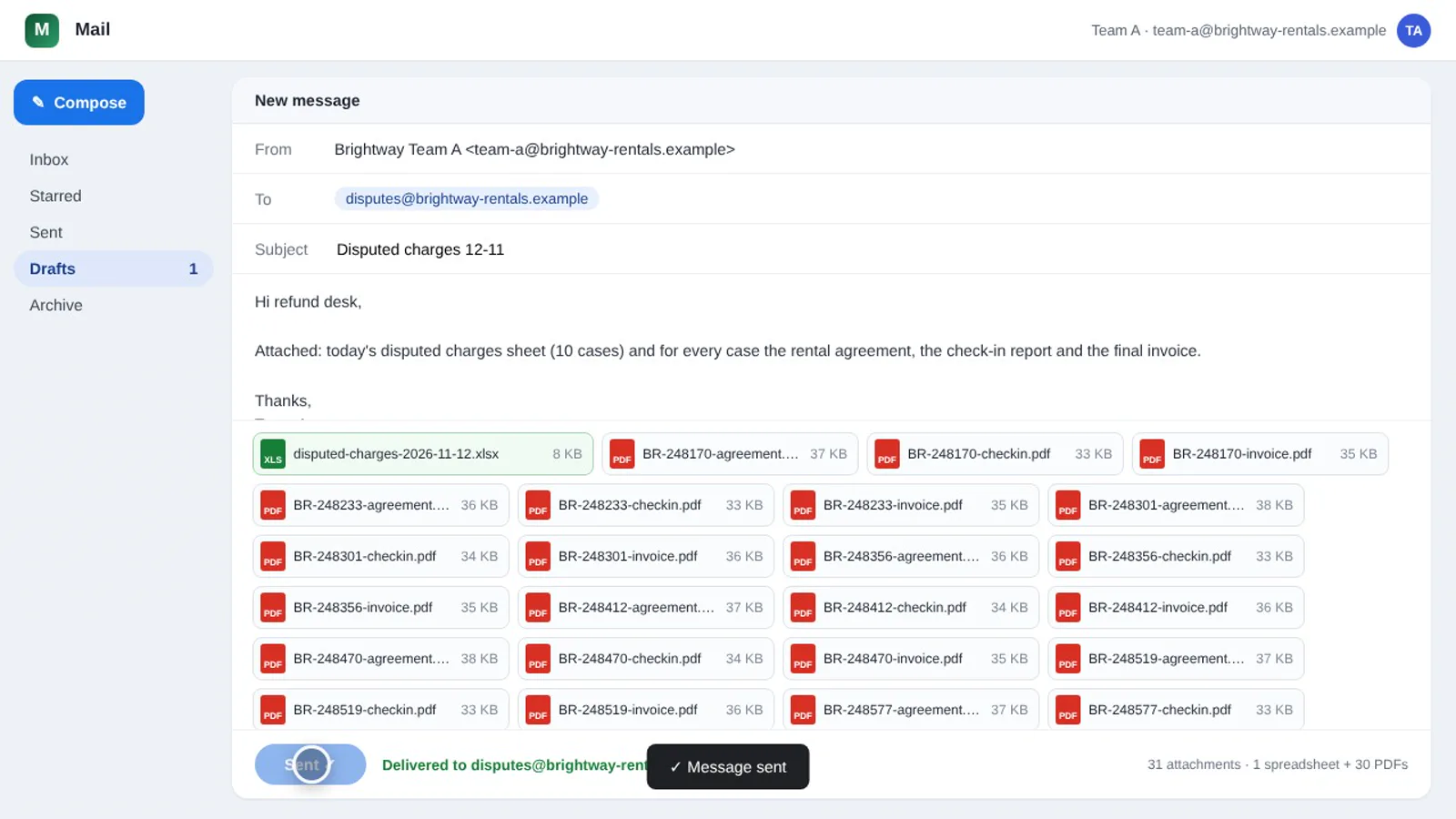
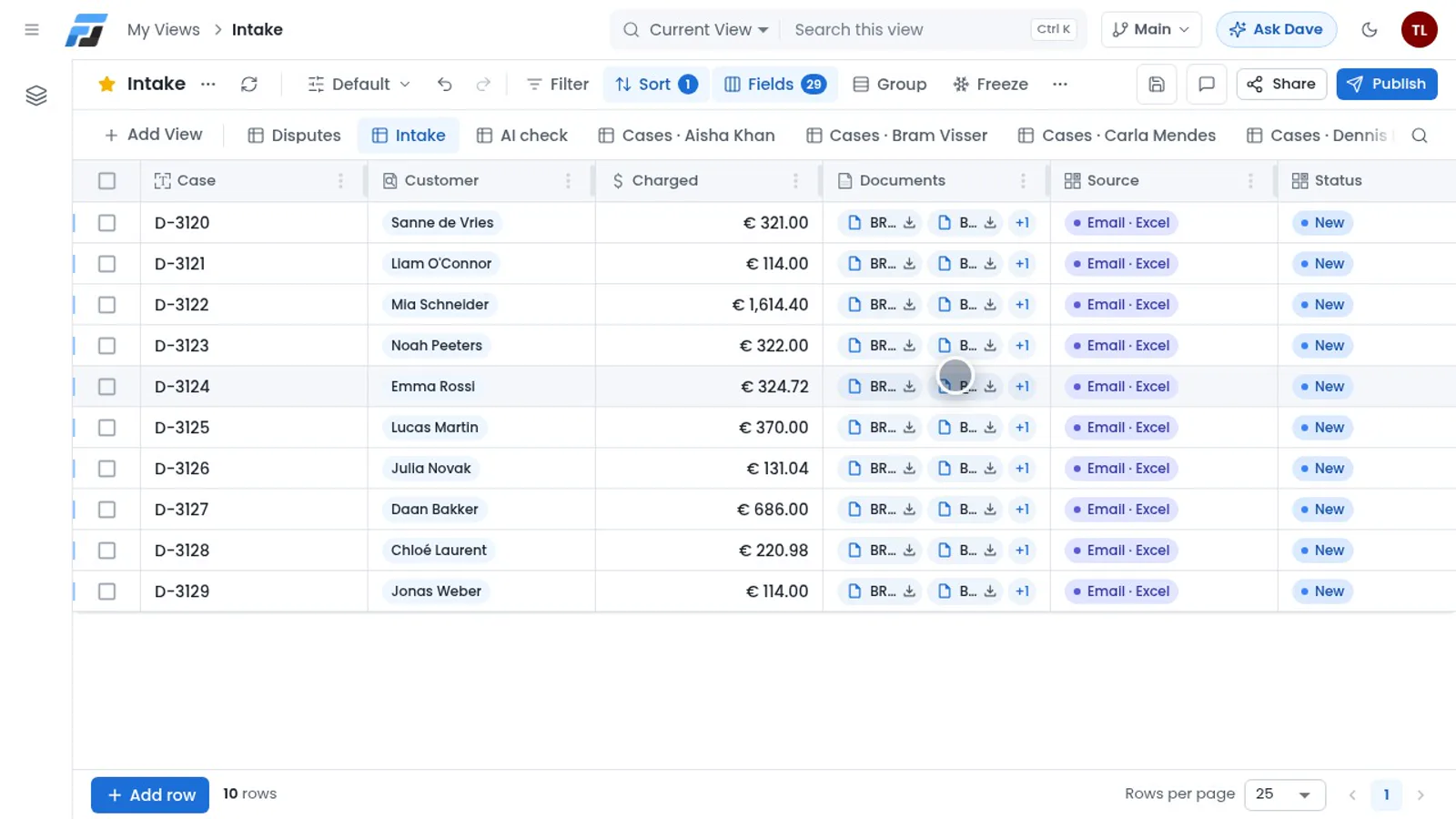
WorkflowEmail receives the mail and hands it to a GluedEasy workflow. The workflow reads the Excel file, creates a case for every row, links the customer and attaches each case's own PDFs: the rental agreement, the check-in report and the invoice. Nobody types anything.
AI reads every document
This is where the hours used to go: about eight hours of reading and checking, every single day. Now an automation starts as soon as a case arrives. The AI reads the three PDFs and pulls out what matters: the fuel level at pick-up and at return, when the car was due back and when it really came back, the cover, and the extras that were booked.
Then it checks every line on the invoice against your own price list and its rules, and against the customer record, just as an agent would. A few cases from the demo:
- Sanne was charged €113 for fuel, but the check-in report says the tank came back full. Full refund.
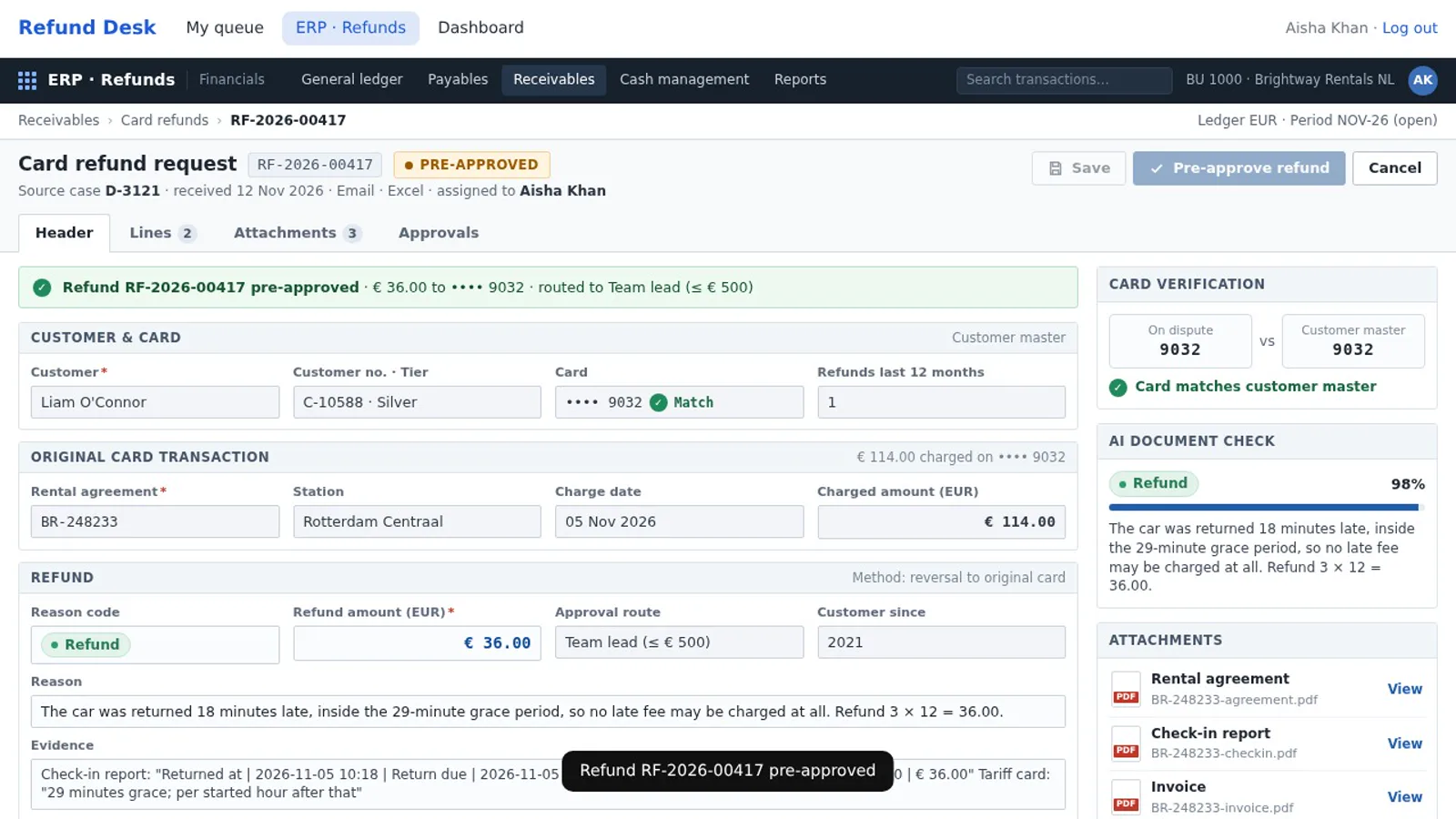
- Liam paid for three hours of late return. He was eighteen minutes late, and the rules give twenty-nine minutes of grace. Refund.
- Emma's deep cleaning had no photos, so only the standard cleaning fee applies. A partial refund, to the cent.
- Julia picked up her car at the airport, so the airport surcharge was right. No refund, with a reason that's ready to send to her.
Every verdict comes with the reason and the evidence, quoted from each document.
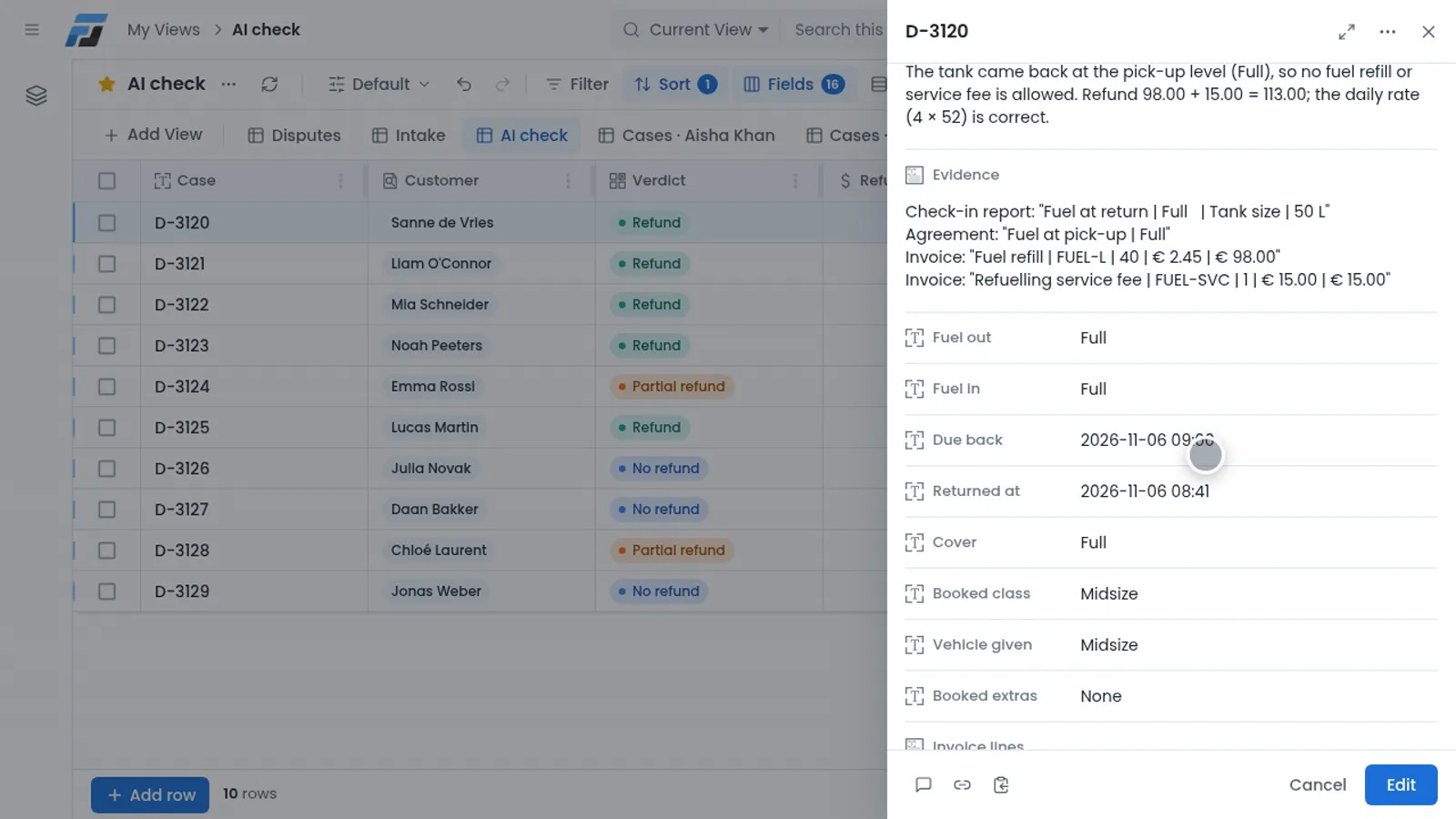
All ten cases were read and checked in about three minutes. Seven refunds, three without.
Work is split for you
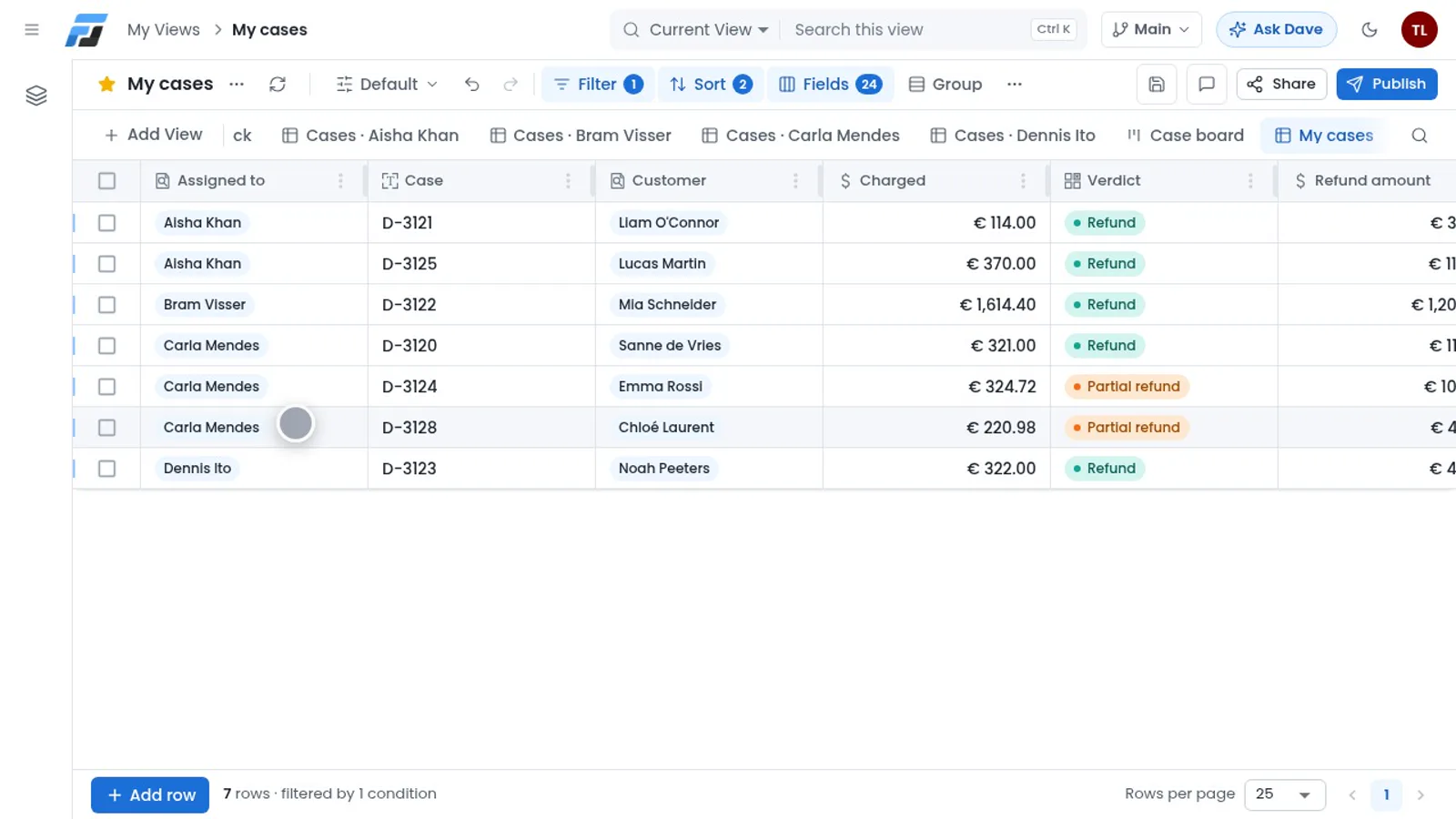
Splitting the work used to take the team lead an hour every morning. Now a second automation does it, by each agent's real capacity today. Carla works eight hours and is quick, so she gets the most cases. Dennis is only in for the morning, so he gets fewer.
Straight into your ERP
Aisha opens her queue in the Refund Desk app. No downloads, no sheets. She picks her first case and the refund form of the ERP opens, already filled in: the customer, the agreement, the amount, the reason and the evidence, with the three documents attached.
The last four digits of the card are checked against the customer record automatically. Green tick. Aisha reads the case, agrees and clicks Pre-approve refund. That takes her well under a minute, and the next case is already waiting. The time she used to spend copying now goes to the cases that really need a person.
Approvals by role
The approval steps are built in, per role:
- An agent can pre-approve, but never approve.
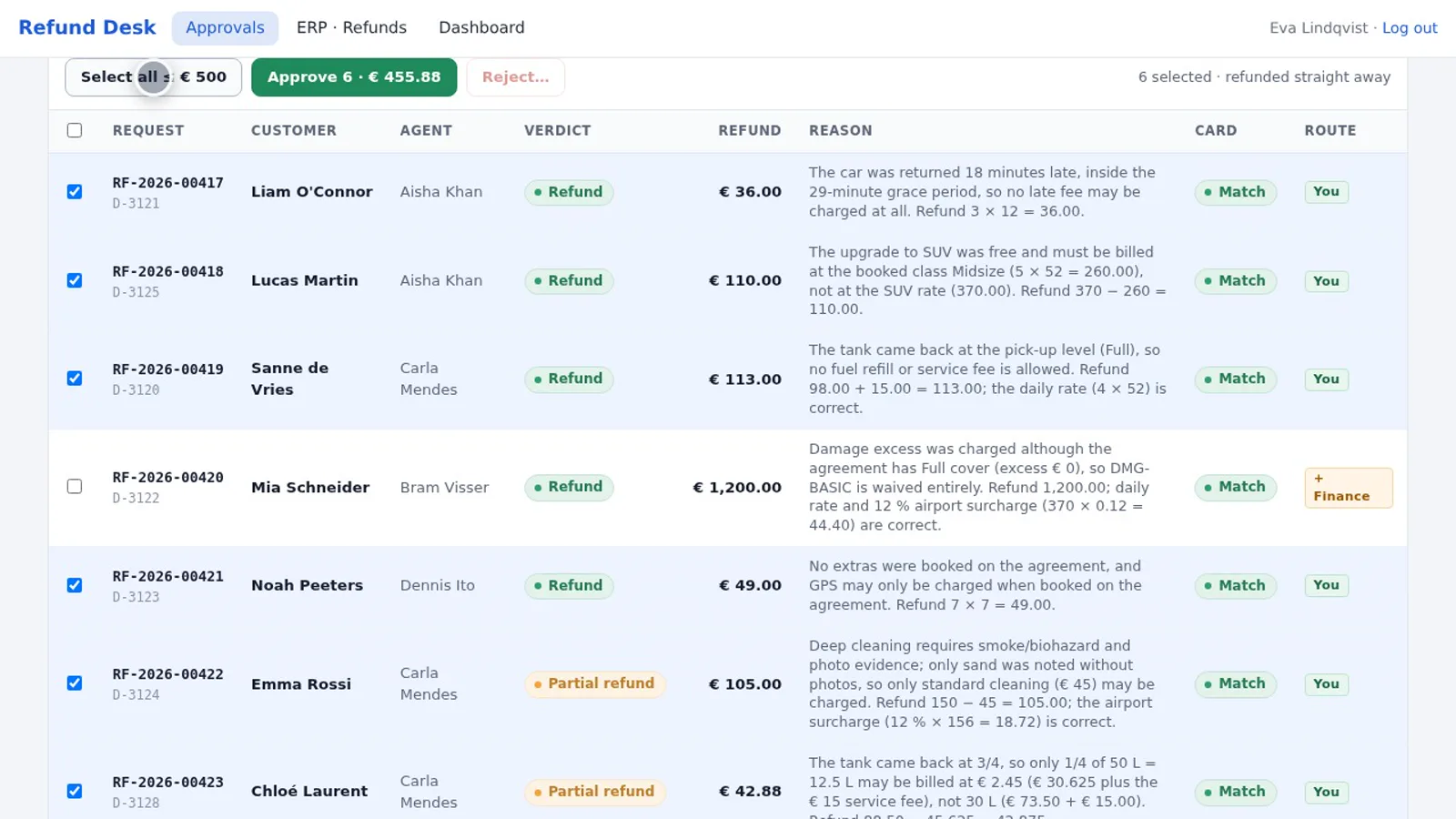
- The team lead approves.
- Above €500, finance has to sign off as well.
Eva, the team lead, sees every pre-approved refund in one place. No more end-of-day spreadsheet: she selects them and approves them in one go.
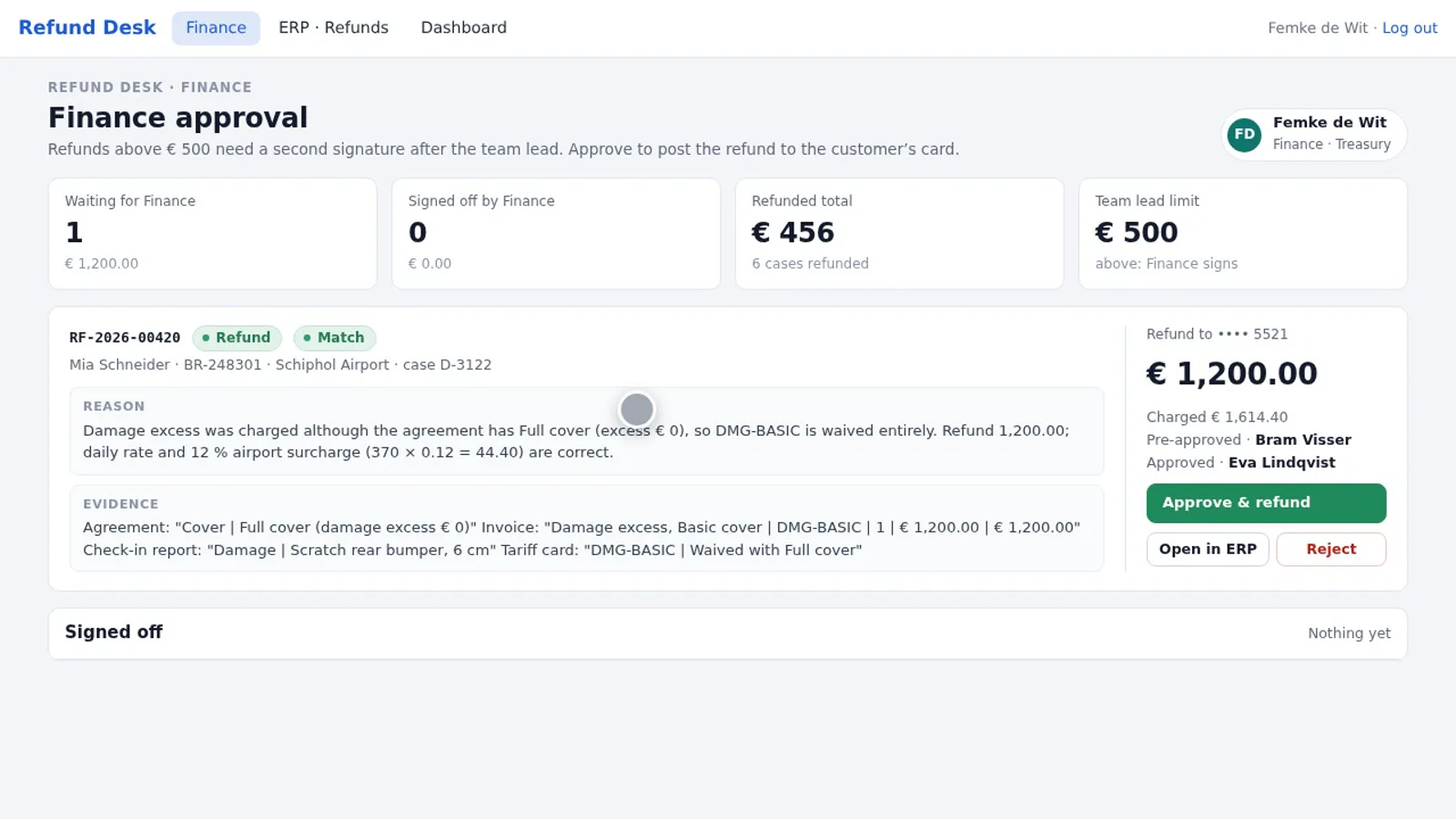
Mia's €1,200 damage refund went to finance automatically, because her agreement had full cover. Femke checks it and approves.
As soon as a refund is approved, the customer gets an email with the amount and the reason, sent through WorkflowEmail. Every step is logged: who checked the case, who pre-approved it, who approved it, and when. Your auditors will love it.
The numbers
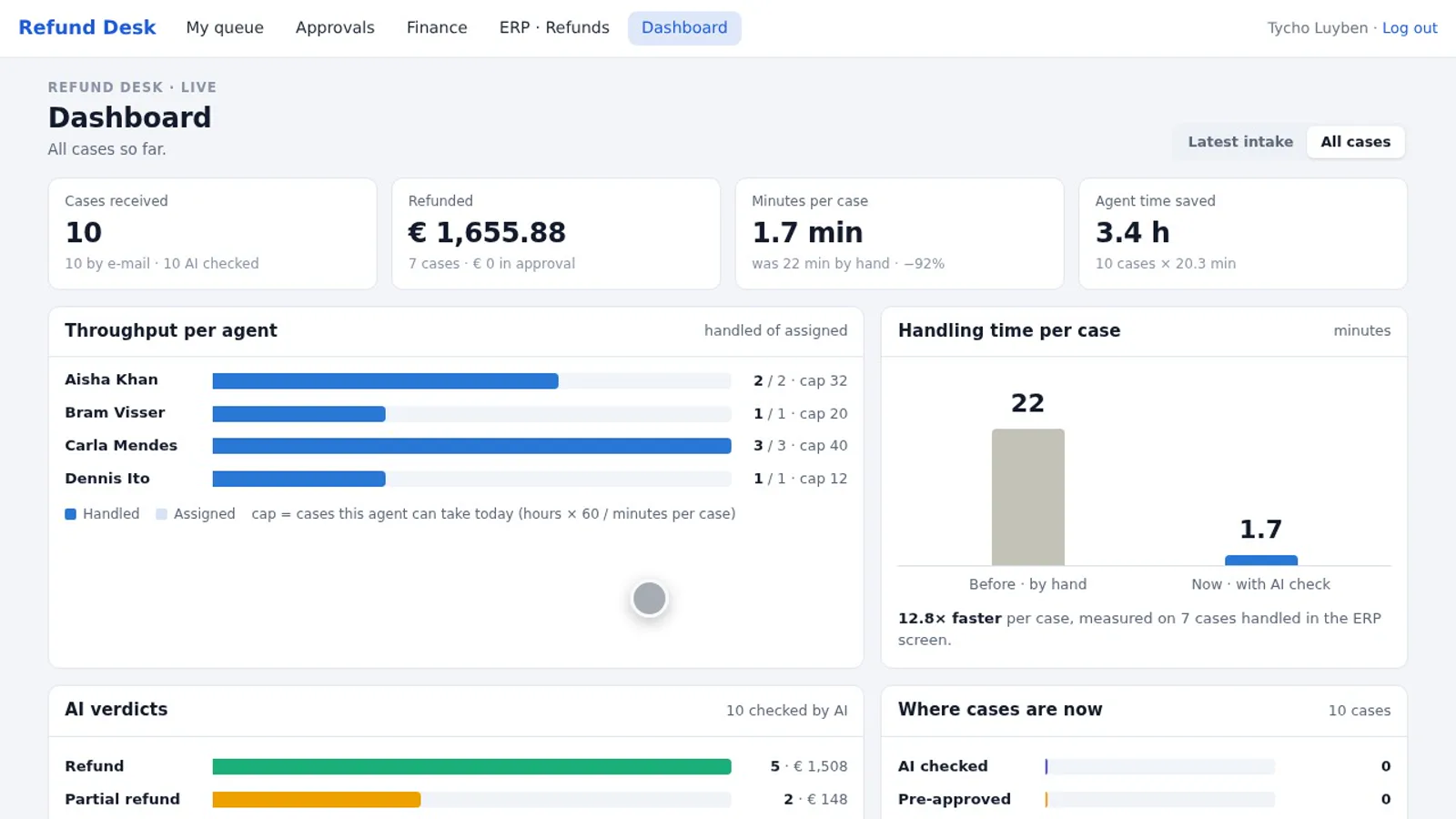
The dashboard shows the day: ten claims came in by email and were read, checked, split, pre-approved and approved on the same day. Handling time went from about twenty minutes per claim to about two, and customers get their money days earlier.
How hard was this to build?
Four lists, two automations and one app. No IT project: you describe what you want, and Flexlists builds it with you.
Would you rather not build it yourself? Our team at Hullman Data can specify, build and run the whole pipeline for you, for $100 a month.
If your team still copies data between spreadsheets all day, start with Flexlists or get in touch, and let's talk about your process.