
Storyboard: plan in lanes and steps
The new Storyboard view is Kanban in two dimensions: lanes for plotlines, people or channels, columns for chapters, days or weeks. Drag cards between cells, start from a template, and see the whole plan at once.
Some plans don't fit in one column. A novel has several plotlines that run side by side, chapter after chapter. A sprint has people working in parallel, day after day. A content plan has channels that all need posts every week. A Kanban board shows one of those dimensions. The new Storyboard view shows both.
Lanes across, steps along
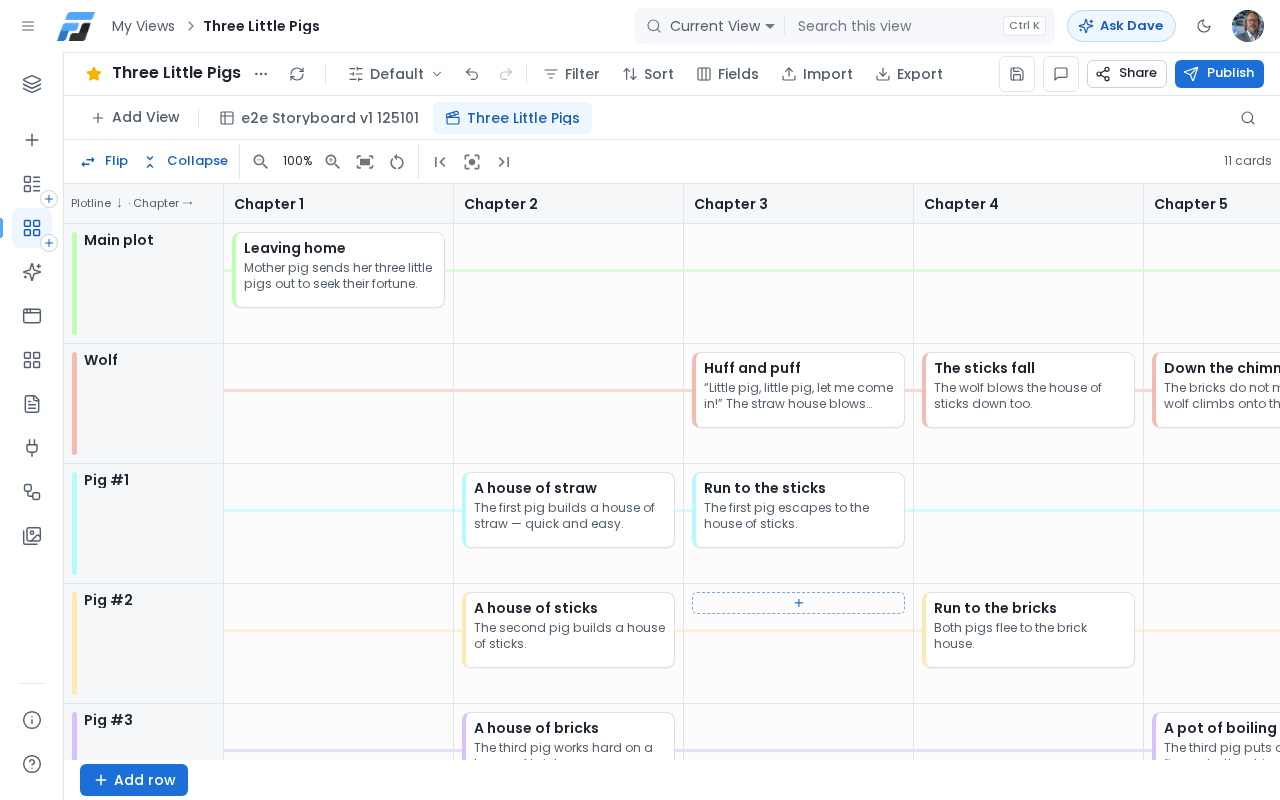
A Storyboard is a grid. Each lane is a row value, such as a plotline, a person or a channel. Each column is a step in order, such as a chapter, a day or a week. Your cards sit in the cell where the two meet, so you can see at a glance who does what, and when.
Drag cards where they belong
Drag a card to another cell, and Flexlists updates both the lane and the step in one go. Drag it up or down to change the order within a cell. Undo works as usual, and the change shows in the list's history.
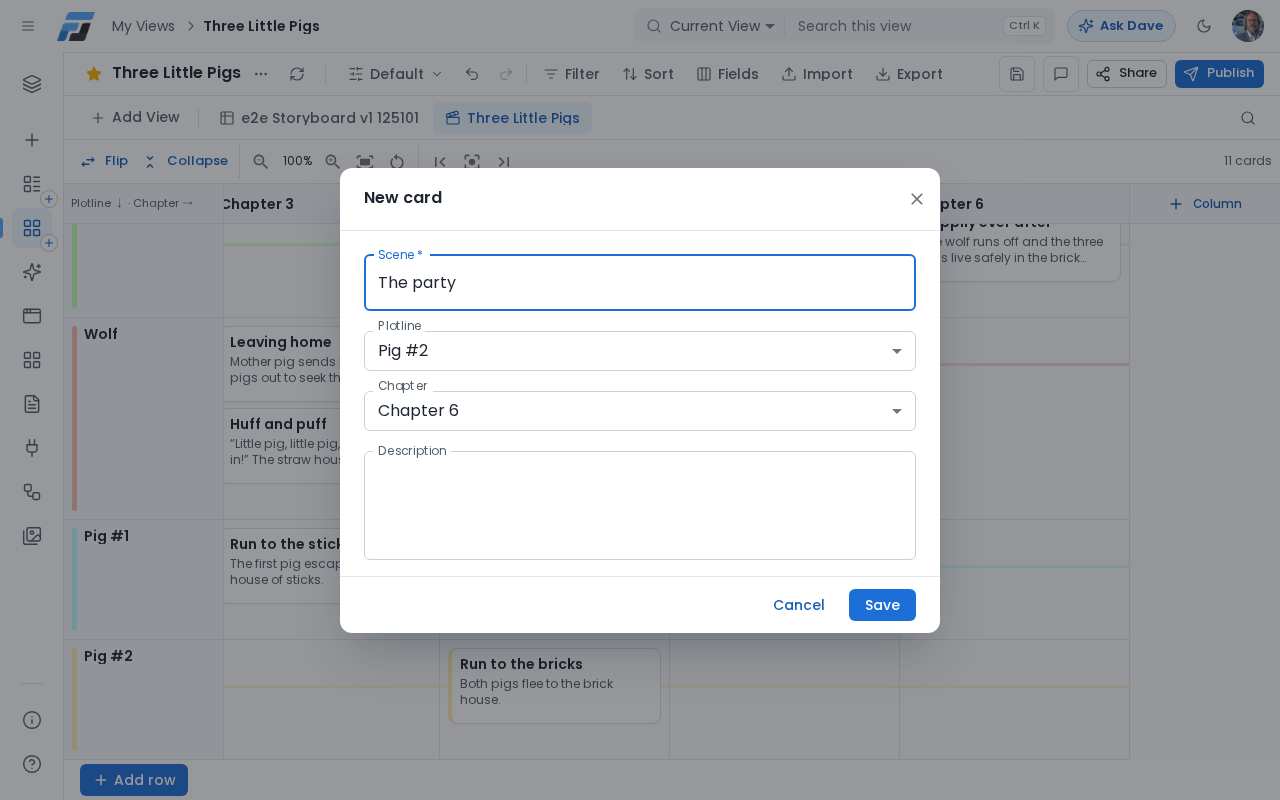
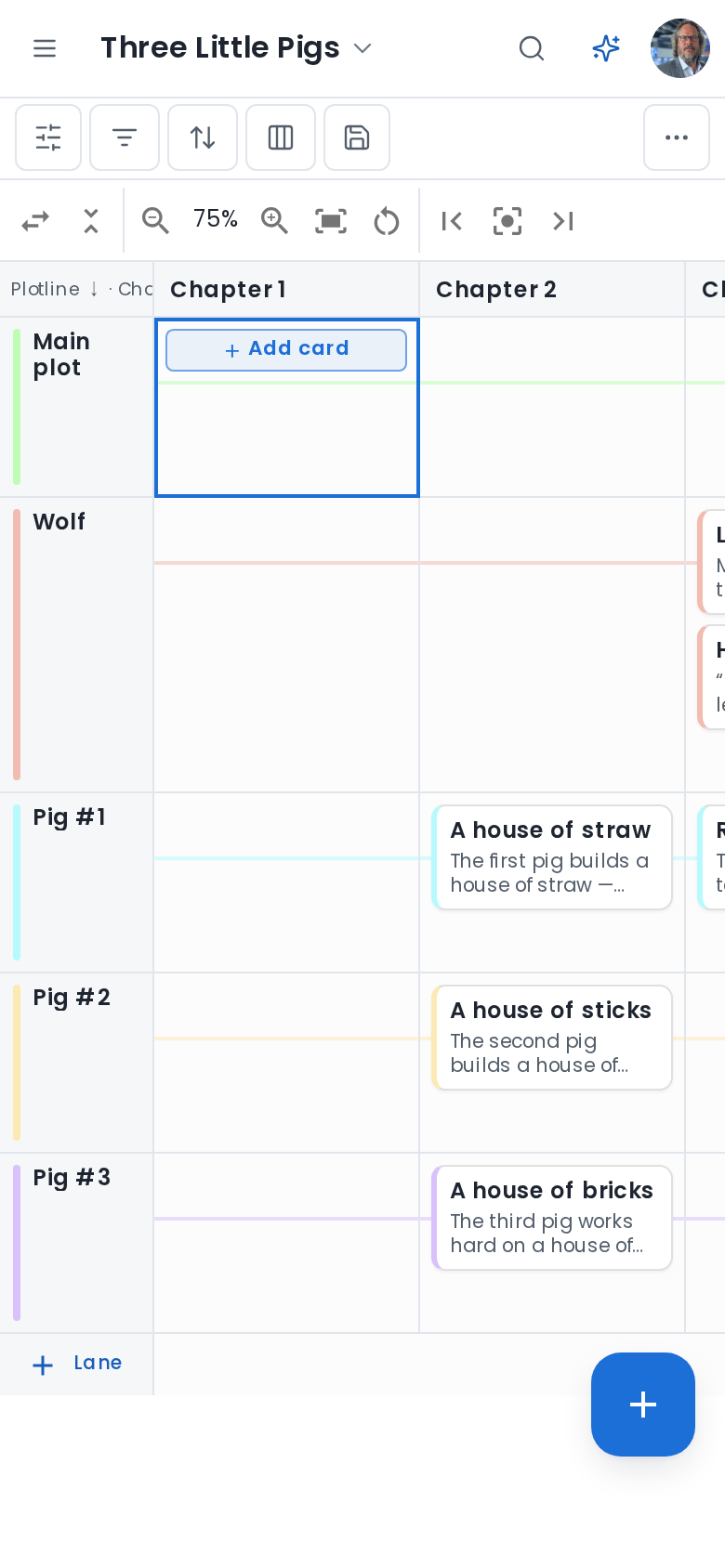
Hover over any cell and click + to add a card that is already in the right place. On your phone, tap an empty cell and then + Add card; to move a card, press and hold it, then drag. Click a card to open it, edit the title and description, move it with the lane and step pickers, or delete it.
See the whole story
- Flip swaps lanes and columns when you'd rather read it the other way round.
- Collapse shrinks every card to one line, so a long plan fits on your screen.
- Zoom in and out, or press Fit to see every step at once.
- Filter, sort and search work just like in every other view, so you can show only one plotline or only this month's posts.
Start from a template
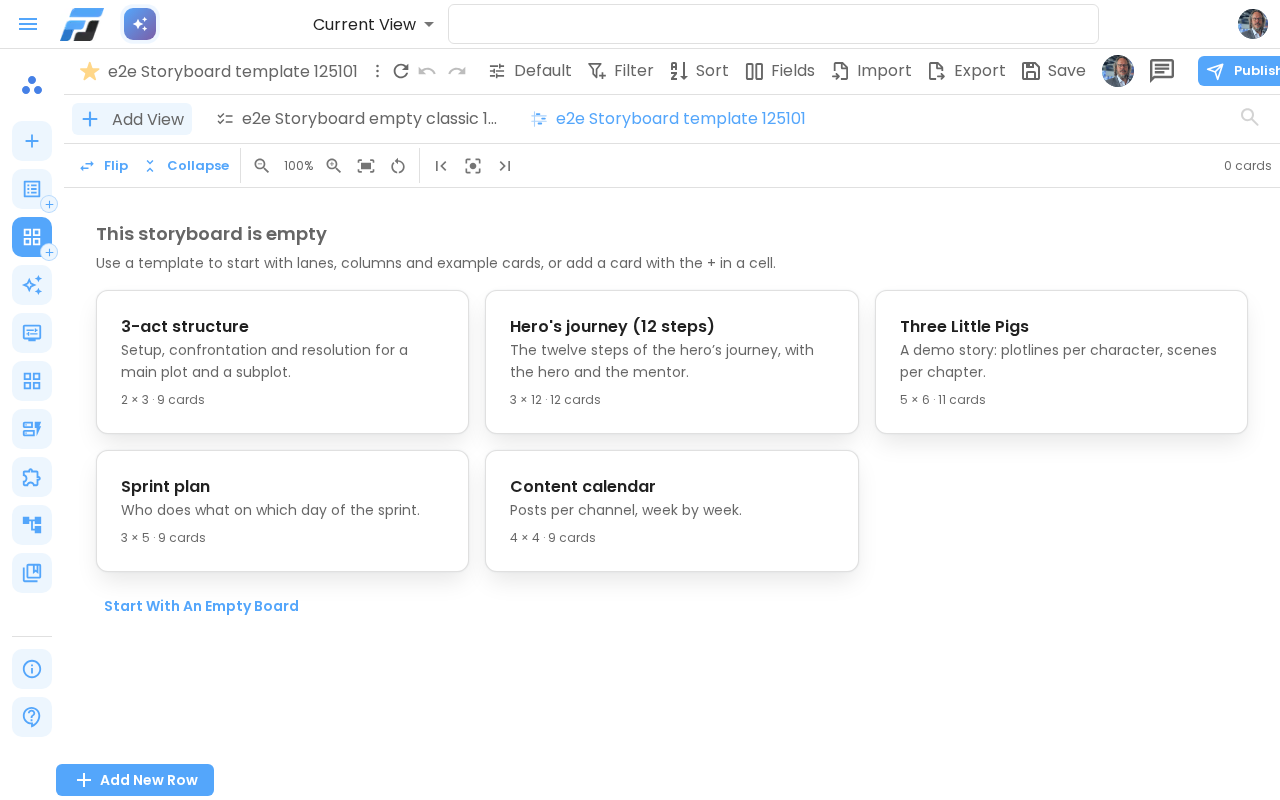
An empty storyboard offers five starting points: a 3-act structure, the hero's journey in 12 steps, the Three Little Pigs as a demo, a sprint plan with people per day, and a content calendar with channels per week. Each one creates the lanes, the steps and a few example cards for you to change.
Try it
Open any list and choose Add View → Storyboard. Pick the field for the lanes (a choice field such as Plotline or Owner works best) and the field for the steps (Chapter, Day, Week or Sprint). You can also start from Create → View → Storyboard and let Flexlists build a sample for you.