
Import Excel and Google Sheets with formulas that keep working
Import a spreadsheet and its formulas come along and keep working: checked against your sheet, with running totals, sideways models turned into rows, and lookups between tabs as linked lists.
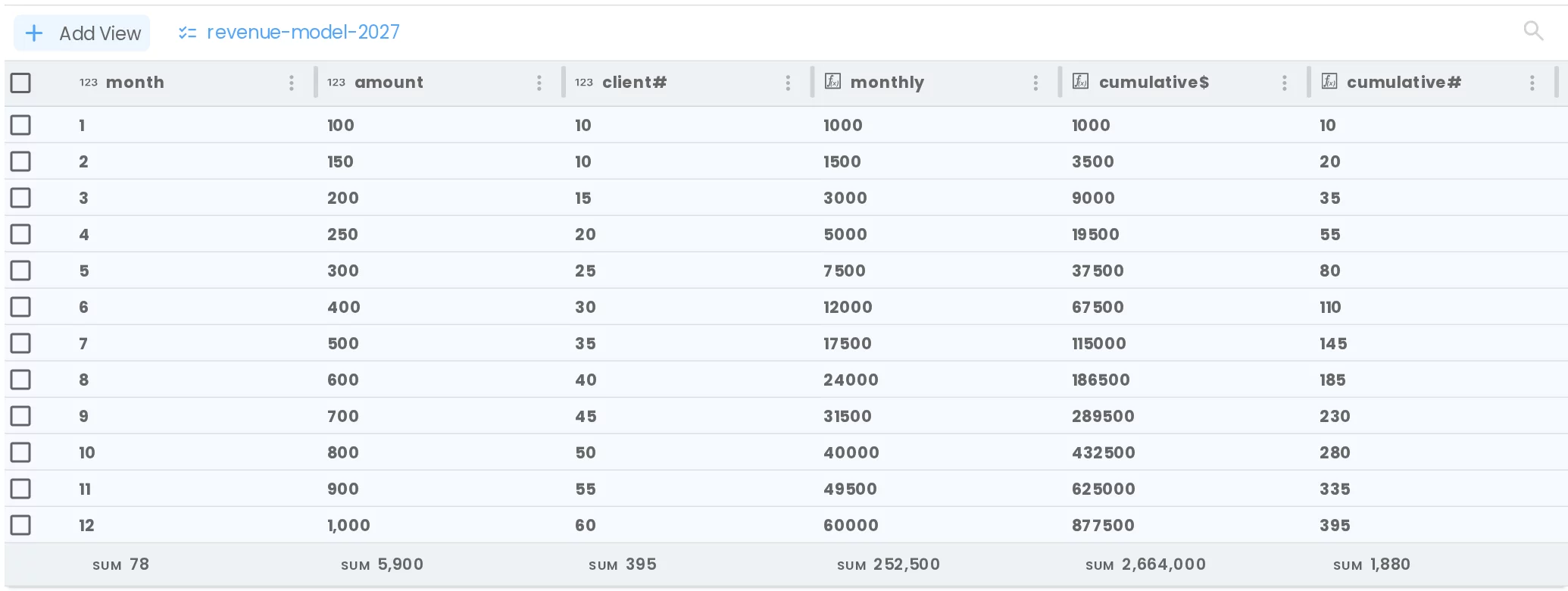
Until now, importing a spreadsheet into Flexlists gave you its values: the numbers your formulas had worked out, frozen on the day you imported them. Now your formulas come along and keep working. Import an Excel file or a Google Sheet, leave Formulas: Keep them working on, and every column that was calculated in the sheet is calculated in Flexlists too.
Values or formulas: you choose
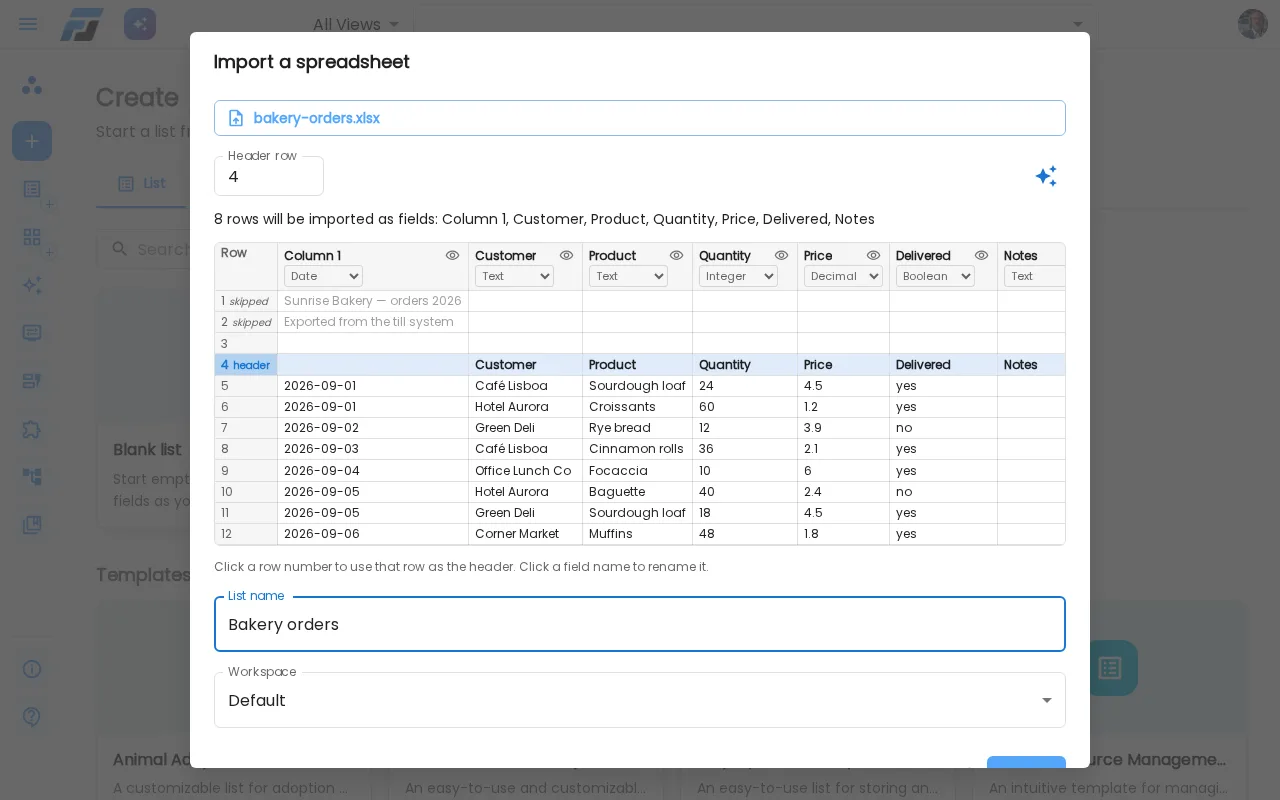
When you drop a spreadsheet into Create, the preview shows which columns are formulas. You pick:
- Keep them working: calculated columns become formula fields. Change a number and everything that depends on it updates, just like in the sheet.
- Values only: you get the numbers as they are now, as plain fields. Handy for a one-off copy.
You can also switch single columns between Formula and Values in the preview.
Checked against your sheet
Every formula is translated to Flexlists' formula language (=B2*C2 becomes {amount} * {client#}). Then Flexlists calculates it on every row and compares the result with what Excel had worked out. A column only comes in as a formula when every row matches. When it doesn't, it comes in as values and the preview tells you why ("matches 11 of 12 rows"), with ✦ Rewrite with AI to try again.
Running totals and models
Spreadsheets are full of formulas that look at the row above: a running total, "last month plus five", a cumulative sum. These now come in as working formulas too, using the new earlier-row functions PREV, RUNNING_SUM and friends, ordered by your month or date column.
Many models are also laid out sideways, with months running across and a label in the first column. Flexlists notices and offers to turn it: one row per month, one field per label. A column that totals the year becomes the total at the bottom of the list.
The model in the video is a real one: twelve months of a subscription plan. In Excel, month 12 ends at 395 clients and 877,500 in revenue so far, with 2,664,000 for the year. Imported into Flexlists, it shows exactly the same numbers. Change March's price and every month after it updates.
Google Sheets too
The same works for Google Sheets: paste the sheet's link. A sheet that looks things up in another tab (VLOOKUP, XLOOKUP, INDEX/MATCH) comes in as two lists linked together, with the lookup as a working lookup field.
Try it
Open Create, choose Import, and drop in an .xlsx file or paste a Google Sheets link. Read more about the formulas themselves in Formulas that do more.