
Formulas that do more: 108 functions, real dates and lists, and AI that writes them
Formula fields now speak Airtable's language with 108 functions, give real dates, checkboxes and lists that drive calendars and filters, read linked lists, and if you'd rather not write one, you describe it and Flexlists writes, explains and fixes it.
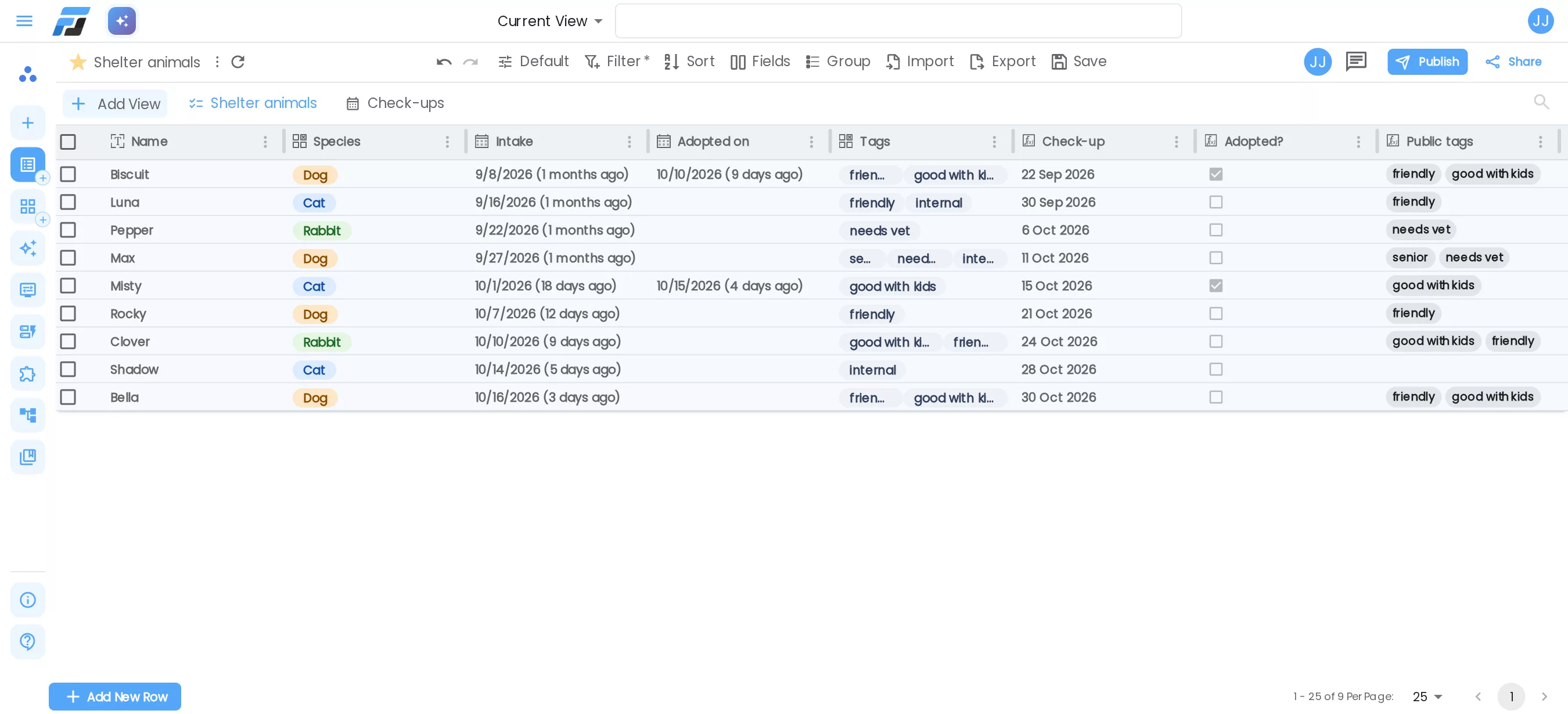
Formula fields used to be small: eleven functions, numbers or text, and only the fields of the same row. This week they grew up. Formulas in Flexlists now speak Airtable's language with 108 functions, give real dates, checkboxes and lists, can look into linked lists, and if you'd rather not write one yourself, you describe what you want and Flexlists writes it for you.
Results with a real type
A formula's result now has a type, and Flexlists treats it like any other field of that type:
- Numbers sort, filter, total and format as numbers, percentages or money.
- Dates show as dates, filter with before, after and within the next 7 days, and can drive a calendar, timeline or Gantt view.
- True or false shows as a checkbox.
- Lists of values show as chips and filter with has any of, has all of and has none of.
In the list above, Check-up is DATEADD({Intake}, 14, "days"), Adopted? is NOT(ISBLANK({Adopted on})) and Public tags is FILTER({Tags}, item != "internal"): the tags, minus the one the public should not see.
A calendar from a formula
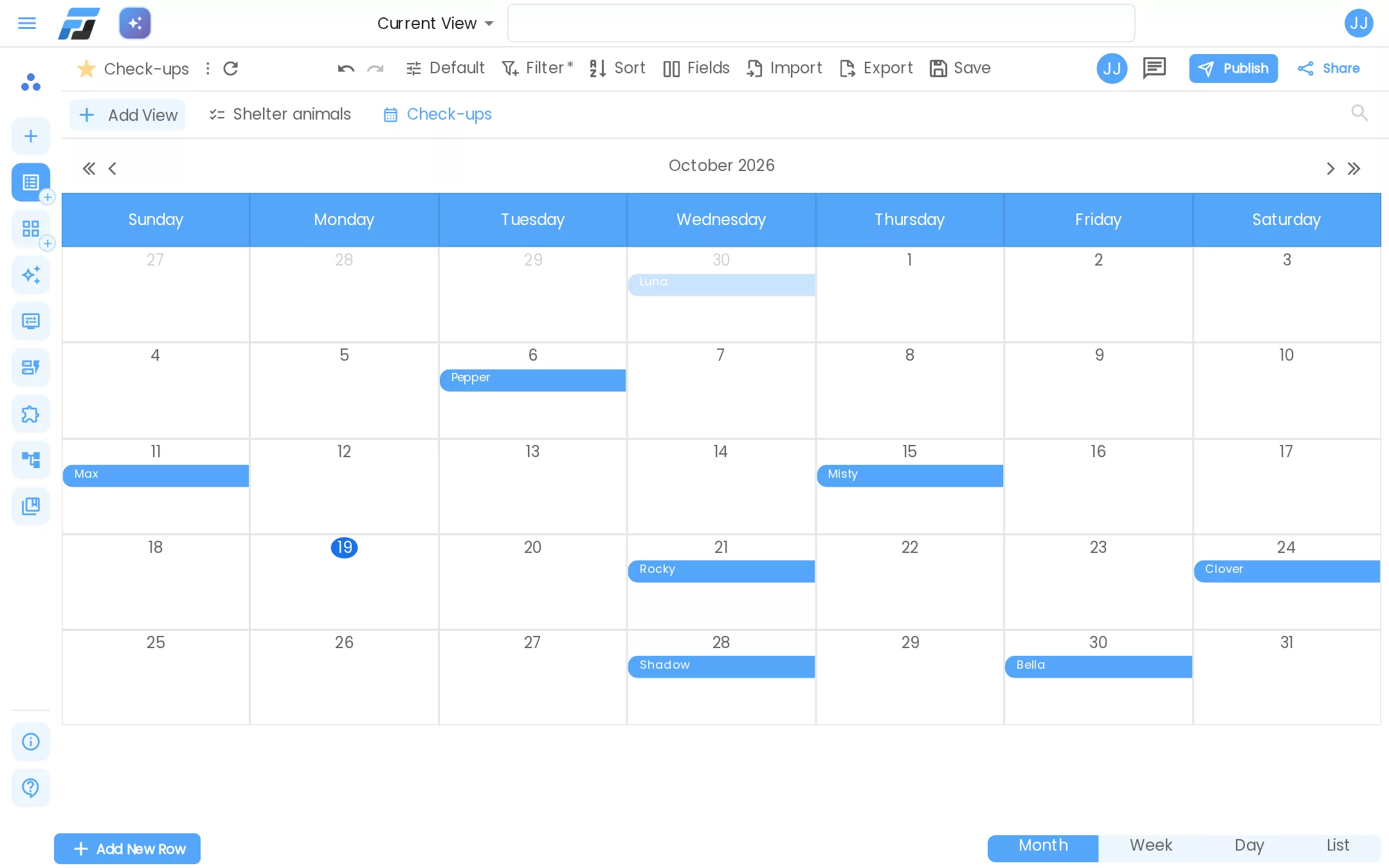
Because Check-up is a real date, it can be the date of a calendar. Every animal shows on the day of its check-up, and when you change an intake date, the event moves with it. The same works for timeline and Gantt views.
108 functions, with Airtable's names
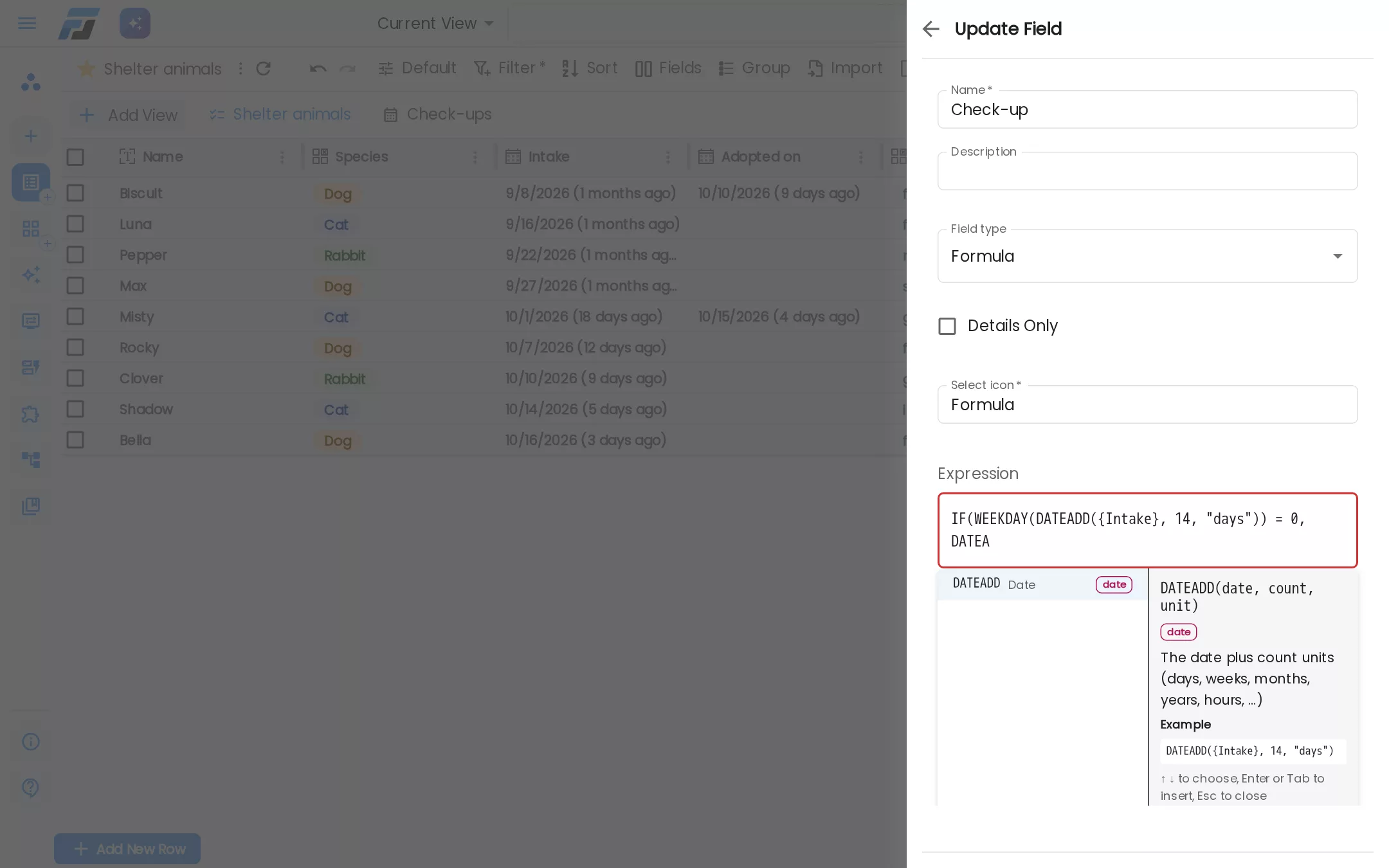
The functions have the names you know from Airtable, so a formula you copy from there works here. Excel and Baserow names work too (AVG, CONCAT, lowercase names), and a leading = from Excel is fine.
- Numbers: ROUND, SUM, AVERAGE, MEDIAN, MOD, POWER and more.
- Text: LEFT, MID, SUBSTITUTE, PROPER, TEXTJOIN, SPLIT, and safe regular expressions (REGEX_MATCH, REGEX_EXTRACT, REGEX_REPLACE).
- Logic: IF, IFS, SWITCH, AND, OR, ISBLANK, IFERROR.
- Dates: DATEADD, DATETIME_DIFF, DATETIME_FORMAT, WORKDAY, WEEKDAY, TODAY and NOW.
- Lists: FILTER, MAP, SORT, REDUCE, ANY, ALL, ARRAYJOIN and ARRAYUNIQUE, for things that need a spreadsheet trick elsewhere.
While you type, the editor suggests fields and functions with what each one gives back, shows the arguments of the function you are in, and underlines a mistake exactly where it is ("DATEADD expects a date as argument 1; {Name} is text"). The result shows on three rows of your list as you type.
Formulas with TODAY or NOW keep themselves up to date: once a day for TODAY, every 15 minutes for NOW. You don't have to touch a row.
Let Flexlists write it
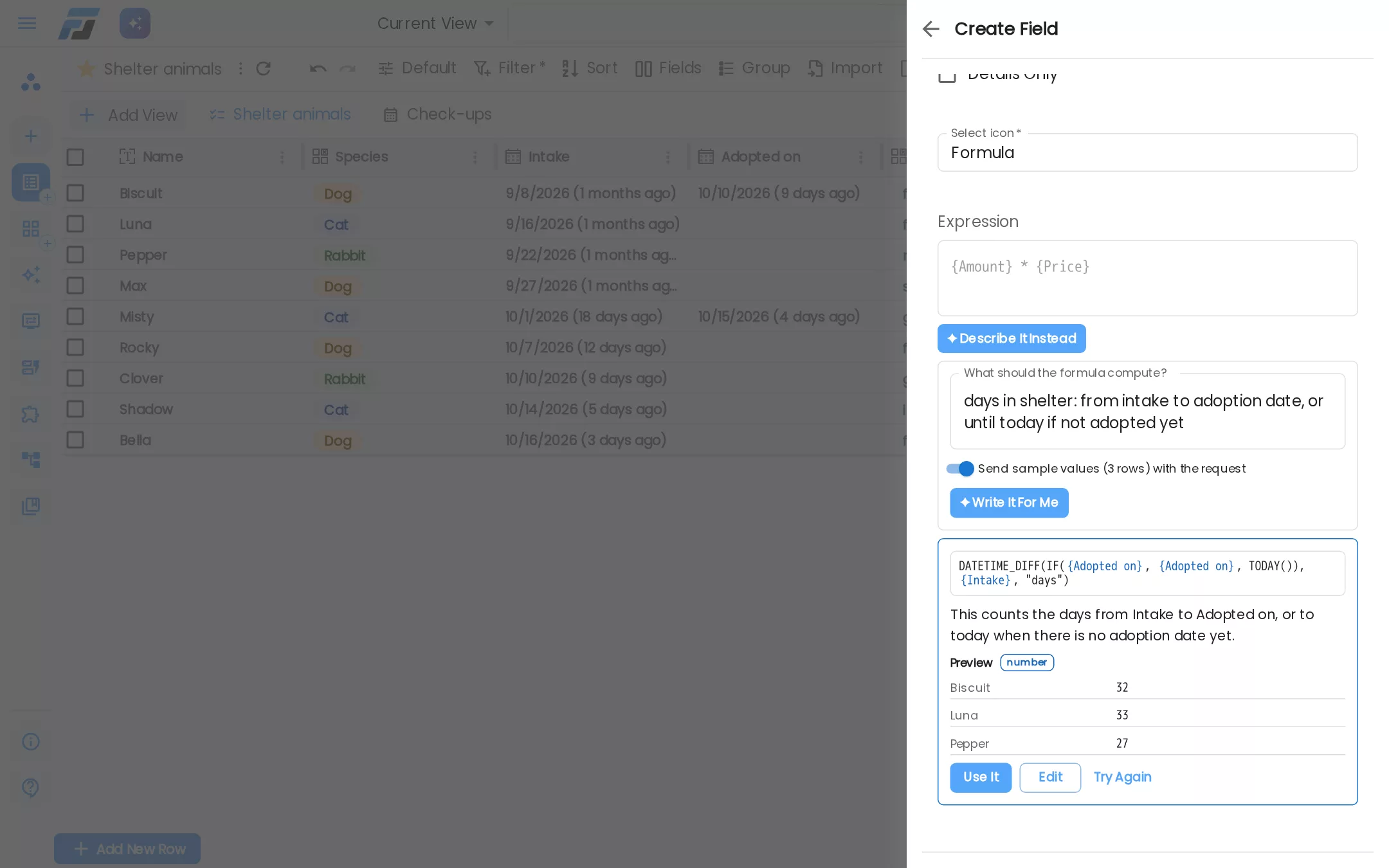
Next to the formula box is ✦ Describe it instead. Type what you want in your own words, for example "days in shelter: from intake to adoption date, or until today if not adopted yet". Flexlists writes the formula, checks it, shows what it does on three of your rows and explains it in plain words. Press Use it, change it, or try again. A formula that doesn't work is never shown.
Your description is saved with the field, so you can change it later and let Flexlists write the formula again. It keeps working after you rename a field.
Explain and Fix
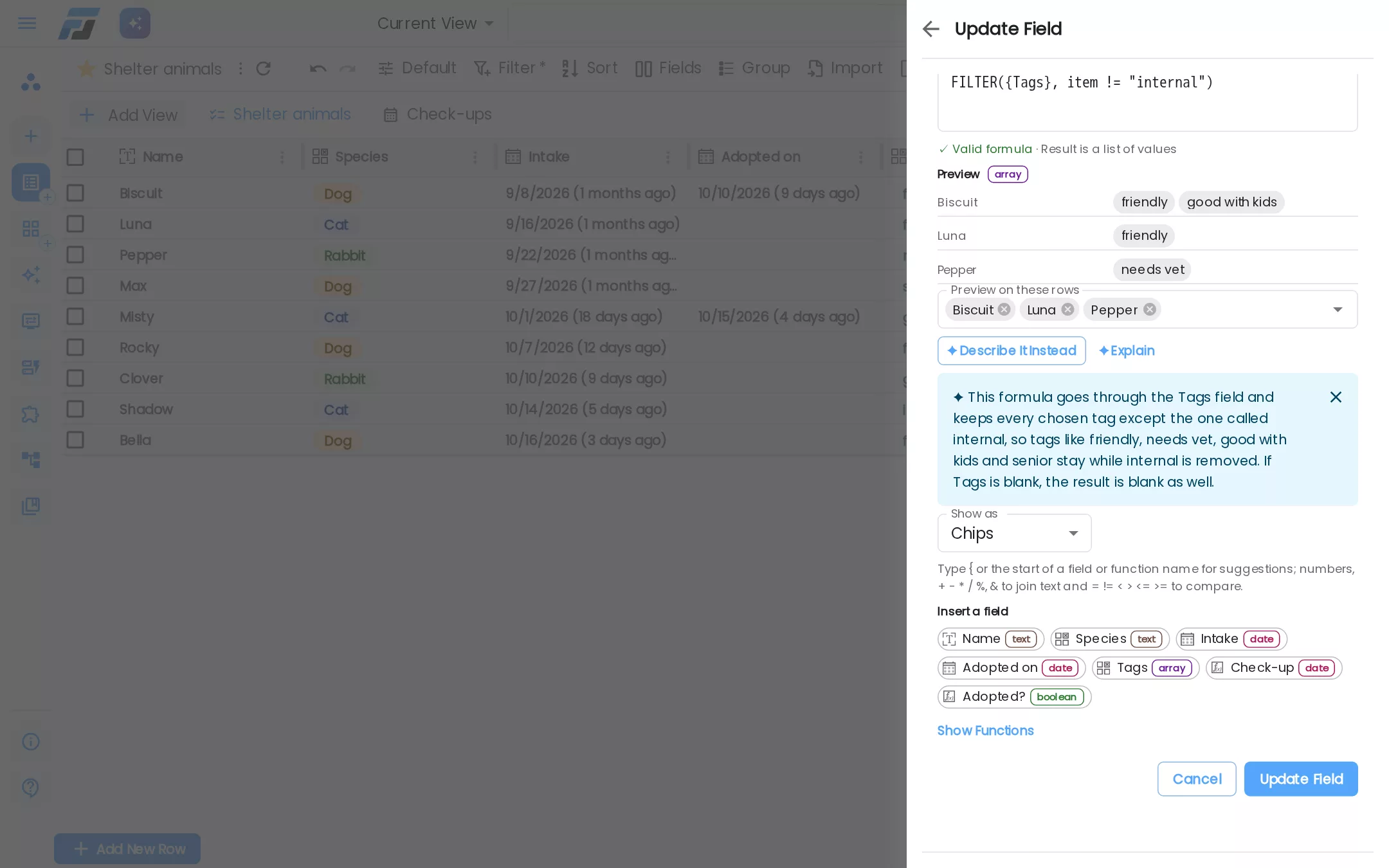
✦ Explain turns any formula into a sentence, handy when you open a list someone else made. When a formula gives an error, ✦ Fix it suggests a corrected version and shows what it changed.
The formula help is included in every plan, without credits. You can switch off Send sample values so only the names and types of your fields are used, never your data. Dave and AI agents that connect to Flexlists use the same help: ask Dave "add a field that shows how many days each animal has been with us" and he adds a working formula.
Formulas that look into linked lists
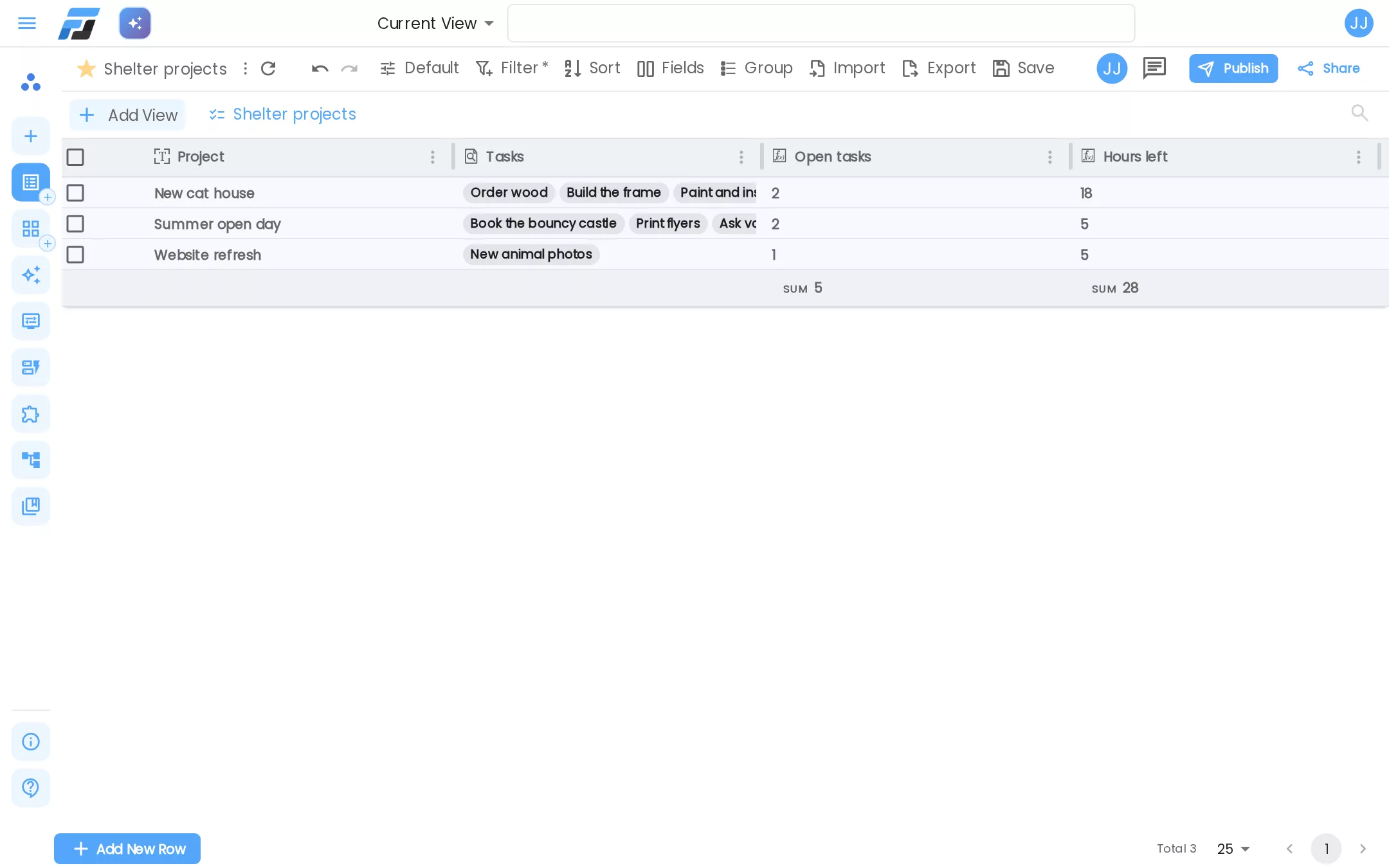
With the new Link to another list field, a formula can read the rows it links to. item is a linked row inside FILTER, MAP and SORT:
- Open tasks:
COUNTA(FILTER({Tasks}, item.Status = "Open")) - Hours left:
SUM(MAP(FILTER({Tasks}, item.Status = "Open"), item.Hours))
When a task is marked done or moved to another project, both projects update straight away. If a formula you import from Airtable or Baserow uses functions we have, it comes in as a working formula. Otherwise the import tells you which ones need a look and offers to rewrite them.
Fast on big lists
Formulas are calculated in small batches, so a list with a million rows and three formulas recalculates in about 20 seconds without memory going up, and changing one row updates its formulas in a few milliseconds.
Every function, documented
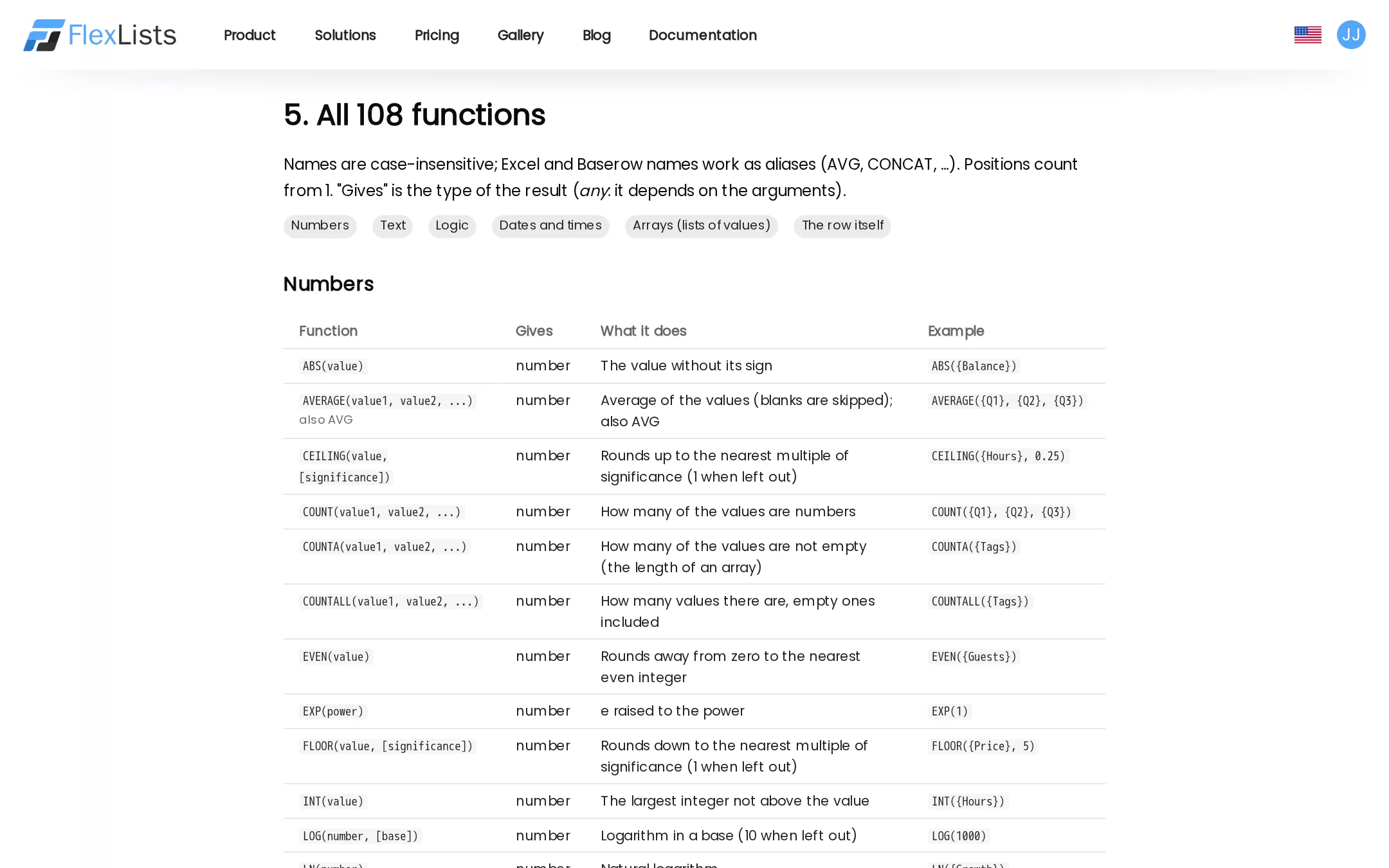
The formula documentation lists every function with what it gives back, what it does and an example. The editor, Dave and the documentation all read from the same list, so they always agree.
Try it
Open a list, add a field and choose Formula. Start typing, or press ✦ Describe it instead. Everything above is live on flexlists.com today.