
Live widgets: put your lists and views on any website
One line of code puts a live, searchable copy of your view on your website — as a board, gallery, calendar or table. Visitors can even add and change rows, with login or password protection.
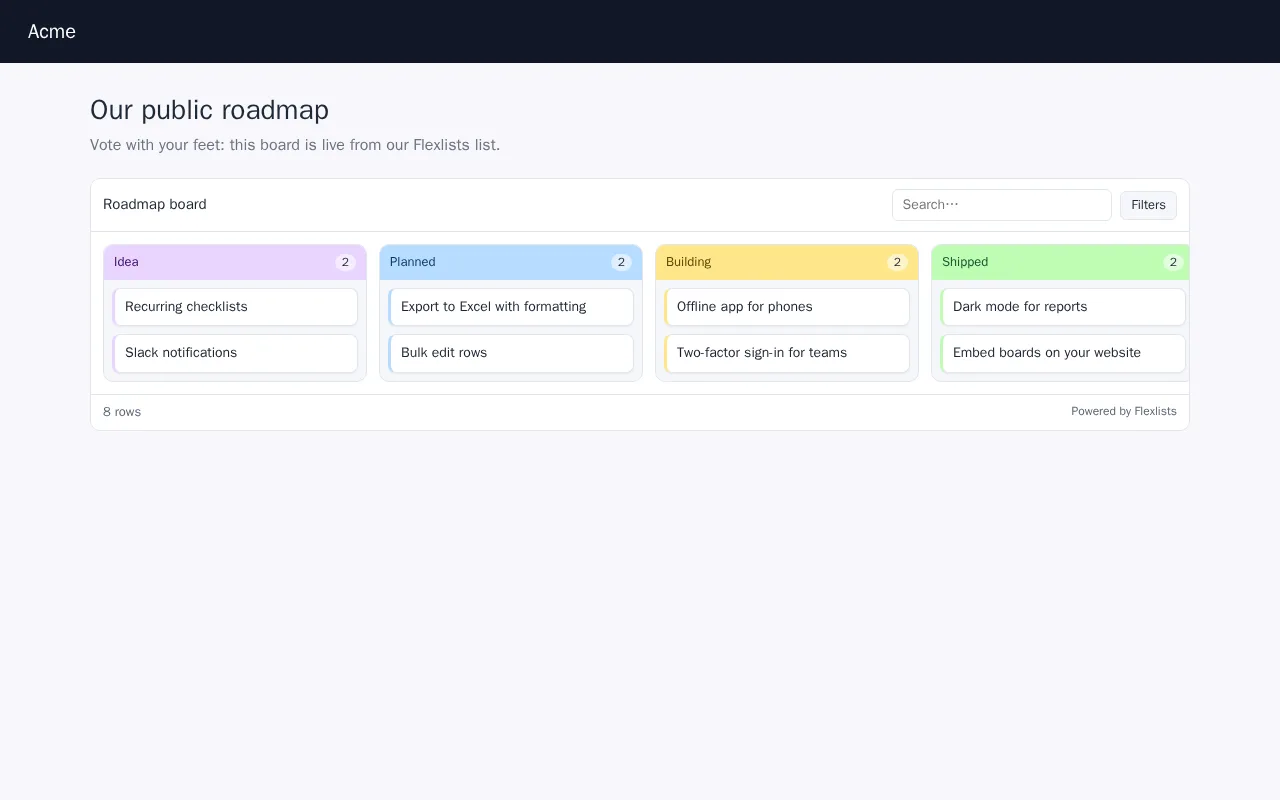
The Publish button has always been one of the most loved parts of Flexlists. Today it gets its biggest update yet. You can now put a live widget on any website: it looks like your view, it updates itself, and if you want, visitors can even add and change rows.
A widget that looks like your view
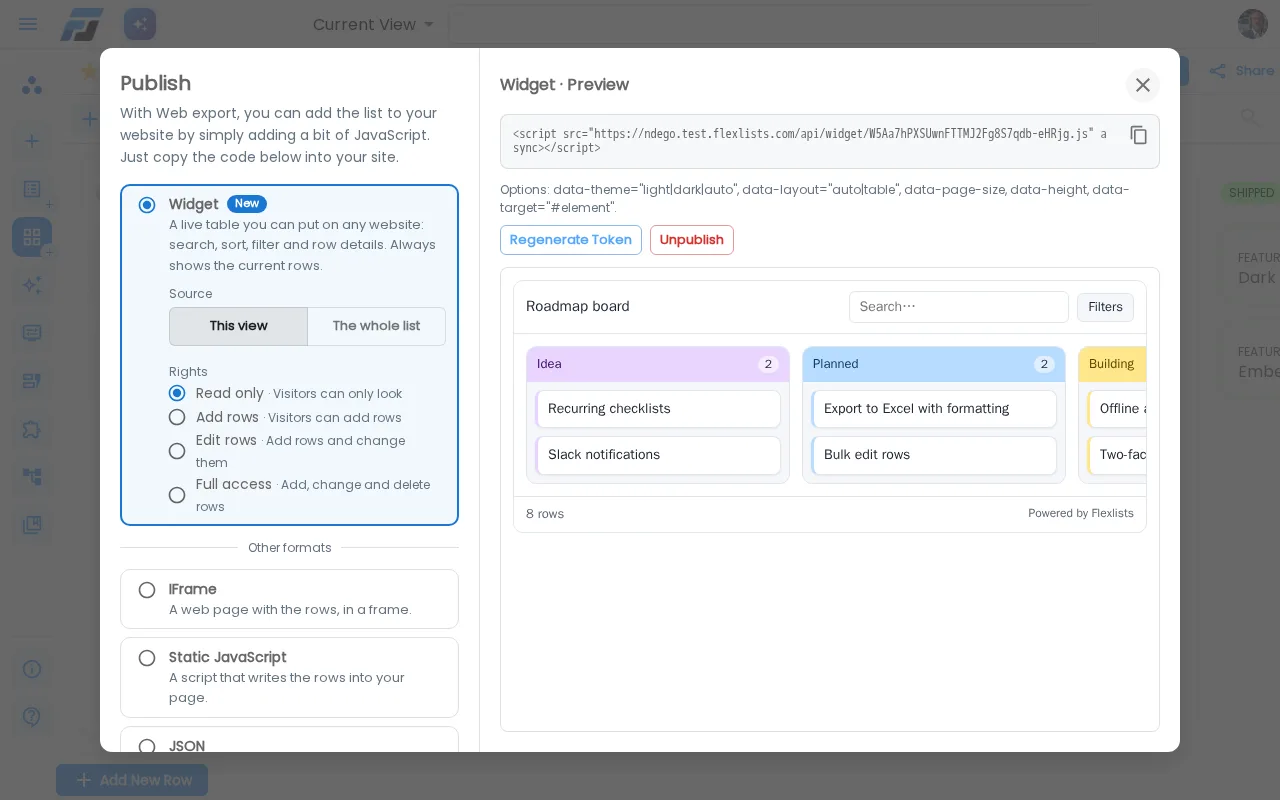
Open a list or view, click Publish, and Widget is the first option. Choose This view or The whole list, click Publish widget, and copy one line of code into your website:
<script src="https://flexlists.com/api/widget/…" async></script>
That's it. The widget follows your settings in Flexlists, live:
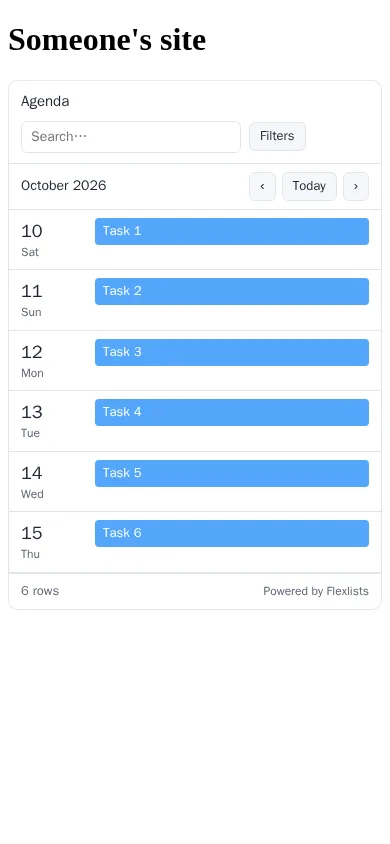
- It looks like your view. A Kanban board shows columns and cards, a gallery shows pictures, a calendar shows your dates, a checklist shows its items. Everything else shows as a clean table. You can force a table with
data-layout="table". - Hidden fields stay hidden. They never leave our servers, so they can't be found in the page source either.
- It follows your changes. Reorder columns, hide a field or change a filter in Flexlists, and the widget shows it on the next visit.
- Visitors can search, sort, filter and open a row to see all its details.
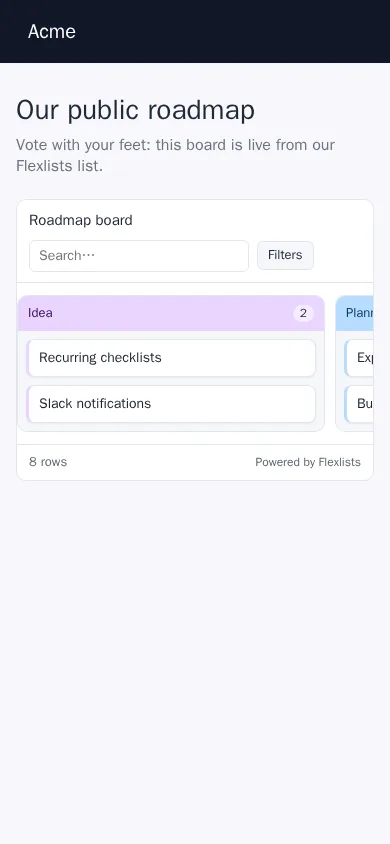
- It works everywhere. It doesn't clash with your site's styles, it adapts to phones, and it has light and dark themes (
data-theme="auto").
Let visitors add and change rows
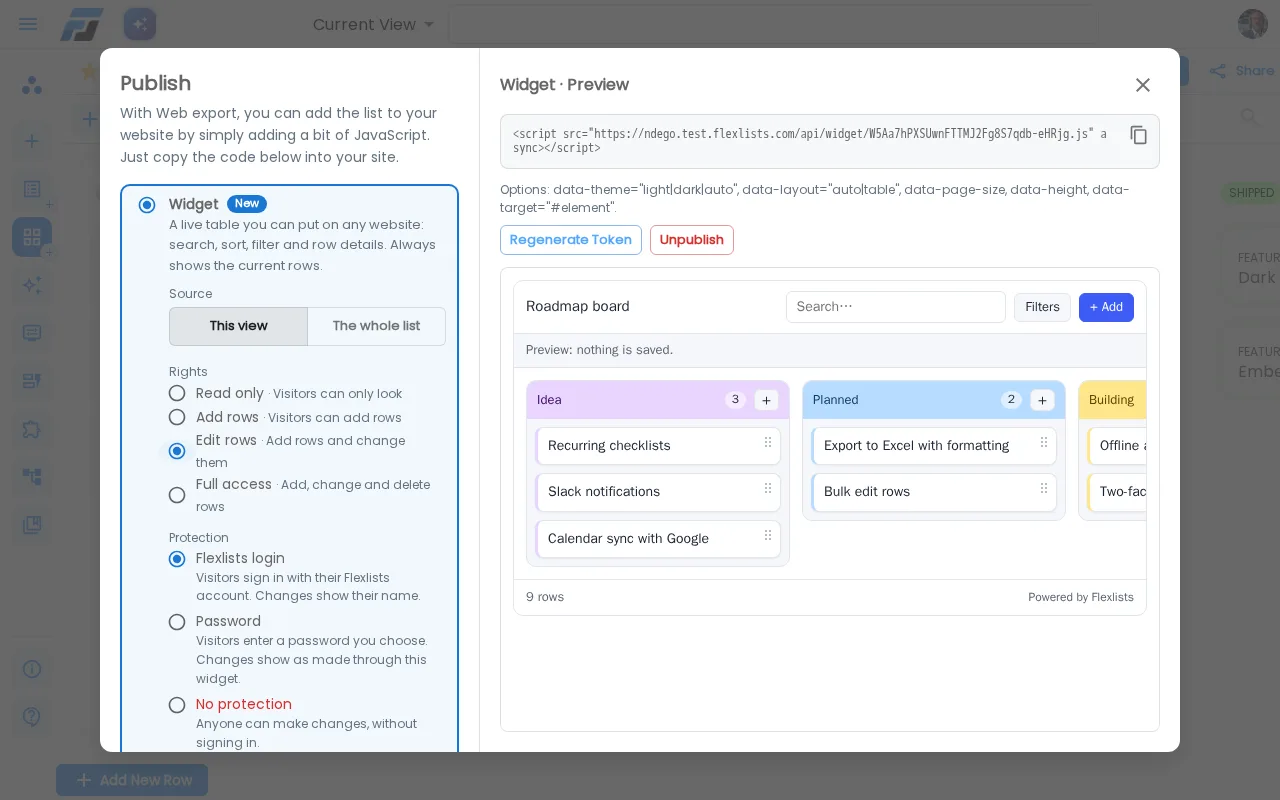
On a paid plan, owners, admins and members with full access can give a widget more than read rights:
- Add rows: great for sign-up lists, requests and feedback.
- Edit rows: visitors can also change rows.
- Full access: visitors can also delete rows.
You decide who may do that:
- Flexlists login (the default): visitors sign in with their own Flexlists account. Every change shows their name.
- Password: you pick a password and share it with the people who need it.
- No protection: anyone who can see the page can change your data. Flexlists warns you clearly and asks you to confirm before you choose this.
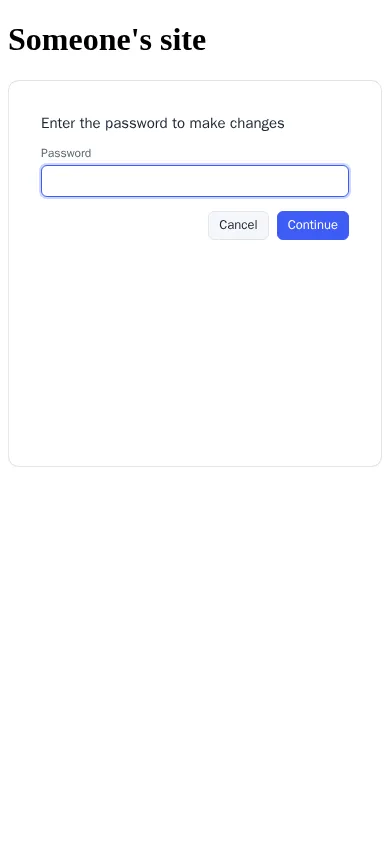
Every change made through a widget is listed in the Publish dialog under Changes through this widget: who changed what, and when. On a Kanban widget with edit rights, visitors can even drag cards to another column.
Also new in Publish
- Exports follow your view. IFrame, static JavaScript, JSON and Print now use the view you're on: its fields, order, filters and sorting. Before, they always used the whole list.
- Old embeds keep working. The old "Dynamic JavaScript" option is gone from the dialog, because the widget does it better. Pages that already use it keep working and now show the new widget.
- API access is now one click away at the bottom of the dialog. More about that in our post about API access.