
What's new in Flexlists: widgets, API access, editing in the list and smarter imports
Live widgets for your website, API keys with their own documentation, editing right in the list, a new-rows dot and spreadsheet imports with a preview and AI fixes.
Today was one of our biggest days yet. Here's everything that's new, with a link to the full story for each.
Live widgets for your website
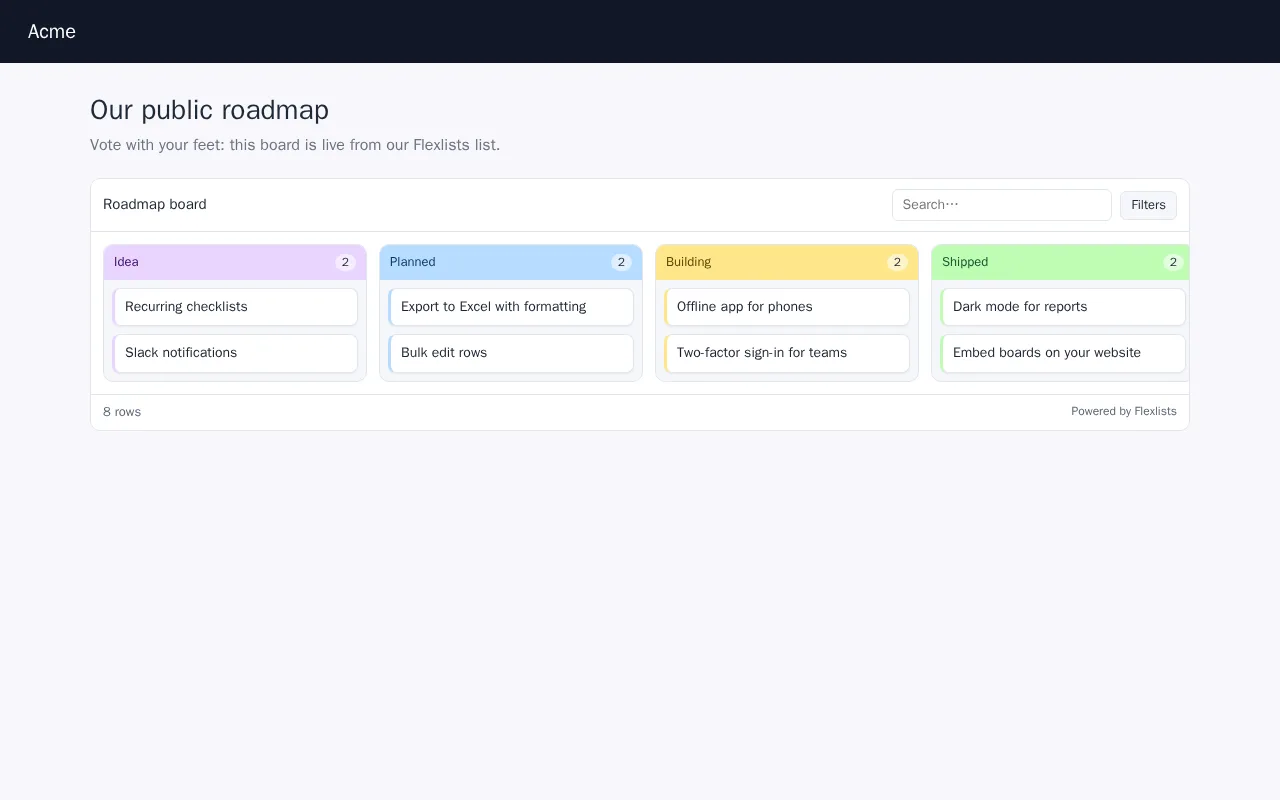
Publish → Widget puts a live copy of your list or view on any website with one line of code. It looks like your view (a board, gallery, calendar, checklist or table), keeps hidden fields hidden, and follows your changes. On a paid plan, visitors can also add, edit or delete rows, protected by a Flexlists login or a password. Read more
Publish exports follow your view
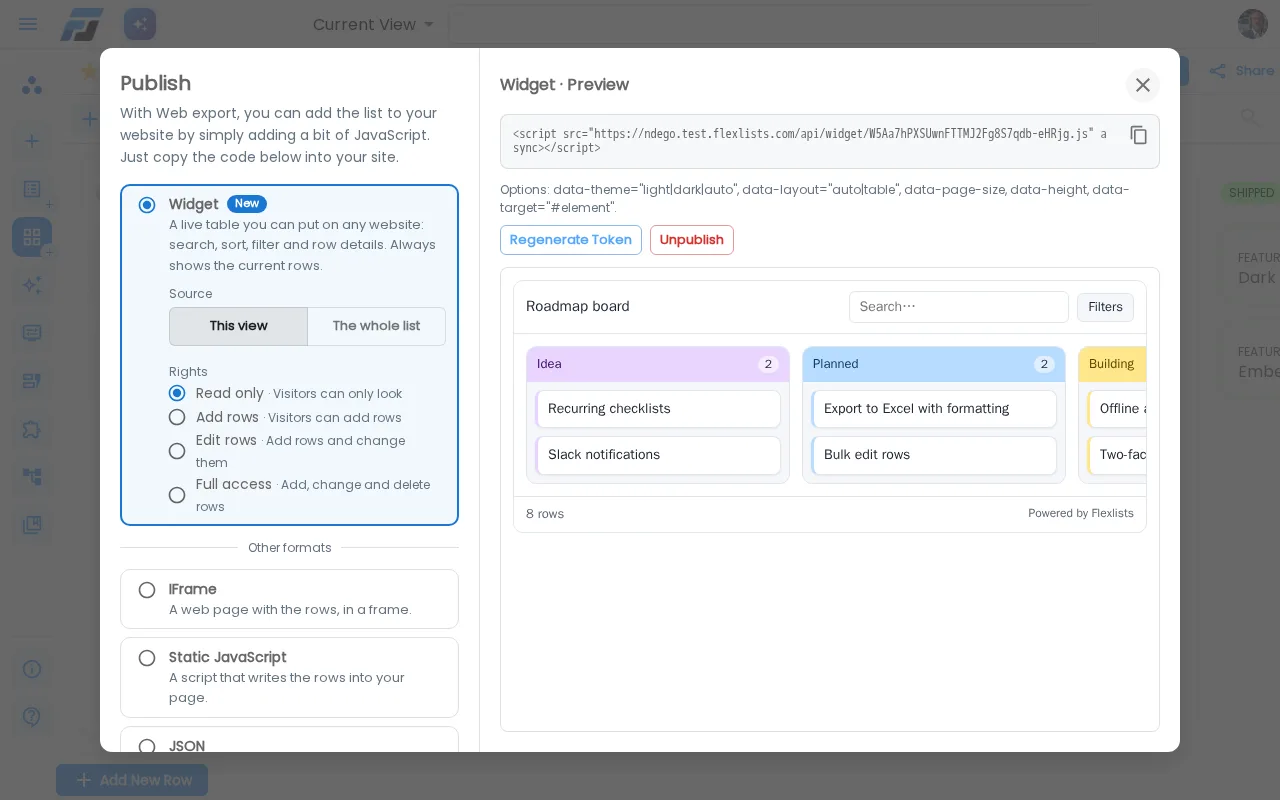
The Publish dialog is redesigned with a live preview. IFrame, static JavaScript, JSON and Print now use the view you're on (its fields, order, filters and sorting) instead of always the whole list. Old "Dynamic JavaScript" embeds keep working and now show the new widget.
API access with documentation made for you
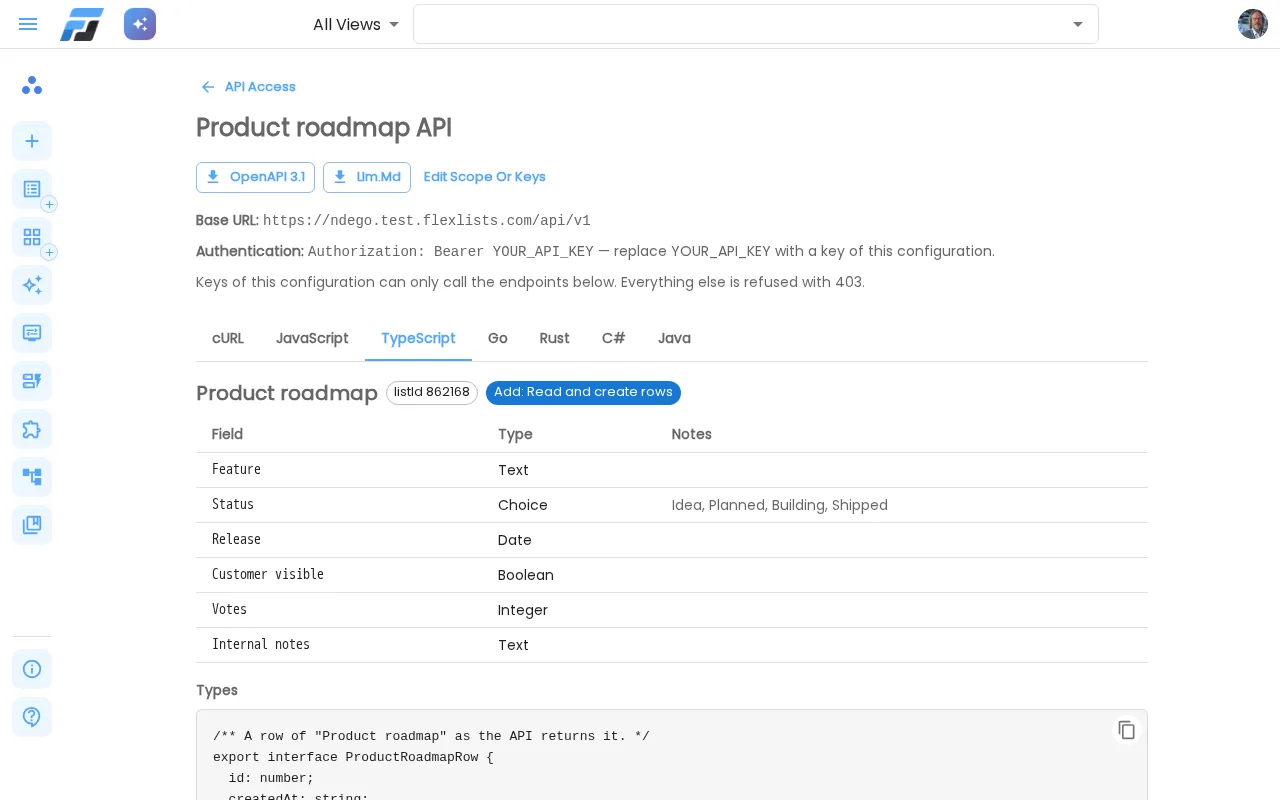
Configure a key for exactly the lists, permissions (Read / Add / Edit / Full) and endpoints an app needs. Flexlists then writes documentation for that key, with code in cURL, JavaScript, TypeScript, Go, Rust, C# and Java, plus OpenAPI and an llm.md for AI agents. Read more
Change values right in the list
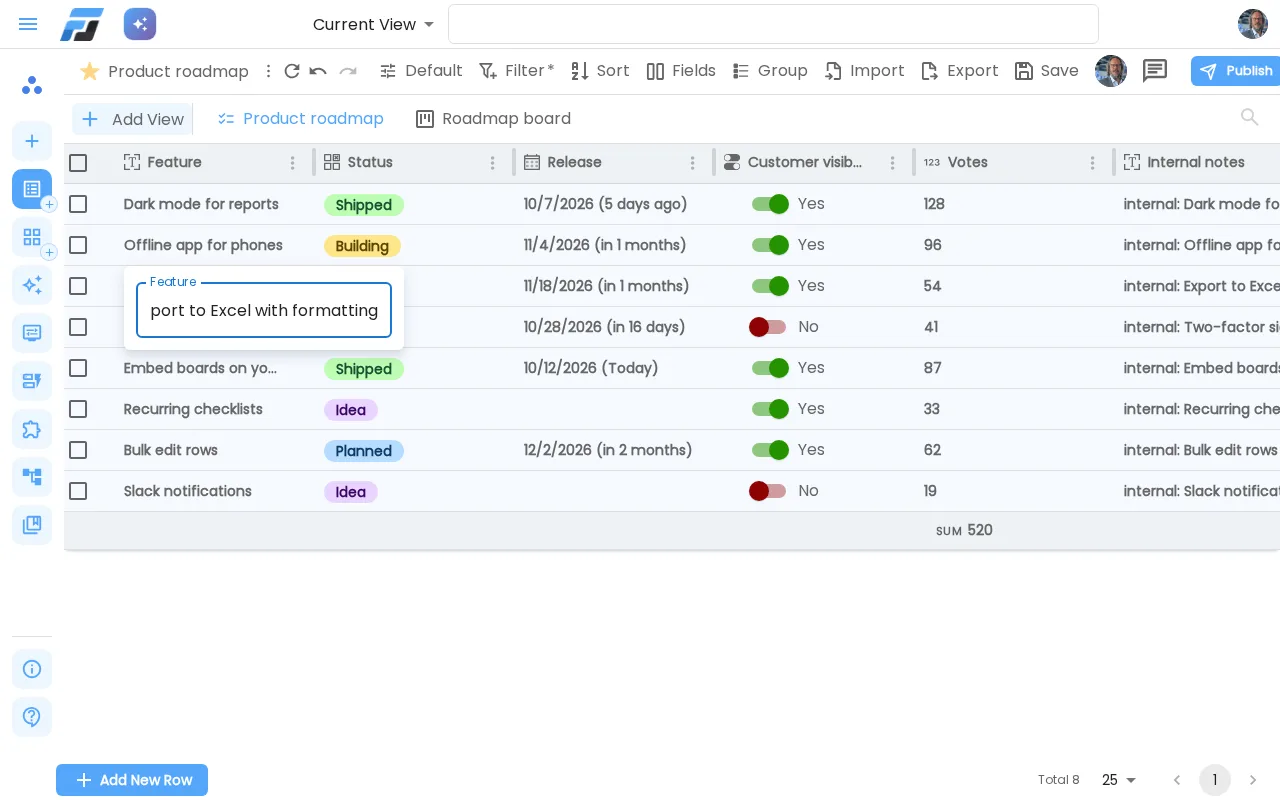
Yes/No switches now flip with one click. For text, numbers, choices and dates, turn on Edit in list/view in the field settings and change them without opening the row: in the list, on cards and in the row details. Read more
A red dot when there are new rows
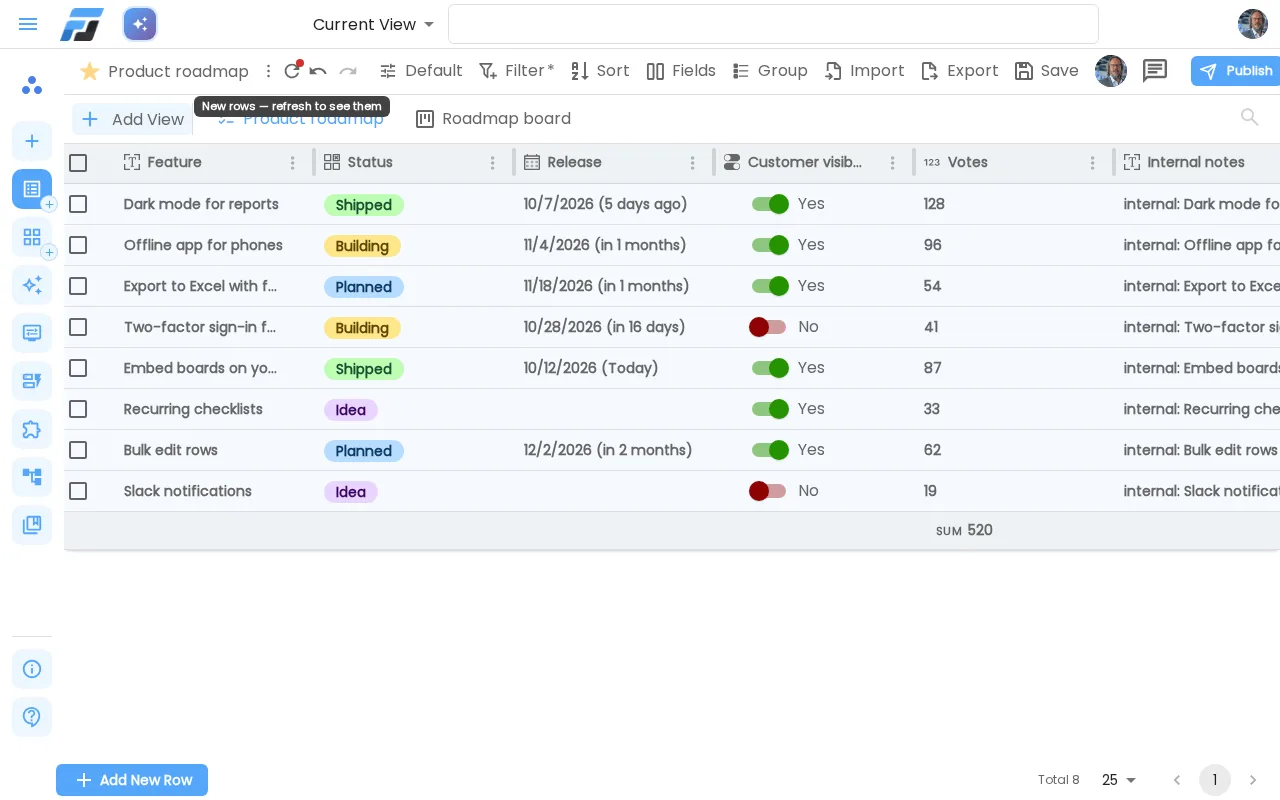
When someone else, an automation or an API key adds rows, a small red dot appears on the refresh icon. It never interrupts your work. Read more
Import spreadsheets with a preview and AI fixes
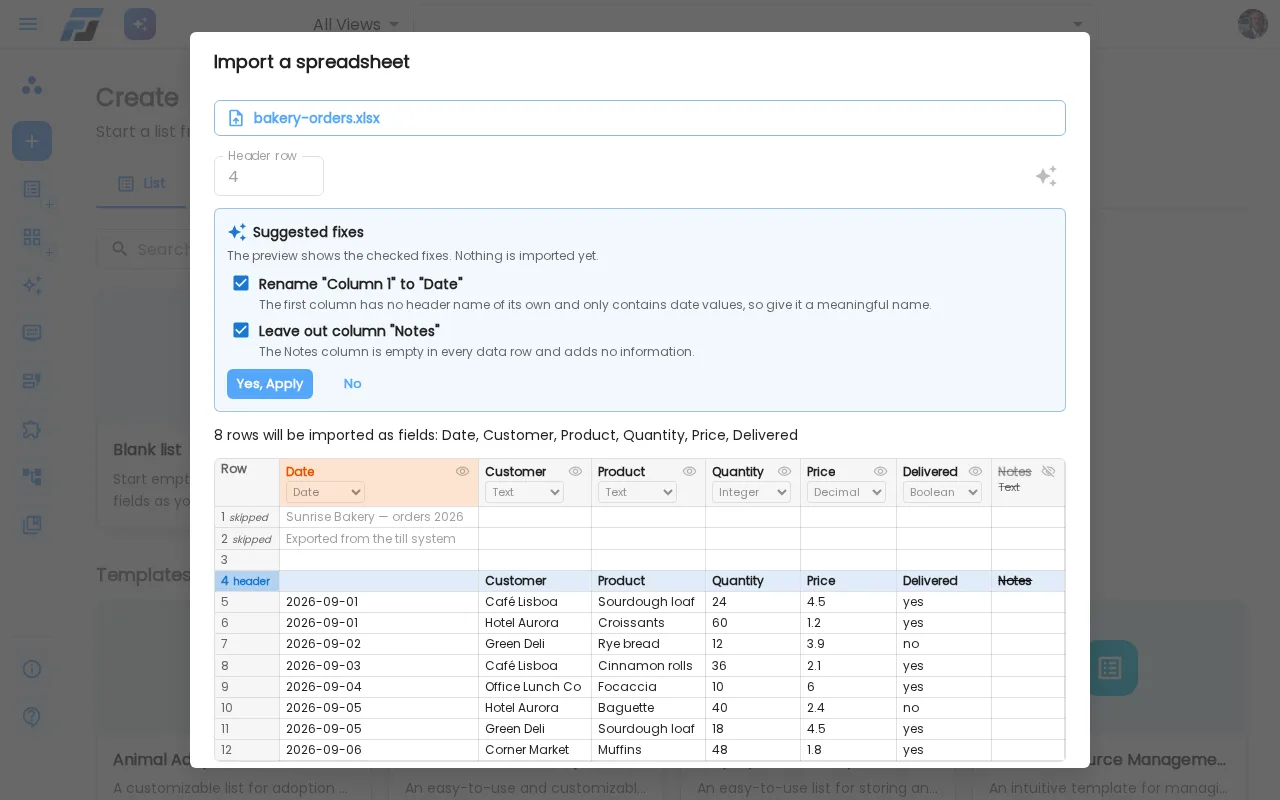
CSV and Excel imports now show a preview first. Flexlists finds the real header row, detects the CSV separator and shows every field and its type. You can rename fields, change their type or leave columns out right in the preview, drop a file anywhere on the Create page to start, and the ✨ button asks AI to name empty columns, drop empty ones and fix types. Read more
Small things that make a difference
- Choice lists open neatly under the field when you edit in the list.
- Dates you pick in the list are stored as exactly the day you picked, wherever you are.
Safer file storage
Behind the scenes, every file you upload is stored encrypted, and an upload either succeeds completely or fails with a clear message: you never get a broken file. We also fixed a problem that kept some view previews from updating this morning.